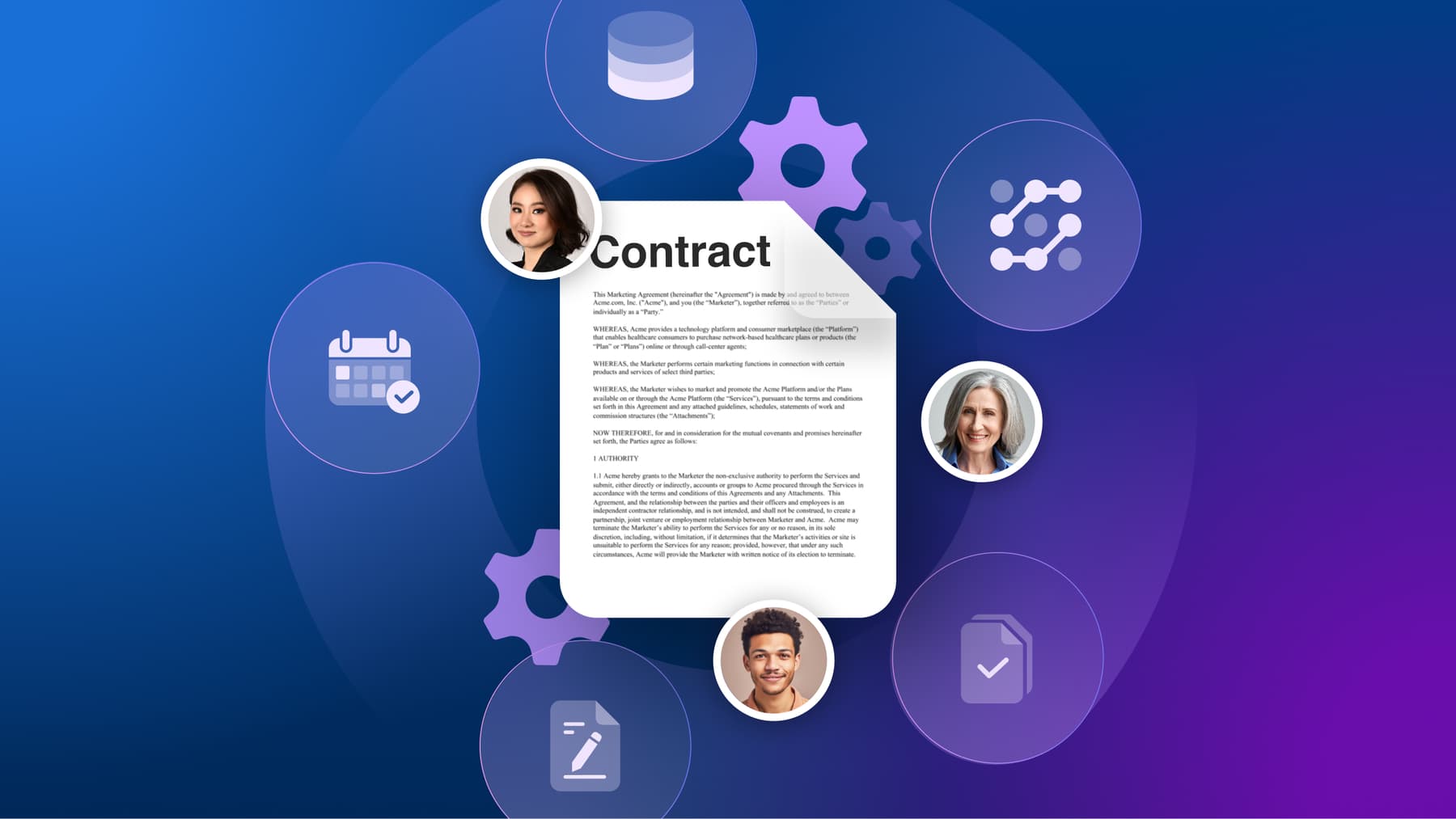
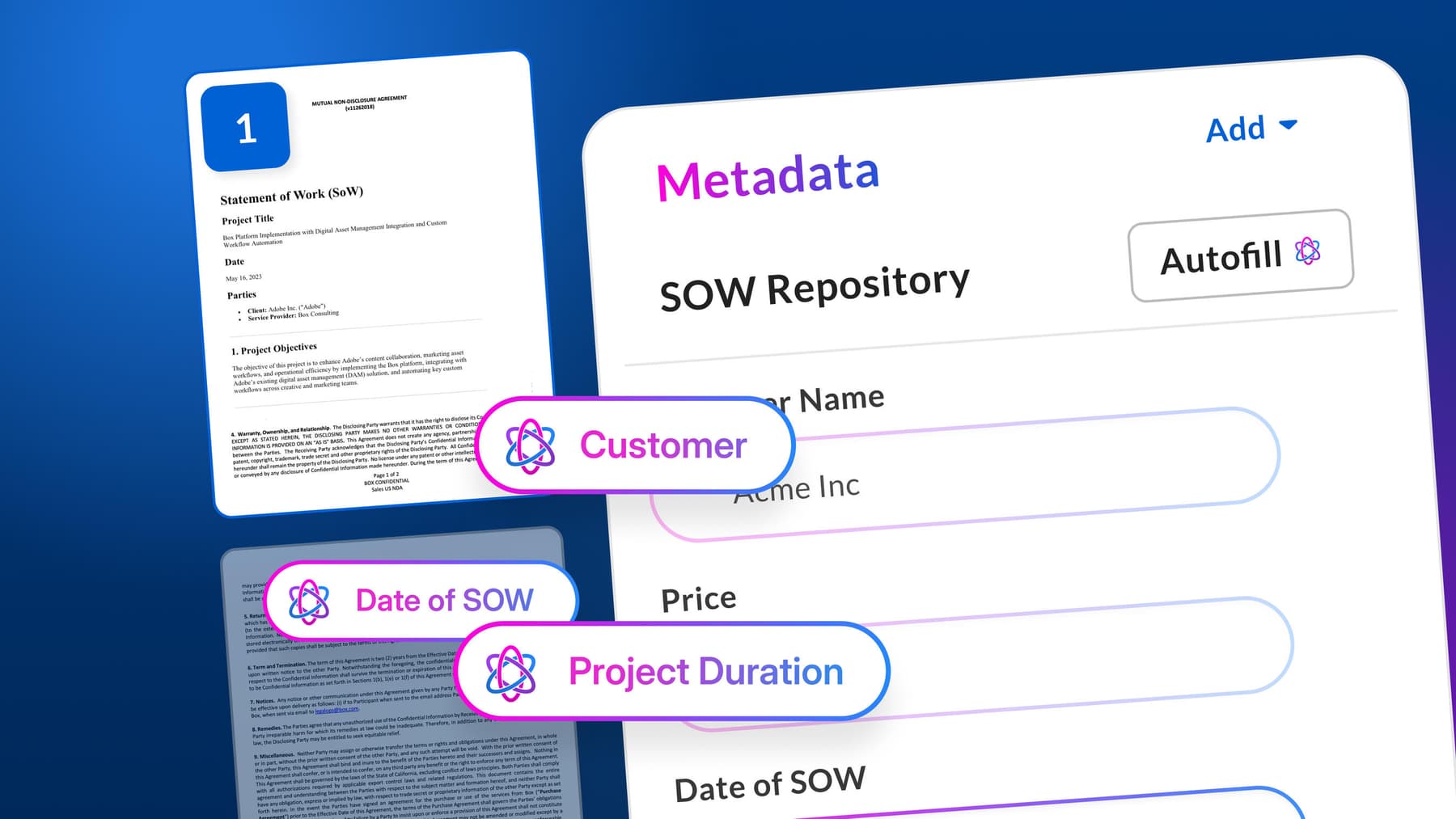
The traditional way of entering information by keying data — like names, contract dates, or dollar amounts — into metadata fields is no longer productive. This outdated workflow creates unsearchable “dark data:” thousands of scanned files and inconsistent vendor formats that lack the structure your systems require. Relying on this manual effort limits your ability to unlock your content’s true value.
It’s time you transform those disconnected documents into structured, actionable content that fuels better, faster decision-making. We’ll walk you through the core process of AI document extraction and show you how to realize the value of automated data workflows. For enterprise teams, the goal is not only extraction, but governed AI data extraction that converts unstructured documents into structured, searchable, reusable business data at scale.
Key highlights:
- AI document extraction leverages artificial intelligence to automatically process, classify, and extract datafrom many types of files
- Agentic document extraction eliminates manual data entry bottlenecks, accelerating time-to-value for strategic decision-making and lowering overall operational cost
- Companies should prioritize developer-friendly AI document extraction solutions that offer robust APIs, easy configuration, and enterprise-grade security
- The Box Intelligent Content Management platform enables teams to deploy custom extractors for finance, legal, and many other segments, transforming data into searchable, governable assets
What is AI document extraction?
AI document extraction is the use of artificial intelligence to retrieve and organize data from documents such as PDFs, scans, forms, emails, and contracts.
Instead of relying on manual data entry or rigid rules, document extraction AI uses machine learning and natural language processing (NLP) to spot patterns, understand context, and capture details from both structured and unstructured content.
What is agentic data extraction and how does it work?
Agentic data extraction is an AI-driven approach that uses autonomous or semi-autonomous AI agents to extract, validate, and act on information from documents. Instead of simply pulling text from a file, an agentic extraction workflow can understand document context, identify the fields that matter, compare results against business rules, and send the structured data to the right system or workflow.
The process typically starts when a document enters a secure content system through upload, email, scan, or API. AI then reads the file with OCR, layout recognition, natural language processing, and large language models. The agent identifies the document type, extracts fields such as names, dates, clauses, totals, account numbers, or obligations, checks confidence levels, and validates the output against approved sources or predefined rules.
Once the data is validated, the AI agent can apply metadata, route the document for approval, update a CRM or ERP, trigger a workflow, or flag an exception for human review. This makes agentic data extraction especially useful for contracts, invoices, claims, onboarding packets, financial documents, and other high-volume content workflows where accuracy, governance, and speed matter.

What are the benefits of agentic document extraction?
With agentic document extraction, you spend less time on manual work and get insights faster. AI agents sort files, pull out key information, check results, and send data to other systems without needing ongoing human input.
Most businesses find it challenging to analyze and extract meaningful information from their files. According to Salesforce’s State of Data and Analytics, 70% of data and analytics leaders say that unstructured data traps their most valuable insights.

Now picture having a tool focused on document extraction that organizes all your data and offers the following benefits:
- Broader coverage: Agentic AI document extraction handles many layouts, handwriting, and multiple languages across regions
- Improved data quality: AI reduces the human errors inherent in manual data entry by automating the ingestion of complex forms, contracts, and even supporting OCR invoice processing
- Scalability without headcount: AI document extraction allows you to handle big spikes in document volume — such as processing thousands of invoices or claims instantly — without the need to hire or train additional staff to manually key in data
How does AI document data extraction work?
AI document data extraction follows a pipeline that blends optical character recognition, natural language processing, and large language models (LLMs). This process transforms files into organized, reliable data and sends them to systems and workflows — such as ERPs, CRMs, and document management systems — for immediate use, eliminating the need for manual entries.
AI document extraction handles unstructured, multi-language documents through:
- Ingestion and normalization: Files arrive from scanners, email, e-sign, or cloud drives, and AI systems normalize document formats and page layouts, while also tracking the origin of each archive for auditability
- OCR and layout understanding: OCR-powered data extraction improves throughput and accuracy by turning images into text while preserving structure like tables and headings
- NLP and entity recognition: AI models detect entities (such as names, dates, totals), relationships, and intents within content — and also classify types of documents and clarify similar fields (for example, invoice vs. purchase order numbers)
- Generative reasoning with large language models: LLMs summarize sections, reason over instructions, and conform outputs to schemas — in addition to supporting AI summarization to make executive-level decisions easier
- Retrieval and validation process: Retrieval-augmented generation (RAG) checks extracted fields against policies or known records, and if the confidence scores suggest uncertainty, a human will be notified to review the cases for any exceptions
- Multimodal and multilingual capabilities: Vision-language models handle stamps, signatures, charts, and handwriting as part of multimodal data extraction, while translation-aware models support other languages, allowing you to translate info straight in your system
- Delivery to applications: Cloud systems map clean data to business flows into ERPs, CRMs, or data warehouses, enabling downstream intelligent automation
How to choose developer-friendly AI document extraction solutions for 2026
Corporate teams need cloud platforms that handle large volumes of requisitions and offer easy integration, solid security, and scalability. Follow these criteria to choose developer-friendly AI document extraction solutions.

Define the documents and workflows you need to support
When selecting an AI document extraction solution, define what you need to automate first. Start by inventorying document types (invoices, receipts, bills of lading, IDs, contracts), languages, and the business outcomes you need. Being clear about your scope helps you choose the right models and set up proper governance.
Prioritize solutions with clean APIs and fast developer onboarding
Intuitive REST APIs, SDKs, and quickstarts are developer-friendly, so favor vendors with these resources. Documentation quality drives speed, and API and SDK docs are the top resource for 90% of developers, per the 2024 Stack Overflow Developer Survey. Also, look for extension options that let non-developers configure steps with a no-code app builder while engineers retain control through versioned configs and CI/CD.
Test extraction accuracy and metadata quality on real samples
Once you choose agentic document extraction tools to try, make sure to test them for accuracy on your actual content. Many solutions perform differently across different file types. Pay close attention to the platform’s ability to make your data searchable, governable, and actionable for other teams.
Check security, governance, and integration readiness
When it comes to handling sensitive processed documents, protecting data should be your top priority. Make sure to encrypt information both during transmission and when it’s stored. Other key steps include tracking audit logs, being aware of any personally identifiable information (PII), and having strong admin controls in place that fit into your content review process.
Integration readiness matters, because disconnected platforms slow down adoption. In fact, according to a Box-sponsored IDC white paper, 43% of organizations say that integrating siloed systems is a major challenge when adopting content services. Check for connectors to your enterprise content management, data lake, and workflow tools, as well as support for event-driven automation.
Run end-to-end proof of concept to validate fit
An effective proof of concept should test and validate the entire process, including ingestion, extraction, and automated integration into your workflows. As you run your final tests, track how long it takes for solutions to integrate, the accuracy of the fields they output, exception rates, and ROI.
Key generative AI applications for document extraction
Generative AI applications for document extraction shift the process from template-based matching to semantic understanding. GenAI “reads” and comprehends the file’s content, context, and layout like a human would. Traditional automation models, such as traditional OCR, only memorize where data is located on a page.

Use agentic AI document extraction to optimize your content workflows with Box
Box AI uses agentic AI document extraction to speed up how you retrieve, analyze, and organize your data by bringing advanced technology to your content.
The Box Intelligent Content Management platform turns unstructured files into structured, searchable data and offers you:
- Access to Box Extract, our AI-powered extraction tool, which uses OCR for capturing text, tables, and key information from PDFs, images, and multi-language documents
- Prebuilt and customizable extractors for invoices, contracts, and financials, allowing you to train models on your unique data
- Developer-first APIs and SDKs for rapid integration, with webhook support and smooth onboarding
- Enterprise-grade security, compliance, and governance controls powered by native integration to Box workflows and key data
- Extensible Box AI Agents and Box AI Studio, which allow you to enable agentic automation, summarization, and downstream actions
Contact us to learn how Box AI and Box Extract simplify information retrieval, organize documents, automate workflows, and ensure compliance for your business.
Frequently asked questions
How can AI extract structured data from unstructured documents?
AI extracts structured information from unstructured data by chaining a few proven steps:
- Ingesting the file
- Detecting layout and text with optical character recognition (OCR)
- Interpreting fields using language models
- Validating and routing the results into systems
Modern OCR and layout methods eliminate the need for rigid templates and work on images and scans. Box OCR for structured extraction accepts TIFF, PNG, JPEG, and PDF files, and supports multiple scripts. Our technology eliminates a preprocessing step and speeds up AI data extraction.
Are there any AI document extraction solutions for unstructured, multi-language documents?
Yes. Box is one of the main AI document extraction vendors for unstructured multi-language documents. Our platform uses large language models (LLMs) to process content in 100+ languages. Box Extract and Box AI analyze, translate, and pull data even from complex documents where multiple languages are mixed together to support consistent capture and compliance for global operations.
Explore how to transform unstructured data into decisions with agentic workflows.
Which metadata extraction platforms are best for legal document processing?
For high-stakes legal document processing, the best enterprise metadata management platforms are those that emphasize security, auditability, and customizable extraction logic, like Box Extract.
Box uses agentic document extraction to analyze your documents and follow specific data/legal rules. Once Box Extract runs through your contracts, AI identifies and flags non-standard clauses for your content review process.
How do popular metadata extraction tools compare for automation features?
Popular metadata extraction tools often rely on zonal OCR, which requires creating a manual template for each new document layout. This approach limits automation in AI workflows. AI-powered solutions using large language models (LLMs) for template-free extraction provide a more comprehensive and automated method.
What are the key document extraction AI techniques and algorithms?
Many techniques, rather than a single algorithm, power modern AI document extraction:
- Natural Language Processing (NLP): Extraction of meaningful information from unstructured data through pattern and context recognition
- Next-gen optical character recognition (OCR): Correction of skew, distortion, and poor image quality to provide accurate digitization
- Topic modeling: Identification of themes within a collection of documents to help classify and organize content
- Deep learning: Recognition of complex patterns in data to handle diverse layouts without predefined rules
What is agentic data extraction?
Agentic data extraction is the use of AI agents to retrieve, interpret, validate, and route information from documents. It goes beyond basic OCR by coordinating multiple steps — classification, field extraction, confidence scoring, exception handling, metadata enrichment, and delivery to business systems.
How does agentic data extraction work?
Agentic data extraction works by ingesting a document, analyzing its layout and language, identifying the document type, extracting the required fields, validating the results, and triggering the next action. An AI agent may send clean data to an ERP, rout e a contract for legal review, notify a user about missing information, or escalate low-confidence results to a human reviewer.
How do companies extract structured data from unstructured documents at scale?
Companies extract structured data from unstructured documents at scale by using AI models to classify files, read text and layout, extract fields into predefined schemas, validate the results, and send the output to systems of record. At enterprise scale, this requires APIs, reusable extractors, governance controls, audit logs, confidence thresholds, and exception workflows.
What is the difference between AI document extraction and agentic data extraction?
AI document extraction focuses on pulling information from files. Agentic data extraction adds an action layer: AI agents can interpret the extracted information, decide what should happen next based on rules and context, and automate follow-up steps such as routing, notification, approval, or system updates.
What types of documents are best suited for agentic extraction?
Agentic extraction is well suited for high-volume or high-value documents such as invoices, contracts, purchase orders, claims, tax forms, onboarding documents, financial statements, medical records, HR files, and legal agreements. It is especially useful when documents vary by layout, language, source, or complexity.
How does AI validate extracted document data?
AI validates extracted document data by comparing fields against confidence scores, business rules, known records, policies, metadata, and connected systems. For example, an invoice total can be checked against line items, vendor information can be matched to an approved supplier list, and contract dates can be compared with renewal policies.
Why is human-in-the-loop review important for agentic extraction?
Human-in-the-loop review helps maintain accuracy and accountability. When an AI agent encounters low-confidence fields, ambiguous clauses, missing information, or sensitive decisions, it can route the case to a person for review instead of taking fully automated action.
How do companies keep agentic data extraction secure?
Companies keep agentic data extraction secure by using role-based permissions, encryption, audit trails, retention policies, data loss prevention, approval gates, and strict limits on what an AI agent can access or change. Security and governance should be built into the extraction workflow from the beginning.
What is the role of metadata in AI document extraction?
Metadata gives extracted information structure and context. AI can apply metadata such as document type, owner, date, contract value, vendor name, sensitivity level, retention category, or workflow status — making content easier to search, govern, analyze, and route.
How does agentic extraction support downstream automation?
Agentic extraction supports downstream automation by turning document content into structured data that other systems can use. Once fields are extracted and validated, the workflow can update a CRM, populate an ERP, launch an approval, generate a summary, notify a stakeholder, or archive the document with the right metadata and permissions.
What should enterprises look for in an agentic data extraction platform?
Enterprises should look for extraction accuracy, support for varied file types, multilingual and multimodal capabilities, configurable schemas, APIs and SDKs, workflow automation, auditability, security controls, governance features, and human review options. The platform should also integrate with content repositories and systems of record.
How does Box support agentic document extraction?
Box supports agentic document extraction through Box AI, Box Extract, Box AI Agents, and the Box Intelligent Content Management platform. Together, these capabilities help teams classify content, extract structured fields, enrich metadata, automate workflows, and protect business-critical information with enterprise-grade governance.
What is agentic data extraction and how does it work?
Agentic data extraction is an AI-driven approach that uses autonomous or semi-autonomous AI agents to extract, validate, and act on information from documents. Instead of simply pulling text from a file, an agentic extraction workflow can understand document context, identify the fields that matter, compare results against business rules, and send the structured data to the right system or workflow.
The process typically starts when a document enters a secure content system through upload, email, scan, or API. AI then reads the file with OCR, layout recognition, natural language processing, and large language models. The agent identifies the document type, extracts fields such as names, dates, clauses, totals, account numbers, or obligations, checks confidence levels, and validates the output against approved sources or predefined rules.
Once the data is validated, the AI agent can apply metadata, route the document for approval, update a CRM or ERP, trigger a workflow, or flag an exception for human review — making agentic data extraction especially useful for contracts, invoices, claims, onboarding packets, financial documents, and other high-volume content workflows where accuracy, governance, and speed matter.