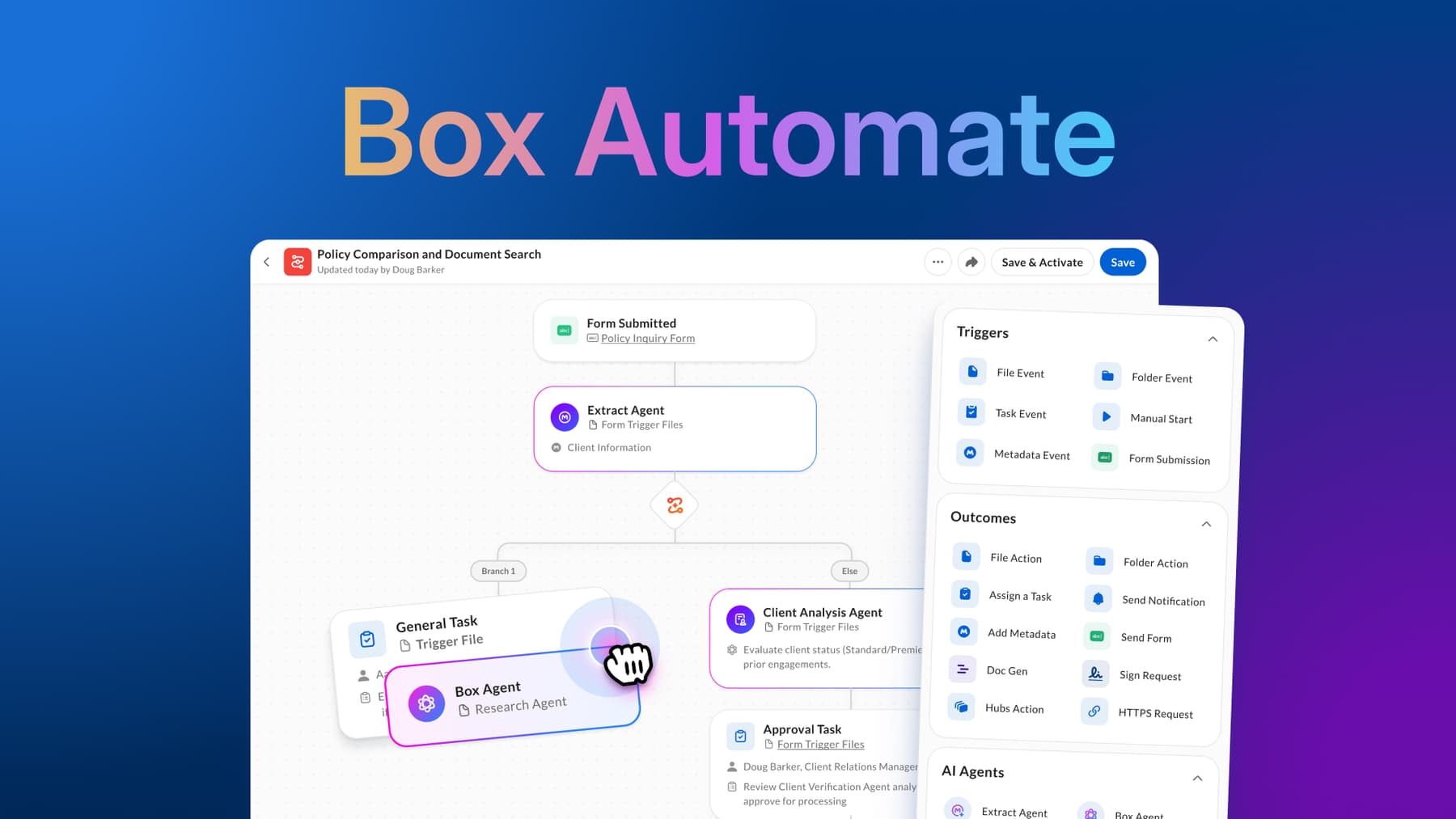
Box Automate is an AI-native workflow solution designed to orchestrate content-centric processes across people, AI agents, and enterprise systems. With a no-code, visual drag-and-drop builder, business teams can design agentic workflows that dynamically route work based on events, business logic, and AI-driven decisions.
Every workflow follows three core phases: how it starts, how it runs, and how it acts.

How workflows start: Flexible, event-driven triggers
Workflows begin when a defined event signals the Automation Engine to run. Box Automate supports a broad set of content-based triggers, including file actions such as uploads, moves, copies, renames, deletions, locks, previews, watermarking, and classification. Workflows can also be triggered by folder-level changes and metadata updates applied to files or folders.
Beyond content events, workflows can start from:
- Box Sign events (completions, declines, cancellations, expirations)
- Submissions through Box Forms and File Requests
- Manual user initiation
- Scheduled execution
- The completion of a task or approval step
This flexibility allows teams to initiate workflows at exactly the right moment in a process.

How workflows run: Orchestration, logic, and decisioning
Once triggered, the Automation Engine manages execution from start to finish, maintaining state, coordinating decisions, and ensuring each step progresses reliably.
Flow control and logic
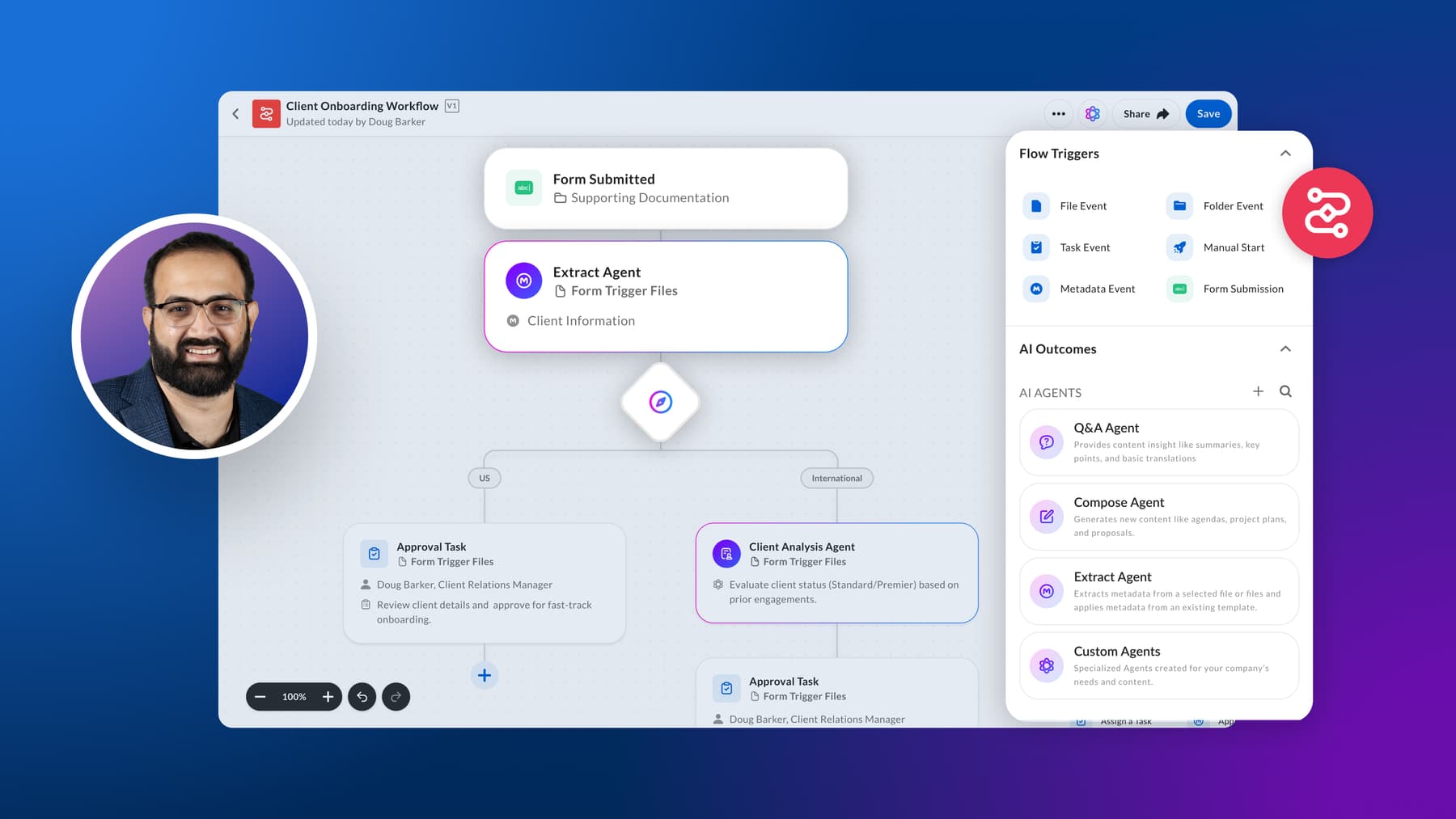
The engine evaluates trigger conditions, applies folder scoping, and initializes workflow variables at the start of each run. From there, it executes steps based on defined logic, supporting conditional branching, parallel execution (with split and merge patterns), and looping constructs such as for-each and loop-back steps.
Workflows are stateful by design. Dynamic variables act as shared context across the entire execution, allowing steps to pass and reference files, folders, users, metadata, timestamps, and Agent outputs. This shared context enables workflows to adapt in real time as new data is introduced or decisions are made.
Branching decisions can be driven by:
- Agent outputs
- Metadata values or file properties
- User inputs or task outcomes
- System events or prior step results
This makes it possible to design workflows that are both deterministic where needed and adaptive where beneficial.
AI and human decisioning
Workflows can invoke three types of AI agents:
- Box Agent for general-purpose reasoning and content understanding
- Custom Agents configured in AI Studio for domain-specific tasks
- Extract agents for structured data extraction
These agents return structured outputs that can be directly consumed by downstream steps. For example, to classify content, extract key fields, or determine routing paths.
Agent outputs can be used immediately within workflow logic, enabling dynamic branching and decision-making without additional transformation steps.
Users can select from supported large language models (LLMs), allowing flexibility in how agents are powered while keeping execution within a governed environment.
For processes that require oversight, workflows can pause for human review, approval, or correction before continuing. These human-in-the-loop steps can validate or override agent outputs, ensuring that critical decisions remain accurate, compliant, and auditable.
Execution model
Workflow steps can execute synchronously or asynchronously, depending on sequencing and performance needs. Time-dependent steps, such as approvals or external API calls, can pause execution and resume when conditions are met.
The Automation Engine manages step sequencing, retries, and continuation automatically, helping ensure workflows complete reliably even in long-running or multi-system scenarios.
This execution model allows teams to balance real-time responsiveness with the scalability required for complex, multi-step processes.
How workflows act: Automated outcomes across systems
Once decisions are made, workflows execute actions within Box and across connected systems.
Content and metadata actions
Workflows can automatically move, copy, rename, delete, lock, watermark, and classify files, as well as perform equivalent actions on folders. Metadata can be created or updated as part of the same flow, ensuring content stays organized and enriched.
Collaboration and document workflows
Box Automate can:
- Send notifications
- Assign tasks or approval requests with due dates
- Generate documents using Doc Gen
- Initiate signature requests with Box Sign
- Publish content to Box Hubs
Agent outcomes
AI agents, including Box Agent and custom agents, can process content and return structured outputs that drive downstream actions, such as tagging, classification, or decision routing. Extract agents support both predefined and custom data extraction at scale.
External integrations
A configurable HTTPS connector enables workflows to invoke external APIs as part of execution. Outbound access is governed through admin-managed allowlists and denylists, giving teams precise control over which endpoints workflows can reach.

Building and monitoring workflows
Box Automate includes a drag-and-drop canvas for building workflows without code. Steps can be added, removed, or reordered inline, making it easy to iterate and refine processes.
Once deployed, every workflow execution is tracked end-to-end, providing visibility into status, history, and outcomes. Guided onboarding helps new users get started quickly without requiring deep technical expertise.
Governance and control
Administrators maintain oversight through centralized controls, including ownership management and permission settings. As workflows scale across teams, governance remains consistent and enforceable.
All workflows operate within Box’s existing security and compliance framework, ensuring that content, automation, and AI-driven processing remain protected within a unified environment.
Box Automate accelerates work
Box Automate unifies people, AI agents, and enterprise systems into a single workflow experience. What begins as a simple event can evolve into a coordinated process that applies logic, incorporates AI-driven insight, and executes actions across connected systems, all within a governed environment.
Learn more about how Box Automate powers end-to-end intelligent workflows by visiting the box.com/automate.