If you look at how large companies manage information today, you’ll probably see a pattern: As content grows in volume, keeping it organized and secure becomes a challenge. The Association for Intelligent Information Management (AIIM) found that 85% of enterprises manage over 1M documents and files. That’s costly, especially if you depend on manual work like chasing document approvals and keeping track of updates.
AI brings structure and speed to your content workflows, helping you handle massive volumes of files at scale. Discover how to use this technology to reduce errors caused by manual processes and lower the cost of data governance.
Key highlights:
- An AI-powered content workflow uses AI to automate and optimize content tasks, improving efficiency and delivering accurate data throughout the process
- Businesses integrate AI into content management workflows to modernize time-consuming processes and make it easier to surface data insights
- When choosing AI content workflow tools, look for automation and data extraction features to speed up document approvals and pull key details without manual input
- With Box, the leading Intelligent Content Management platform, you can automate content workflows with AI, collaborate securely, and unlock insights from your business data, all in one centralized location
Companies bring AI to enterprise content by centralizing files in a secure content platform, applying metadata and governance, connecting AI agents to approved workflows, and using AI to search, summarize, extract, generate, and route content at scale.
Agentic workflow automation for enterprise content is the use of AI agents to interpret company files, follow business rules, trigger next steps, and route content through governed processes — with human oversight where needed.
What is a content workflow powered by AI?
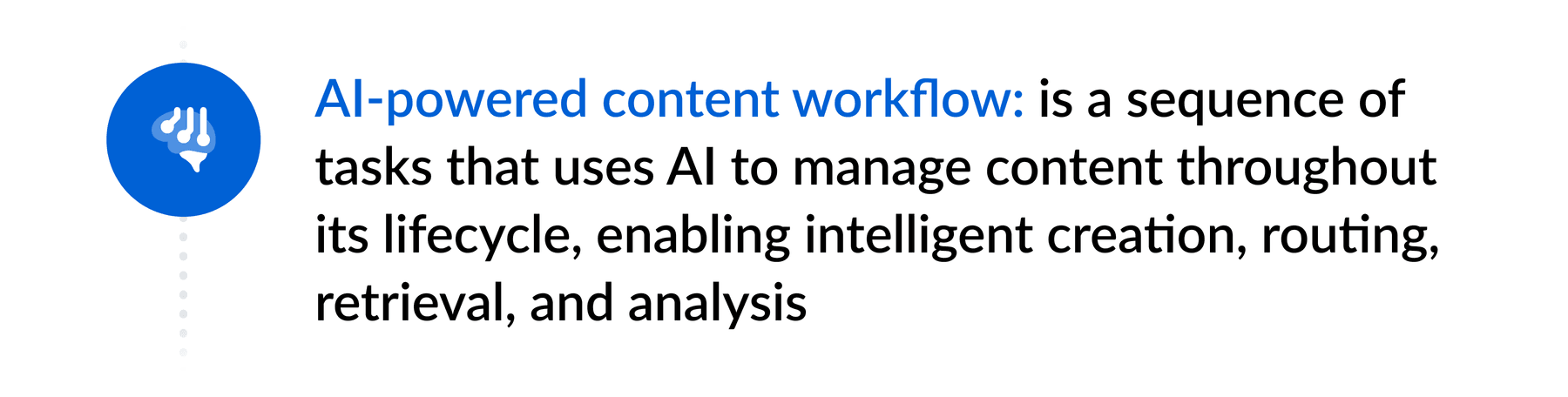
A content workflow powered by AI is an approach that uses artificial intelligence technologies to simplify and modernize content management. It relies on machine learning algorithms, natural language processing, and intelligent automation to support tasks, including:
- Automated document categorization
- Intelligent data extraction and tagging
- Document generation and personalization
- Intelligent content routing for review or approval
- AI summarization
- Data-backed insight generation
- AI content discovery and retrieval
You can either combine these tasks into a single workflow or use them to fill specific gaps. For example, a legal team can streamline a contract management workflow by automatically generating drafts, inserting key information, and routing documents for review and signature. A life sciences team seeking data points from multiple research papers can prompt AI to surface relevant answers quickly.
In every industry and line of business, there are workflows that could be made much more efficient with AI — and less tedious for the human workforce.
Find the best automated workflows for your content review process.
What is agentic workflow automation for enterprise content?
Agentic workflow automation for enterprise content uses AI agents to act on documents, metadata, approvals, and business context across the content lifecycle. Instead of only helping a user search or summarize a file, an agent can understand the content, decide which step comes next based on defined instructions, and move work forward across systems — while staying inside enterprise security and governance controls.
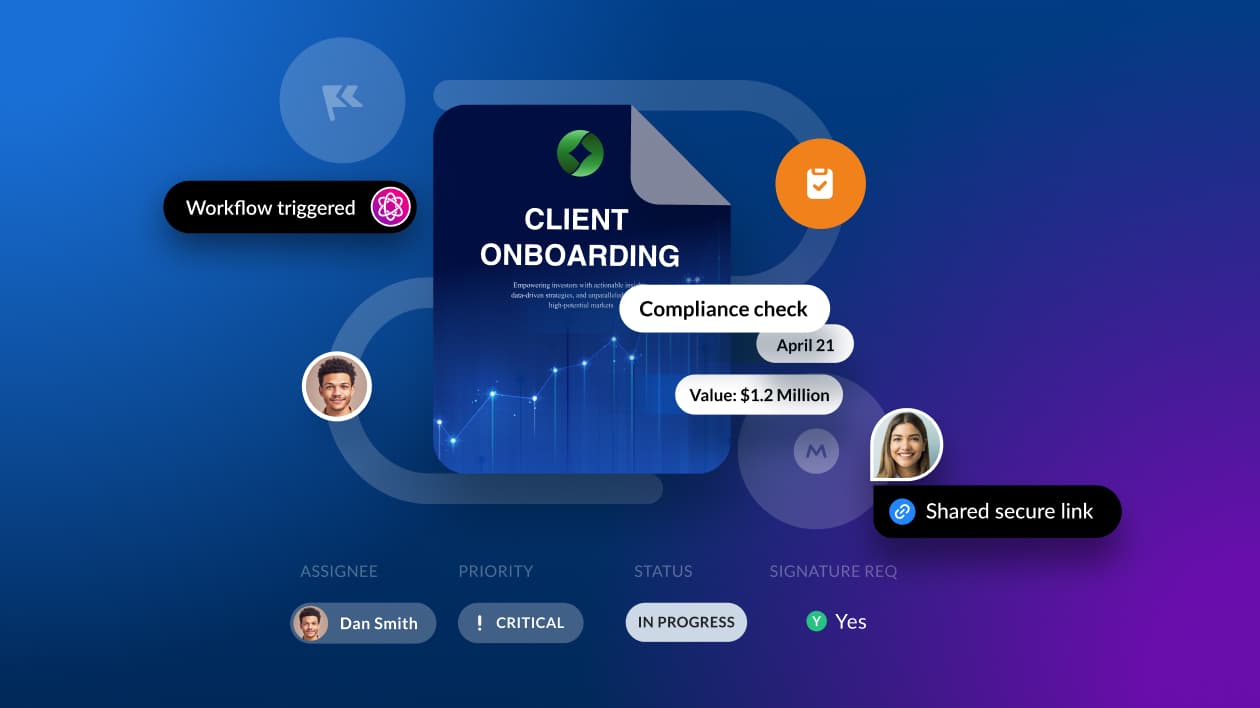
For example, when a contract, invoice, policy, marketing asset, or onboarding document is uploaded, an AI agent can classify the file, extract key information, apply metadata, summarize risks, route the document to the right reviewer, trigger approvals, notify stakeholders, and record actions for auditability. The workflow remains agentic because the AI is not just analyzing content; it is coordinating tasks based on a goal, a plan, and approved tools.
In enterprise environments, agentic workflow automation should include permission- aware access, human-in-the-loop review for sensitive decisions, clear instructions, audit logs, retention policies, and integrations with the systems employees already use. This helps companies turn static content into active business processes without sacrificing control, compliance, or trust.
How do companies bring AI to their enterprise content?
Companies bring AI to their enterprise content by connecting AI models and agents to a secure, governed content foundation. That foundation typically includes a centralized content repository, metadata, permissions, retention rules, workflow triggers, audit trails, and integrations with business applications. Once these pieces are in place, AI can understand content in context and support work across the full content lifecycle. A practical enterprise AI content strategy usually starts with high-value use cases such as document search, summarization, metadata extraction, content routing, contract review, policy analysis, marketing approvals, customer support knowledge discovery, or regulated records management.
From there, companies define who can access which content, what AI is allowed to do, when a human must review the output, and how actions are logged for governance.
For example, an enterprise can use AI to read a newly uploaded contract, extract key obligations, summarize risk, apply metadata, route the file to legal, notify procurement, and store the approved agreement with the right access and retention settings — turning static enterprise content into actionable information while keeping security, compliance, and human oversight in place.
The most successful companies do not treat AI as a separate tool. They embed AI into the content systems, workflow automation, collaboration tools, and security controls employees already use, so teams can find answers, make decisions, and complete work faster without moving sensitive content into disconnected systems.
Core components of AI content management workflows
The core components of content management workflows powered by AI are:
- A centralized data repository: The source of information, such as a document management system or an Intelligent Content Management platform, containing all files and data accessible for AI processing
- AI and automation systems: The technologies that interpret content, apply metadata (data about data — like author, creation date, or keywords), or trigger actions across your workflow
- Human oversight: People responsible for validating AI outputs, handling exceptions, and refining the model’s performance
Understanding the cycle of an AI content workflow
Asana reports that, on average, workers use AI for five different purposes. The most popular use cases are email writing, information summarization, content generation, technical writing, and ideation — all tasks that belong to an AI-powered content workflow.
But no matter which tasks or processes you choose to improve with this technology, the typical cycle follows the same core stages: trigger, routing, review, approval, and completion.

Here’s how an AI content workflow works from start to finish.
- Trigger: To start a workflow, you need an event or condition that prompts the AI model; it can be a new document upload, a form submission, or a scheduled action like auto-processing invoices
- Routing and assignment: Based on document type and metadata, AI will assign a task to a team, person, or automated system (like an AI agent) that will handle the next step
- Review and collaboration: Even if a task runs through an AI content workflow system, there’s usually a step where people become involved, especially for high-value or sensitive content — for example, when a loan officer verifies the details of an application before approval
- Approval and issue resolution: AI-powered tools can flag missing information or discrepancies (like checking if an invoice follows the required layout) before routing content for final approval
- Completion and validation: Once approved, the content workflow ends, and AI keeps all parties informed that the tasks met the required standards
Discover all you can do with AI-powered workflow automation in your business.
Why businesses use AI in content management workflows
An Enterprise Strategy Group white paper commissioned by Boxreveals that the primary reason organizations implement generative AI is to improve or automate workflows and processes. Among respondents, 72% saw results from their AI initiatives within just three months.
Generative AI reduces the time teams spend drafting, proofreading, and searching for information. At the same time, it powers digital content workflows by delivering accurate data insights, so you enhance both operational efficiency and decision-making.
For example, relying on traditional automation tools based on predefined rules can become a headache when processing resumes with different layouts. Recruiters would need to constantly update rules for each format, slowing down the hiring process. Within intelligent document processing tools, AI models can learn to extract information from diverse text-based formats, adapting to resume styles and languages.

Types of AI content workflows in business
AI can support different types of enterprise content management workflows. Below are examples you can integrate into your processes.
| Types of AI-powered content workflows | How the workflow works |
| Sales enablement workflow | To increase sales productivity and close more deals, reps leverage AI-powered sentiment analysis to identify buyers with high engagement and address their questions quickly |
| Training and onboarding workflow | AI powers intelligent portals where you organize training modules and onboarding materials based on a team member’s role or department |
| Marketing content approval workflow | With an AI platform, you get campaigns out faster by automating tasks like brand compliance checks and routing to the right stakeholders for content review |
| Content asset management workflow | AI tools help manage digital assets with automated categorization and retrieval of documents and data |
Check out examples of document workflow automation.
What tools power AI content workflows?
Organizations often combine AI content workflow tools depending on their needs. For instance, a hospital can use document generation and automation solutions to streamline patient intake and manage records efficiently.
The problem with using disconnected tools rather than a centralized platform is that data ends up scattered across systems. And your sensitive information will move between these systems, increasing the risk of breaches and violations of data protection standards.
Bringing the tools you need into one place can simplify content processes and strengthen information security. This unified approach is especially important for enterprise AI because it keeps sensitive content, AI actions, approvals, and governance controls connected instead of scattered across disconnected point solutions.
How to choose the right AI-powered content workflow software
The right content workflow software should support your AI applications, scale with your business, and integrate securely with existing tools. When considering your options, here’s what to look for.

1. Workflow automation
You can adopt enterprise content workflow solutions to automate entire processes from start to finish with AI. Automation features let you build a sequence of stages to move content based on intelligent rules. Platforms with prebuilt templates allow each department to customize workflows based on specific tasks and approval chains.
For example, every time the external partner agency submits a new creative asset to your marketing team to review, the file automatically goes to the design lead for approval.
Get started with enterprise workflow automation with these five steps.
2. Key data extraction
AI data extraction automatically identifies and captures information from text files, reducing the chance of typos and saving time on data entry and retrieval. AI detects patterns across document types, which helps you identify trends in marketing or sales performance reports, for example. You can also use AI to flag compliance issues when legal requirements are missing.
3. Document generation
Intelligent document generation provides templates to draft agreements, proposals, and reports with great agility. This AI-powered feature pulls data from your content repository, such as cloud-based data storage, and applies predefined formatting rules to simplify the writing process.
4. E-signatures
Electronic signatures allow stakeholders to sign documents electronically from any device. Features like encryption and audit trails support legal compliance, while automatic notifications keep content approval workflows moving without delays.
5. App integration
With native connectivity with your existing business applications, your teams don’t need to jump between platforms to find the information they need. Cloud app integration keeps data flowing without disruptions by syncing platforms for a unified experience.
6. Collaboration tools
A successful content management process depends on how effective the collaboration tools are. Along with integrations, features that enable real-time feedback and document version control help eliminate data silos and keep all stakeholders informed about any updates.
Review the top features and capabilities of cloud collaboration tools.
7. Security and compliance controls
Enterprise-grade security and compliance features like advanced authentication, granular access control, and data classification create a strong foundation to protect information from targeted cyberattacks or unauthorized use. These security layers also help you meet data privacy regulations, so you don’t need to worry about exposing sensitive information throughout the process.
Using AI in content processes and workflows: 3 questions to consider
Before implementing AI-powered content workflows, take a good look at your current processes and what you hope to achieve. Here are three questions to keep in mind as you begin.
1. Where are the biggest challenges in our content management workflows?
To identify which AI capabilities will deliver the most immediate value, start by spotting your biggest pain points. Whether teams spend too much time on manual tasks or errors cause rework, focus on your top challenges first. This step helps you prioritize content workflow solutions that fit your needs and drive real improvements fast.
2. What are our primary content types?
Is your business data mostly unstructured (with no consistent format), or is it primarily sensitive (or both)?
Different formats and sensitivity levels call for different AI capabilities, from document processing to advanced security controls. Look for AI content workflow tools that address your requirements and integrate with the platforms where this content already lives.
3. Which stages of our content workflows are the most manual or error-prone?
Start where AI can make a quick impact, like updating document status or sending notifications to everyone involved. These steps often slow teams down or leave room for human error. Automating them improves efficiency and helps maintain quality across the workflow.
AI-powered content workflow FAQs
How do companies bring AI to their enterprise content?
Companies bring AI to enterprise content by centralizing content in a secure platform, applying metadata and governance controls, and connecting AI to approved workflows. AI can then search, summarize, classify, extract, generate, route, and analyze content while respecting permissions, compliance requirements, and human review steps.
What does it mean to bring AI to enterprise content?
Bringing AI to enterprise content means applying AI directly to the files, documents, videos, images, contracts, policies, and records that power business work. Instead of only using AI in a separate chat tool, companies embed AI into content management, workflow automation, collaboration, search, and governance systems.
What enterprise content should companies start with for AI?
Companies should start with high-volume, high-value, or high-friction content — contracts, invoices, HR documents, sales collateral, customer support knowledge, marketing assets, policies, compliance records, and research documents. These content types often have clear business outcomes and measurable time savings.
How can AI help employees find information across enterprise content?
AI helps employees find information by understanding document meaning, not just exact keywords. It can summarize long files, answer questions across documents, surface relevant passages, identify related content, and retrieve information from unstructured data such as PDFs, presentations, meeting notes, and contracts.
How do AI agents work with enterprise content?
AI agents work with enterprise content by following instructions, reading authorized files, applying metadata, summarizing information, extracting fields, routing documents, triggering workflow steps, and escalating exceptions to people. In a governed enterprise setting, agents operate within defined permissions and approval rules.
How can companies keep AI applied to enterprise content secure?
Companies can keep AI secure by using role-based access controls, encryption, audit logs, retention policies, data classification, data loss prevention, approved model settings, and human-in-the-loop reviews for sensitive decisions. AI should inherit the same permissions and governance rules that already protect enterprise content.
What is the role of metadata in enterprise AI content workflows?
Metadata gives AI the context needed to classify, route, secure, and retrieve content accurately. It can describe a file's owner, document type, customer name, contract date, sensitivity level, approval status, retention rule, or business process. Better metadata makes AI outputs more useful and workflows easier to govern.
How do companies use AI to automate content workflows?
Companies use AI to automate content workflows by defining a trigger, allowing AI to classify and interpret the content, extracting or summarizing key information, routing the file to the right person or system, and validating completion. Human review is added when the content is sensitive, confidence is low, or a business rule requires approval.
What are examples of AI for enterprise content?
Examples include contract summarization, invoice data extraction, policy question answering, marketing asset review, HR onboarding workflows, customer support knowledge retrieval, regulated document routing, legal clause analysis, sales content recommendations, and automatic metadata tagging.
What is the difference between AI content management and traditional content management?
Traditional content management focuses on storing, sharing, and organizing files. AI content management adds intelligence: it can understand content, extract key data, summarize files, automate routing, generate drafts, improve search, and trigger actions based on what a document contains.
Why is a centralized content platform important for enterprise AI?
A centralized content platform gives AI a governed source of truth. It reduces data silos, improves access control, makes audit trails easier to maintain, and helps AI deliver more accurate answers because content, metadata, permissions, and workflow context are managed together.
How should companies measure success when bringing AI to enterprise content?
Companies should measure success using metrics such as time saved, faster approval cycles, improved search success, reduced manual data entry, lower error rates, fewer compliance exceptions, higher content reuse, and faster employee access to business-critical answers.
How does Box help companies bring AI to enterprise content?
Box helps companies bring AI to enterprise content by combining secure content management, AI-powered search and summarization, workflow automation, collaboration, e-signatures, metadata, governance, and AI agents in one platform. This helps teams act on content faster while keeping enterprise security and compliance controls in place.
What is agentic workflow automation for enterprise content?
Agentic workflow automation for enterprise content is a way to use AI agents to manage content-driven work from start to finish. The agent reads authorized content, understands context, follows instructions, applies metadata, recommends or triggers next steps, and routes work to people or systems when business rules require action.
How is agentic workflow automation different from traditional workflow automation?
Traditional workflow automation follows fixed rules — "if a file is uploaded, send it to a reviewer." Agentic workflow automation can interpret the content itself, adapt to document type and context, summarize or extract information, flag exceptions, and decide which approved path to follow based on instructions and confidence thresholds.
What are examples of agentic workflow automation for enterprise content?
Examples include routing contracts based on risk level, extracting invoice details for accounts payable, summarizing policy changes for compliance teams, preparing sales briefings from customer files, tagging HR documents with metadata, and escalating documents for human review when required fields are missing or confidence is low.
What controls should companies use for agentic content workflows?
Companies should use role-based permissions, approved instructions, audit trails, data classification, retention rules, escalation paths, and human review for high-risk content. These controls help AI agents move work forward while keeping enterprise content secure, compliant, and accountable.
Create intelligent content workflows with Box AI
With AI, your content workflows move faster, tapping into the full potential of your data. Box, the leading Intelligent Content Management platform, empowers you to speed up processes with workflow automation, secure collaboration, and AI-powered insights.
Using Box AI, our suite of AI-powered capabilities, you extract answers from complex documents, get quick summaries, and generate new content without leaving your workspace. You can also build intelligent workflows with prebuilt templates and advanced AI agents, customizing instructions to match your specific needs.
Contact us to start creating intelligent content workflows with Box.

While we maintain our steadfast commitment to offering products and services with best-in-class privacy, security, and compliance, the information provided in this blog post is not intended to constitute legal advice. We strongly encourage prospective and current customers to perform their own due diligence when assessing compliance with applicable laws.