When Google’s Agent Development Kit meets Box’s Intelligent Content Management platform, something remarkable happens. Sophisticated AI agents that can analyze contracts, process documents, and orchestrate complex business workflows become trivially simple to build.
What typically requires months of API integration work and custom tooling can now be accomplished with eight lines of code, thanks to the model context protocol (MCP) and our newly enhanced Box MCP server.
The eight lines of code agent
What if I told you that connecting Google’s Agent Development Kit to your entire Box instance takes exactly eight lines of code? Here’s the proof:
root_agent = LlmAgent(
   model="gemini-2.0-flash",
   name="ADK_Agent_Box_MCP",
   instruction="You are a helpful agent with access to the Box MCP server, and can help users access their Box instance",
   tools=[
       MCPToolset(
           connection_params=SseConnectionParams(
               url="http://localhost:8001/sse",
           ),
       ),
   ],
)
Yes, it’s really this simple — for development and prototyping. Let me show you what this unlocks and when you’d want to use it.
What you get out of the box with Box
The Box MCP (model context protocol) server gives your AI agents immediate access to enterprise-grade content operations:
- Search for files
- Manage folders
- Read files
- Upload files
- Download files
- Use Box AI to ask questions about files
- Use Box Doc Gen to generate documents from templates
- Manage metadata templates and instances
Google’s Agent Development Kit handles the orchestration, giving you sophisticated agent workflows with conversation memory, tool coordination, and multi-step reasoning.
The magic happens through MCP, a standardized protocol that lets AI frameworks communicate with external tools without custom integrations. Instead of writing hundreds of lines of Box API wrapper code, you get a single MCPToolset that exposes all Box capabilities to your agent.
We’ve recently enhanced our MCP server with SSE (Server-Sent Events) transport support, moving beyond the original STDIO-only approach. This means better error handling, easier debugging, and more flexible deployment options. We’ve also added new tools for advanced metadata operations and document generation workflows.
Demo: Insurance claim preliminary report
Let me walk you through a realistic workflow that showcases the power of this integration.
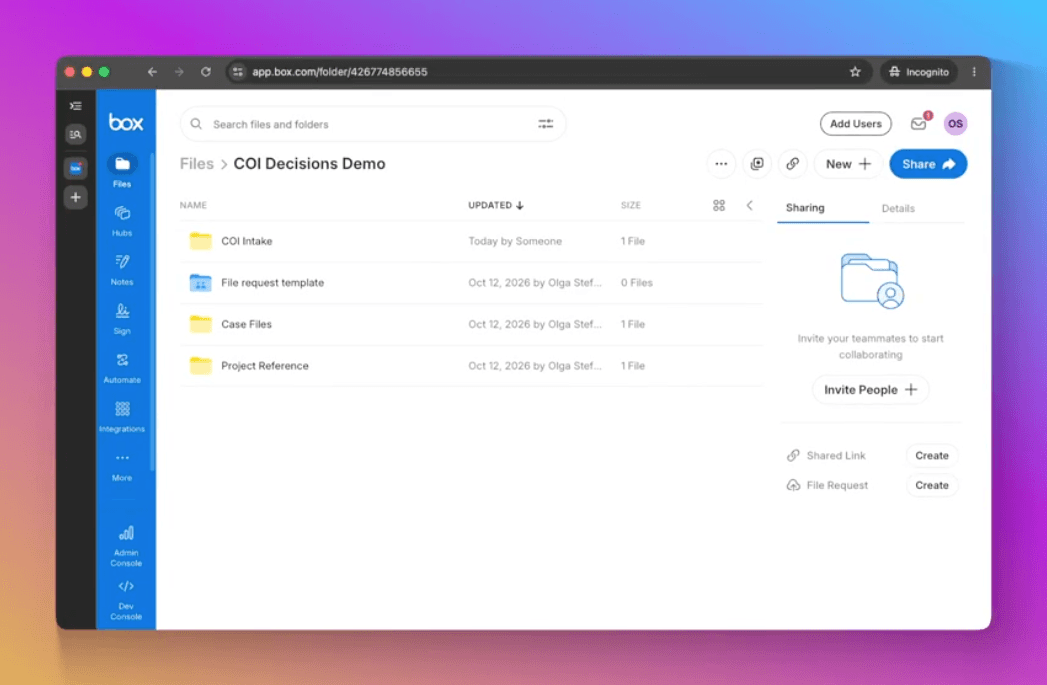
Scenario: The insurance claim adjusters have folders with insurance policy and claims documents. You want to extract data from these documents in a very specific format defined in a Box metadata template, and create a preliminary report.
The interaction:
locate my insurance folder and ask Box AI box ai to give you the context of those files
ask Box AI to extract key data from the policy document using the Acme policy metadata template
do the same for the claim using the Acme claim template
ask Box AI to analyze the photos and give you a detailed description of the damage, including possible hidden damage to components
ask Box AI to analyze the photos and give you a detailed description of the damage, including possible hidden damage to components
And here is the uploaded report:

What’s happening behind the scenes:
- Box folder search and file listing
- Box AI document analysis calls
- Custom metadata extraction and tagging
- Document generation
- Automated folder organization and file management
The Results: Within minutes, you have a preliminary report about the insurance claim. This helps the claim adjuster to quickly gather context on a claim and decide where to start.
Beyond development: The production path
While this DevRel edition gets you building quickly, production deployments require additional considerations.
Authentication and security: Production systems need proper MCP client-server authentication, user session management, secure credential handling, and audit logging capabilities.
Multi-tenancy: Supporting multiple users requires per-user Box authentication, workspace isolation, resource access controls, and usage monitoring.
Scale and reliability: Production deployments need horizontal scaling capabilities, error recovery and retry logic, connection pooling and rate limiting, and comprehensive monitoring and alerting.
When to consider alternatives: If you need immediate multi-user support, have complex enterprise security requirements, require guaranteed SLAs and support, or need extensive customization beyond MCP capabilities, you might want to build your own, contextualized MCP server, or check out the capabilities of our official MCP server.
The real value proposition
This integration represents something bigger than just another API wrapper. It’s about bridging the gap between AI capabilities and enterprise reality.
Most AI agents live in isolation, working with simple APIs and toy examples. Box MCP server + Google ADK changes that equation. Suddenly, your agents can work with real enterprise content, leverage professional-grade AI analysis, and implement sophisticated business workflows.
The eight-line setup isn’t just about simplicity . It’s about removing the months of integration work that typically stand between a great AI idea and a working prototype. For developers exploring AI + enterprise content, for teams validating concepts with stakeholders, and for anyone who wants to understand what becomes possible when AI meets enterprise infrastructure, this is your fastest path forward.
The dev edition limitations are real, but they’re also temporary. By starting here, you can validate your concepts, understand the possibilities, and build the business case for more robust solutions.
Ready to give your AI agents enterprise content superpowers? The setup takes five minutes. The possibilities are endless.
The sample code for this article is available on our GitHub repository.