Share
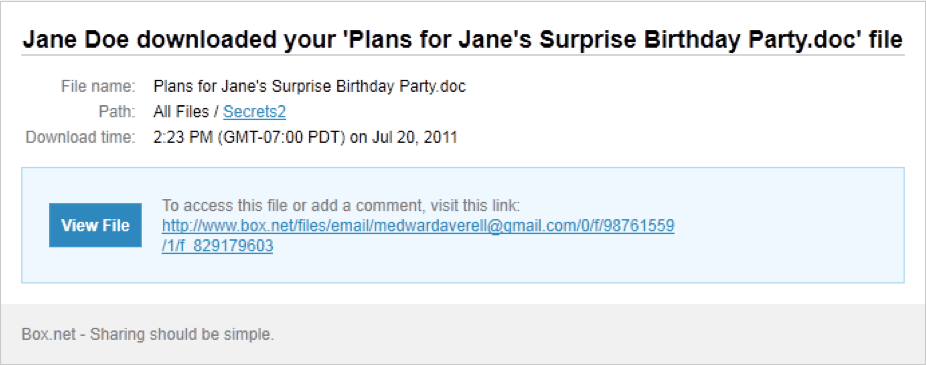
Picture it: Your dear acquaintance Jane Doe has a birthday coming up and–congratulations!–you were nominated as party planner. You’ve picked the date, snagged a spot and – to share your game plan with Jane’s less enterprising friends – uploaded it to Box. Only task left: waiting for the big moment.
Then you check your email:
Password protection
Right-click the folder/file title, mouse over Share, and choose Get Link to Folder. Clicking the padlock icon to the right of the text field will give you options to restrict downloads, restrict uploads, or password-protect the folder/file you’re sharing.
Auto-expiration
Right-click the folder/file title, mouse over Folder Properties, and click Set Expiration. Pop in a date, press Okay, and you’re done – after the date you pick rolls around, the link to the folder or file will be disabled.
These tips are just the beginning: We’ve got plenty more security tools you can use to lock down your content. Take a look now or call 1-877-729-4269. Happy sharing! P.S. At Box, we’re focused on security 24/7: Check out our data sheet to get an in-depth look at how we’re keeping our infrastructure–and your content–safe and sound.