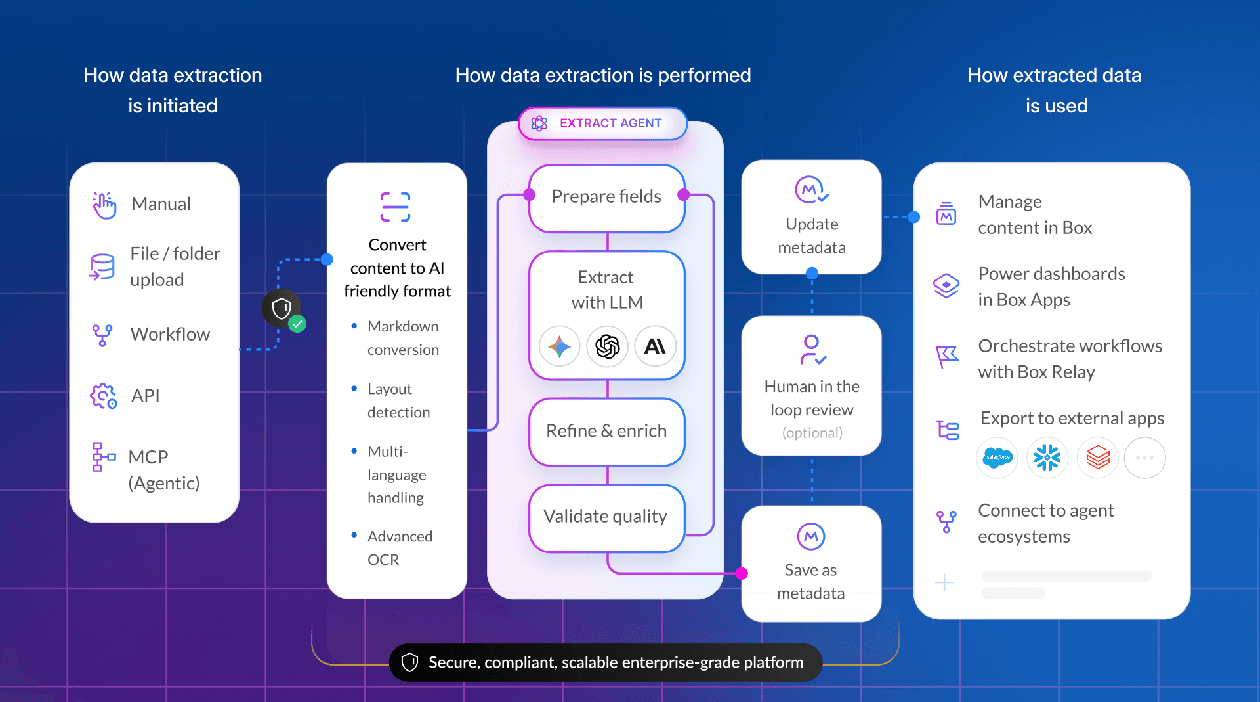
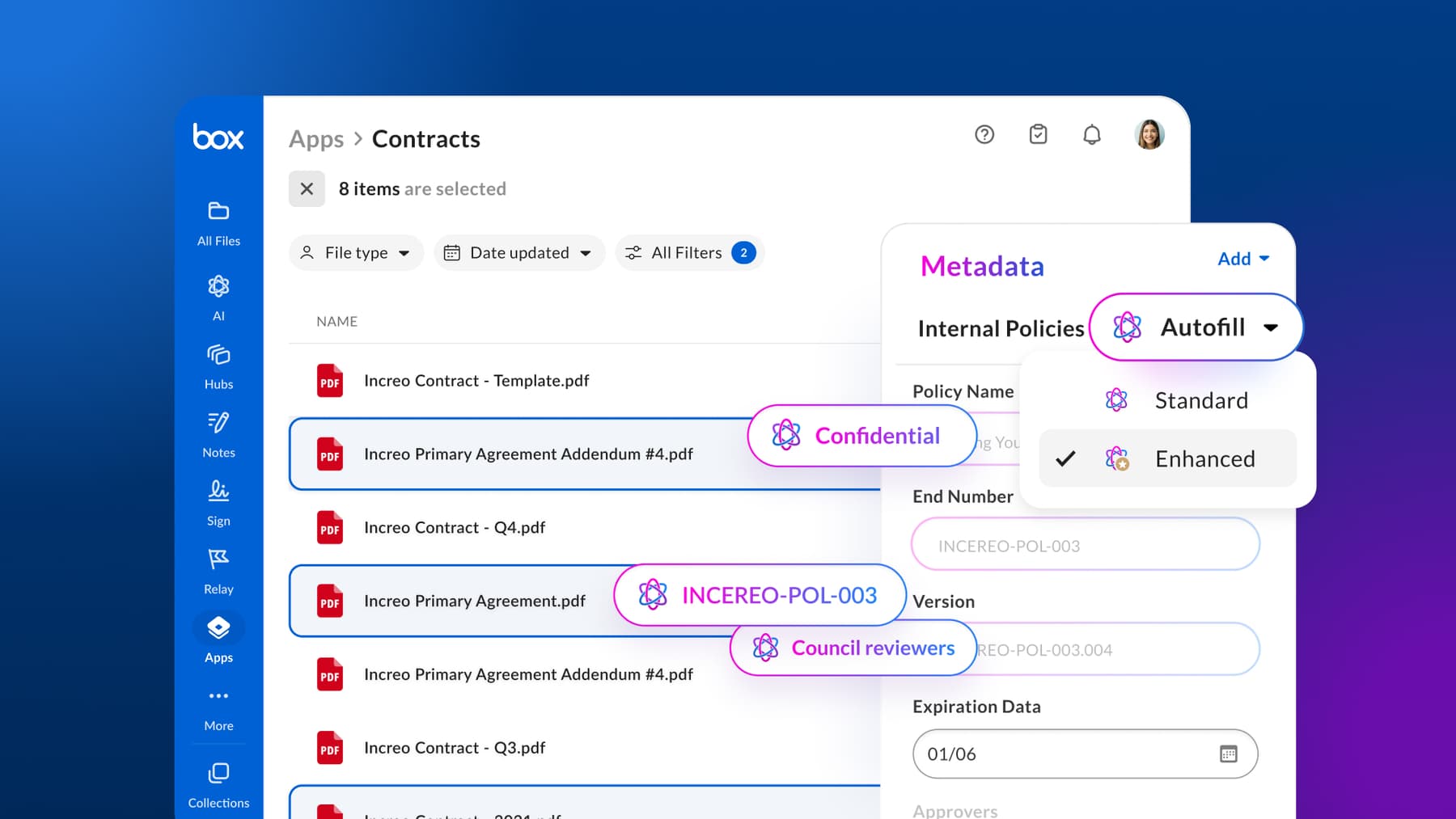
Extracting metadata from documents is a common task. In Box, metadata like IDs, invoices, contracts, forms, and more often underpins search, automation, retention, and downstream workflows.But populating it at scale can be time-consuming.
In this post, we’ll walk through a template-driven Agent Skill that reads files directly from a Box folder, extracts structured values using Box AI, and writes those values back as Box metadata — while keeping the files in Box as the system of record that continues to drive search, automation, and downstream workflows.
What is an Agent Skill?
An Agent Skill is a portable, declarative way to define what an agent knows how to do.
Instead of encoding a workflow in a long prompt or repeating instructions across projects, an Agent Skill packages a capability — such as “extract metadata from Box files and write it back” — into a reusable definition (SKILL.md) that can be installed into an agent environment.
To interact with real systems like Box, the skill in this demo relies on MCP (Model Context Protocol), which exposes files, metadata, and Box AI as tools the agent can call directly. This allows the workflow to be defined declaratively, without writing API clients or wiring requests by hand.
In practice, the workflow is defined once in a structured way. The skill orchestrates tools like MCP and Box AI, and the same capability can be reused across folders, schemas, and projects.
Once installed, using a skill often looks like a single command:
Use the box-metadata-extraction skill on the Box folder with ID <FOLDER_ID> using metadata template key <TEMPLATE_KEY>.
The agent handles the orchestration; the skill defines the rules.
Why this matters for metadata workflows
In Box, metadata lets you attach structured fields (defined by metadata templates) to files and folders. These fields, such as invoice number, vendor, or expiration date, become first-class data that can be searched, automated, and accessed via APIs.
Because metadata is schema-driven, extraction workflows tend to be repeatable. The same steps apply each time: identify the target files, extract a known set of fields, and write values back safely without overwriting existing data.
This makes metadata extraction a natural fit for Agent Skills. By pairing Agent Skills with MCP, you can encode this workflow once — without writing API glue code—and reuse it across folders, document types, and metadata templates. The template defines what to extract, the skill defines how to do it safely, and MCP handles interaction with Box behind the scenes.
The result is a workflow that’s easier to reuse, safer to rerun, and easier to reason about as metadata becomes a foundation for search, automation, and downstream systems.
Architecture overview
At a high level, the workflow looks like this:
Agent (Cursor)
  → Agent Skill (SKILL.md)
      → Box MCP
          → Box AI (structured extraction)
          → Box Metadata (read/write)
The agent orchestrates the process, Box remains the system of record, and MCP exposes Box capabilities as tools the agent can call.
Prerequisites
Before running the skill, make sure you have:
- Box MCP server running in Cursor (tools visible)
- A Box metadata template (
template_keypreferred) - A Box folder with files (top-level only)
Installing the Agent Skill
From the repo root:
npx ai-agent-skills install ./box-metadata-extraction --agent cursorRestart Cursor after installing so the skill is loaded.
Defining the skill (SKILL.md)
The behavior of the workflow is defined declaratively in SKILL.md. Rather than walking through the full file, here are the the key technical characteristics of the skill:
- Template-driven extraction: The skill takes a Box metadata template (by key or name) as input and uses that schema to determine exactly which fields to extract. No document-specific logic is hardcoded.
- MCP-based Box access: All interactions with Box — listing folder contents, extracting content with Box AI, and reading or writing metadata — are performed via Box MCP tools. No custom API clients or glue code are required.
- Safe metadata writes: Before writing metadata, the skill checks for an existing metadata instance and only fills fields that are currently empty. Existing values are never overwritten.
- Box-native processing: Documents remain in Box throughout the workflow. Files are not downloaded or persisted locally, and Box remains the system of record for both content and metadata.
You can view the full skill definition on GitHub. The complete SKILL.md is also included later in this post for reference.
Running the skill in Cursor
Once installed, invoke the skill directly from a Cursor chat.
Start with a dry run
This validates access and extraction logic without writing anything:
Use the box-metadata-extraction skill on the Box folder with ID <FOLDER_ID> using metadata template key <TEMPLATE_KEY>. dry_run=true limit=1
Expected behavior:
- Box MCP tools are called (list files, load template, extract values)
- Cursor returns a summary of what would be written

Write metadata for a single file
When the dry run looks correct:
Use the box-metadata-extraction skill on the Box folder with ID <FOLDER_ID> using metadata template key <TEMPLATE_KEY>. dry_run=false limit=1
This updates metadata for exactly one file in the folder, which is useful for validating behavior before running at scale.

After validating the results on a single file, simply remove the limit parameter to run the workflow across the entire folder. The same extraction and write-back logic will be applied consistently to each top-level file.
Verifying results in Box
Open the processed file in Box and expand the Metadata panel. You should see:
- the metadata template applied
- extracted fields populated
- fields without values left blank
- any pre-existing values unchanged

Full skill definition (SKILL.md)
Below is the complete SKILL.md used in this walkthrough.
# Box Metadata Extraction — Template-Driven (Box MCP)

## Purpose
Extract structured metadata from documents stored in a Box folder and write it back using a specified Box metadata template.

This skill is designed to be reusable across document types by taking a `template_key` as input and using Box AI + Box metadata tools to populate metadata instances on each file.

---

## When to Use
Use this skill when you want to:
- Populate Box metadata for all files in a folder
- Reuse one workflow across many document types
- Drive extraction from an existing Box metadata template (by key or name)

Example prompts:
- “Use the box-metadata-extraction skill on the Box folder with ID <FOLDER_ID> using metadata template key identifications.”
- “Use the box-metadata-extraction skill on this Box folder shared link <URL> using metadata template name identifications.”

---

## Inputs

### Required
Provide ONE of:
- **folder_id** (string), OR
- **folder_shared_link_url** (string)

And ONE of:
- **template_key** (string), OR
- **template_name** (string)

### Optional
- **dry_run** (boolean, default: false)
  If true, do not write metadata back to Box. Only report what would be written.

- **limit** (number)
  Maximum number of files to process (useful for demos).

- **use_enhanced_extraction** (boolean, default: false)
  If true, prefer enhanced Box AI extraction for harder scans.

---

## Guardrails (Hard Rules)
- Documents are stored only in Box. Do not rely on local document files.
- Do not recurse into subfolders (top-level files only).
- Do not overwrite existing metadata values: fill empty fields only.
- Avoid downloading and saving files locally (do not call file download with saving enabled).

---

## Tooling (What to Use)
Use these Box MCP tools as needed:

### Resolve folder and list files
- `box_shared_link_folder_find_by_shared_link_url_tool` (if using a folder shared link)
- `box_folder_items_list_tool` (list top-level items; keep `is_recursive=false`)

### Read file content (only if needed for fallback)
- Prefer `box_file_text_extract_tool` to extract readable text/markdown from a file

### Load template schema (optional but recommended)
- `box_metadata_template_get_by_key_tool` (preferred)
- `box_metadata_template_get_by_name_tool` (fallback)

### Extract structured data
- `box_ai_extract_structured_using_template_tool` (preferred)
- `box_ai_extract_structured_enhanced_using_template_tool` (if `use_enhanced_extraction=true`)

### Read/write metadata instances
- `box_metadata_get_instance_on_file_tool`
- `box_metadata_set_instance_on_file_tool` (if no instance exists)
- `box_metadata_update_instance_on_file_tool` (update only empty fields)

---

## Workflow

### Step 1 — Resolve the target folder
If `folder_id` is provided:
- Use it directly.

If `folder_shared_link_url` is provided:
- Resolve the folder using `box_shared_link_folder_find_by_shared_link_url_tool`.
- Use the returned folder id.

### Step 2 — List top-level files
- Call `box_folder_items_list_tool(folder_id, is_recursive=false)`.
- Filter results to files only.
- If `limit` is provided, process only the first N files.

### Step 3 — Resolve template key (if only name provided)
- If `template_key` is provided, use it.
- Else look up the template using `box_metadata_template_get_by_name_tool(template_name)` and extract its key.

(Optionally) fetch template definition using `box_metadata_template_get_by_key_tool` to learn field names/types for normalization.

### Step 4 — For each file, check existing metadata
- Call `box_metadata_get_instance_on_file_tool(file_id, template_key)`.
- Determine which template fields are already populated.
- Only attempt to fill missing/empty fields.

### Step 5 — Extract structured data for this file
Preferred path:
- Call Box AI template extraction for this file:
  - `box_ai_extract_structured_using_template_tool(file_ids=[file_id], template_key=template_key)`
  - If `use_enhanced_extraction=true`, use the enhanced variant.

Fallback path (only if template extraction fails or returns empty):
- Use `box_file_text_extract_tool(file_id)` to retrieve text.
- Then extract only template-defined fields.

---

### Step 6 — Normalize and filter extracted values
- Normalize dates to `YYYY-MM-DD` when possible.
- Trim whitespace.
- Preserve casing for names and proper nouns.

**Important:**
- If a value does not exist in the document, **do not write anything** for that field.
- Do not invent, infer, or synthesize values.
- Only include fields with non-empty values that are clearly supported by the document content.

---

### Step 7 — Write metadata back (unless dry_run)
- Build `metadata_values` using only fields that:
  1) were extracted with a real, non-empty value, AND
  2) are currently empty on the file.

If no metadata instance exists:
- Use `box_metadata_set_instance_on_file_tool(file_id, template_key, metadata_values)`

If an instance exists:
- Use `box_metadata_update_instance_on_file_tool(file_id, template_key, metadata_values)`

Never overwrite existing non-empty fields.

---

### Step 8 — Output summary
Return a summary table showing:
- file name
- file id
- template_key
- fields written (with full values)
- fields skipped (already present or not found)

Do not redact values in the summary output.

---

## Failure Handling
- If one file fails, continue with the remaining files and report the error.
- If the template cannot be resolved, stop and explain what is required.
- If extraction yields no values for a file, report “no data extracted” and continue.

---

## Expected Output
- Full metadata values written to Box for extracted fields
- Clear visibility of extracted values in both chat output and Box UI
- No local document files required
You don’t need to edit this to use the skill. It’s included here so the behavior is explicit and easy to adapt.
Why template-driven skills scale well
Once the skill is installed, the same workflow can be reused simply by changing its inputs: the Box folder that contains the files and the metadata template that defines the schema.
Because the skill is template-driven, it doesn’t need to know anything about the document type ahead of time. The metadata template determines which fields are extracted, and the skill applies the same safe extraction logic regardless of whether the files are invoices, contracts, IDs, or other documents.
This makes the workflow easy to reuse across teams and use cases. You can point the same skill at different folders and templates without rewriting prompts, duplicating logic, or creating document-specific variants. The behavior stays consistent; only the inputs change.
Repository and next steps
GitHub repo: https://github.com/box-community/box-mcp-agent-skill-metadata-extraction
From here, you might:
- add review or approval steps before writing metadata
- introduce folder recursion for deeper hierarchies
- chain this skill with others
Agent Skills make it easier to turn repeatable content workflows into reusable building blocks — especially when paired with Box MCP and Box AI.