Anyone who has tried to hand-roll an agent knows where the real work hides. It lives in the loop, the tool execution layer, the retries, the session state, and the MCP plumbing.
That’s why Claude Managed Agents feels like cheating. It’s a managed agent runtime where you bring the brains (system prompt, tools, MCP servers, skills) and Claude handles the harness. It comes with an interactive Quickstart experience and predefined templates, so it’s even easier to get started.
What you need to try Claude Managed Agents
Prerequisites:
- A Box account
- A Box developer token
- An Anthropic account with access to Claude Console, and credits
- An account for whichever destination you want to wire up (see example agents)
Asana, Linear, Databricks, Box MCP server, and more
Configurations are endless. Let’s go through some example AI agents we’ve put together to demonstrate use cases. See for yourself how easy it is to set up:
- Box and Asana: Shipped the Contract Clause Extraction Agent template, so it’s one click away from getting started. Best when the downstream work is human follow-up: renewals, approvals, legal review, vendor check-ins.
- Box and Linear: Better when contract obligations map to engineering or product work. SLAs become issues, renewal milestones become cycles.
- Box and Databricks: Best when you want the contract portfolio itself to be queryable. Extract parties, values, and dates into a governed table, then analyze renewal exposure, spend concentration, or obligation density across the whole book.
Box MCP on its own: Useful when the destination is inside Box itself (metadata cascades, new folder structures, linked Box Notes) rather than a separate system.
What the Contract Clause Extraction Agent actually does
Once configured, you can hand the agent a Box file ID (or a shared link). From there it:
- Reads the contract from Box and extracts structured metadata, including parties, effective date, expiration date, contract value, contract type, and obligations
- Creates the matching structure in the destination system: In the shipped template that’s an Asana project scoped to the contract, but could be anything that matches your tool stack
- Turns dates into tasks: Renewals, expirations, payment due dates, and notice periods become tasks (or issues, or records) with due dates and priorities
- Turns obligations and SLAs into tasks: Each one tagged by category, with the source clause included in the task comments, so whoever picks it up can see exactly where it came from
The “source clause in the comments” detail is worth calling out. The agent isn’t just producing text about the contract. It’s producing work items that are traceable back to the contract. That’s it. No infra to stand up, no orchestrator to write.
What’s under the hood
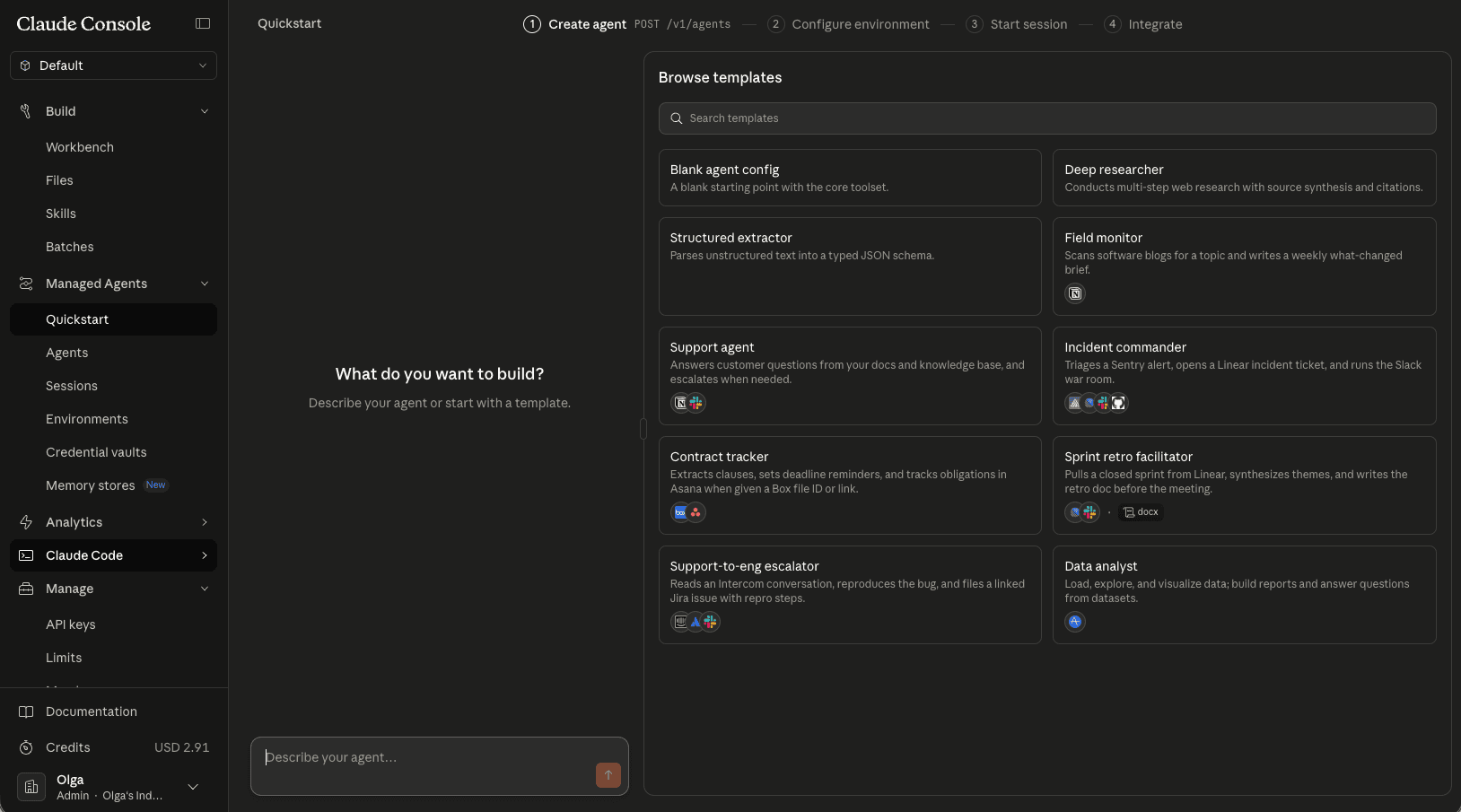
In the Claude Managed Agents quickstart the flow consists of four steps:
- Create an agent. You can preview the YAML or JSON with all agent settings
- Connect the tools and MCP servers it needs (Box MCP plus your destination of choice: Asana, Linear, Databricks, etc.)
- Set up an environment
- Start a session and test your prompt, like this one:
Here’s a Box file ID for a vendor contract: 2206383073540. Please extract all key clauses, critical dates, and obligations, then create the corresponding Asana project and tasks.
One Box file ID in, and a fully scoped Asana project out.
Every step in between (fetching the contract via Box MCP, extracting structured fields, deciding what becomes a task vs a comment, setting due dates and priorities, writing back to Asana) is handled by the agent inside the managed runtime.
Change the last clause of the prompt and the destination changes with it:
…then create the corresponding Linear project and issues
…then write the extracted metadata and obligations into the contracts table in Databricks
…then create a Box metadata template instance and a follow-up Box Note for legal review
This is the shape of the workflow that used to justify a sprint of glue code. Now it’s a template with swappable MCP.
Get started
Go directly to Claude Console, use the Contract Clause Extraction Agent template and adjust it to your needs. Grab the developer token from Box Developer Console and kick off your intelligent workflows in a matter of minutes.