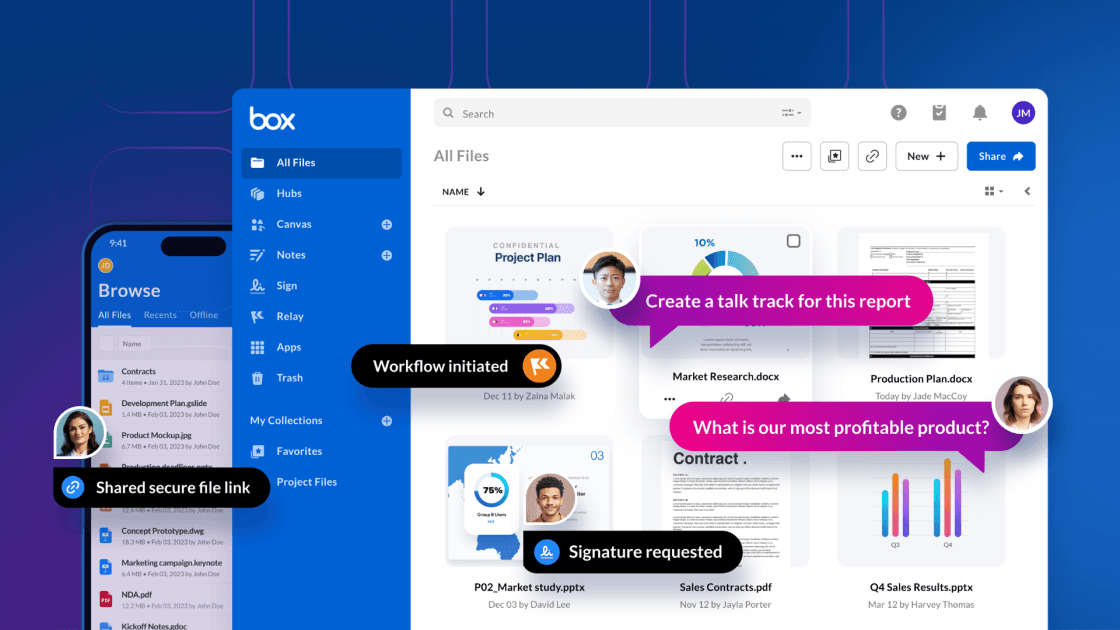
In content management the true power of AI lies in the ability to extract structured data from unstructured content, transforming it into actionable data.
In this example we’ll create a workflow to process several insurance policy documents, and attach the structured data to a Box document.
Prerequisites
You’ll need Box app OAuth credentials, a local Box MCP server instance, and n8n with OpenAI API access. Your Box instance must have the enhanced extract endpoint enabled — the standard AI endpoints will work for template-based extraction, but you won't have access to the enhanced version.
Create your metadata template first using the administration console. The template key becomes your extraction parameter.
For example:

The workflow

Identifying the metadata template
Box metadata templates are simple key pair values definitions. We can associate a template to a file, creating a metadata instance for that file. Each file can have many of these instances associated with it.

The output looks like this:
{
  "role": "assistant",
  "content": {
    "id": "de210374-c51c-4588-8e71-5e887dfcceae",
    "type": "metadata_template",
    "scope": "enterprise_1134207681",
    "templateKey": "acmePolicy",
    "displayName": "ACME POLICY",
    "hidden": false
  },
  "refusal": null,
  "annotations": []
}
Locating documents
Here we’re using the MCP tools to locate a folder by name and list all files. Because many files are expected, we the use a Split node to go one by one.

The output of the Split node is:
[
  {
    "file_name": "0123456 - Ashley Miller.pdf",
    "file_type": "pdf",
    "parent_name": "ACME Insurance Policies - Generated",
    "parent_id": "334525105465",
    "file_id": "1946389269101"
  },
  ...
  {
    "file_name": "9012345 - Daniel White.pdf",
    "file_type": "pdf",
    "parent_name": "ACME Insurance Policies - Generated",
    "parent_id": "334525105465",
    "file_id": "1946388440853"
  }
]
Getting existing metadata
It is possible that this particular metadata template has already been instantiated for this particular file, so we first grab any existent ACME Policy metadata. From here we decide if we want to update the metadata or create a new one.

On the initial run, since none of the documents had any metadata, the ‘if’ node evaluated to false for all documents.
[
  {
    "index": 0,
    "message": {
      "role": "assistant",
      "content": {
        "file_id": "1946389269101",
        "template_key": "acmePolicy",
        "found": false
      },
      "refusal": null,
      "annotations": []
    },
    "logprobs": null,
    "finish_reason": "stop"
  },
  ...
  {
    "index": 0,
    "message": {
      "role": "assistant",
      "content": {
        "file_id": "1946388440853",
        "template_key": "acmePolicy",
        "found": false
      },
      "refusal": null,
      "annotations": []
    },
    "logprobs": null,
    "finish_reason": "stop"
  }
]
Asking Box AI to extract the data using the template
Box created a specialized AI extract endpoint that excels in looking at the key pair values from the template and identifying them in the document content.

The output of this node looks like this
[
  {
    "index": 0,
    "message": {
      "role": "assistant",
      "content": {
        "template_key": "acmePolicy",
        "file_id": "1946389269101",
        "metadata": {
          "name": "Ashley Miller",
          "number": "0123456",
          "address": "345 Sycamore Street Richardson, TX 75080",
          "phone": "469-555-4567",
          "email": "[email protected]",
          "yearmakemodel": "2023 Mazda CX-5",
          "color": "Silver",
          "vin": "MAZDA789012345STU",
          "licensePlate": "RIC2023",
          "milage": "22,345 miles",
          "effectiveDate": "2026-03-05T00:00:00Z",
          "expireDate": "2027-03-05T00:00:00Z",
          "paymentTerms": "Annually",
          "agent": "Kevin Anderson",
          "annualPremium": 1933,
          "termPayment": 1933
        }
      },
      "refusal": null,
      "annotations": []
    },
    "logprobs": null,
    "finish_reason": "stop"
  },
  ...
]
Attaching the metadata to the document
Now all we need to do is use the extracted metadata and attach it to the file. Using this technique, the extracted data structure matches the template, allowing for a simple insert or update.

The output looks like this:
[
  {
    "message": {
      "role": "assistant",
      "content": {
        "status": "success",
        "message": "Metadata has been set on the file.",
        "file_id": "1946388357560",
        "template_key": "acmePolicy",
        "metadata": {
          "name": "James Anderson",
          "number": "5678901",
          "address": "321 Maple Lane Fort Worth, TX 76101",
          "phone": "817-555-7890",
          "email": "[email protected]",
          "yearmakemodel": "2021 Chevrolet Silverado",
          "color": "Black",
          "vin": "CHEVY456789012DEF",
          "licensePlate": "FTW2021",
          "milage": "45,890 miles",
          "effectiveDate": "2025-10-05T00:00:00.000Z",
          "expireDate": "2026-10-05T00:00:00.000Z",
          "paymentTerms": "Annually",
          "agent": "Jennifer Davis",
          "annualPremium": 1830,
          "termPayment": 152.5
        }
      },
      "refusal": null,
      "annotations": []
    },
    "logprobs": null,
    "finish_reason": "stop"
  },
  ...
]
ACME Policy metadata is now attached to the files:

Conclusion
This workflow transforms unstructured insurance documents into queryable, structured data with minimal manual intervention. The combination of Box’s metadata system and AI extraction capabilities creates a robust foundation for document intelligence applications.
The extracted metadata enables downstream automation, compliance monitoring, and business intelligence while maintaining the flexibility to handle document variations and edge cases.