This was originally posted as an X article on September 10, 2026. See it on X here.
A lot of agent demos follow the same pattern. You type a prompt, the agent does something useful, and then it waits for you to come back. That works for one-off tasks, but most business work doesn’t sit still. Files get added, contracts change, and yesterday’s analysis slowly goes stale.
OpenClaw 2.0 got me thinking about the next step: what happens when the agent keeps checking the work after the chat ends?
This is a huge release overall. OpenClaw rebuilt its browser app, made setup easier, added shared sessions, and shipped a very long list of changes across memory, security, plugins, automations, and more. Buried pretty far down in the release notes is one addition I wanted to try: conversation-bound automations and /loop.
/loop can run a task at a fixed interval or let the agent check at its own pace. OpenClaw 2.0 also includes a way to approve a specific recurring operation once, then inspect or revoke that permission later. Scheduled automation isn’t a new idea, of course. But what's great is being able to start it from the conversation where the work is already happening, with the context already there.
Basically, it’s a bit like cron for an agent workflow.
What the demo does
For this test, I ran OpenClaw 2026.8.1 on Railway and connected it to Box through the Box CLI. The Box side is a fictional M&A deal room with financial, legal, market, and technology documents, plus an existing due-diligence memo and a live risk register.
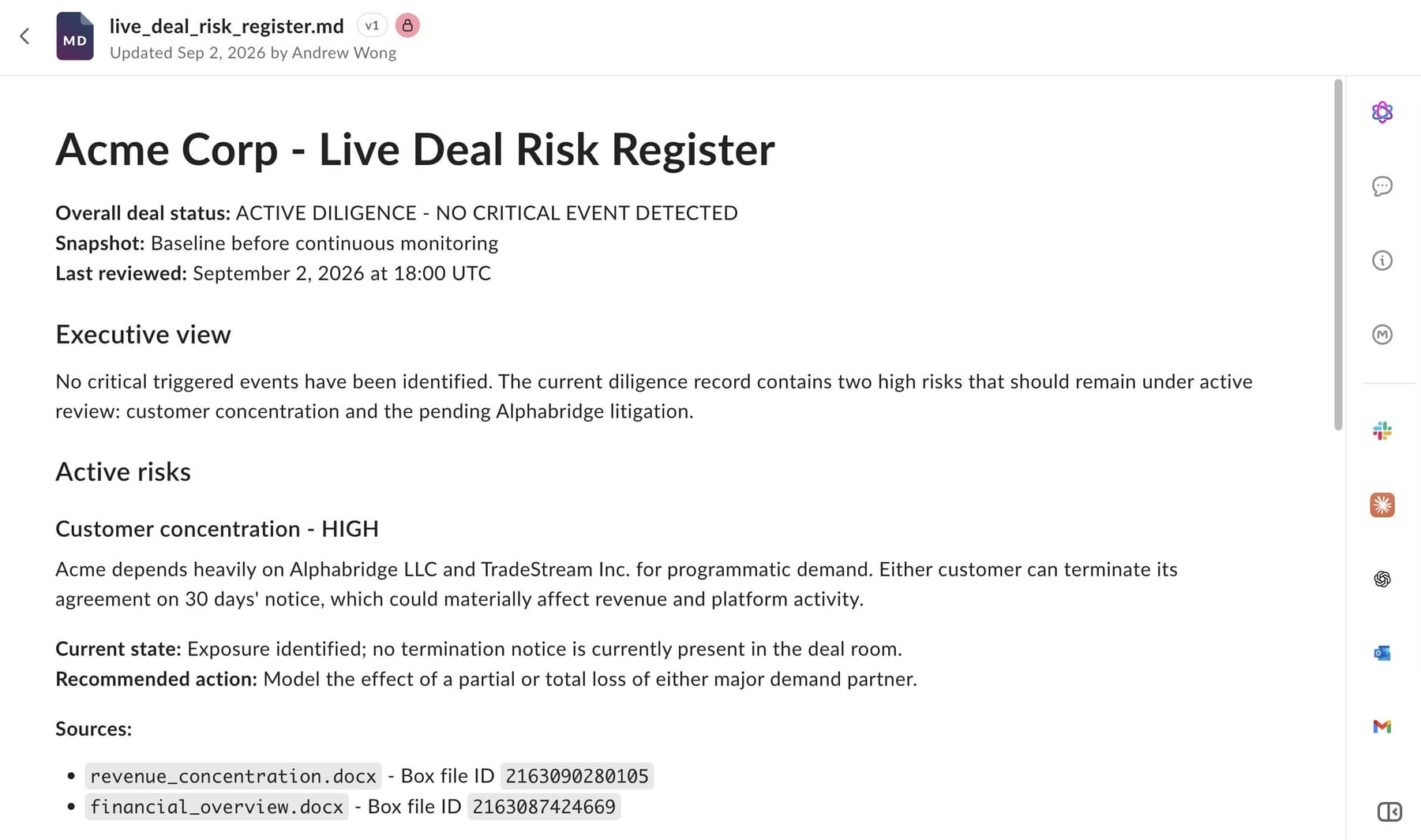
The risk register starts with customer concentration marked as a high risk. One customer represents a large share of revenue, but at that point it’s still just something the deal team needs to watch. Nothing new has happened yet.
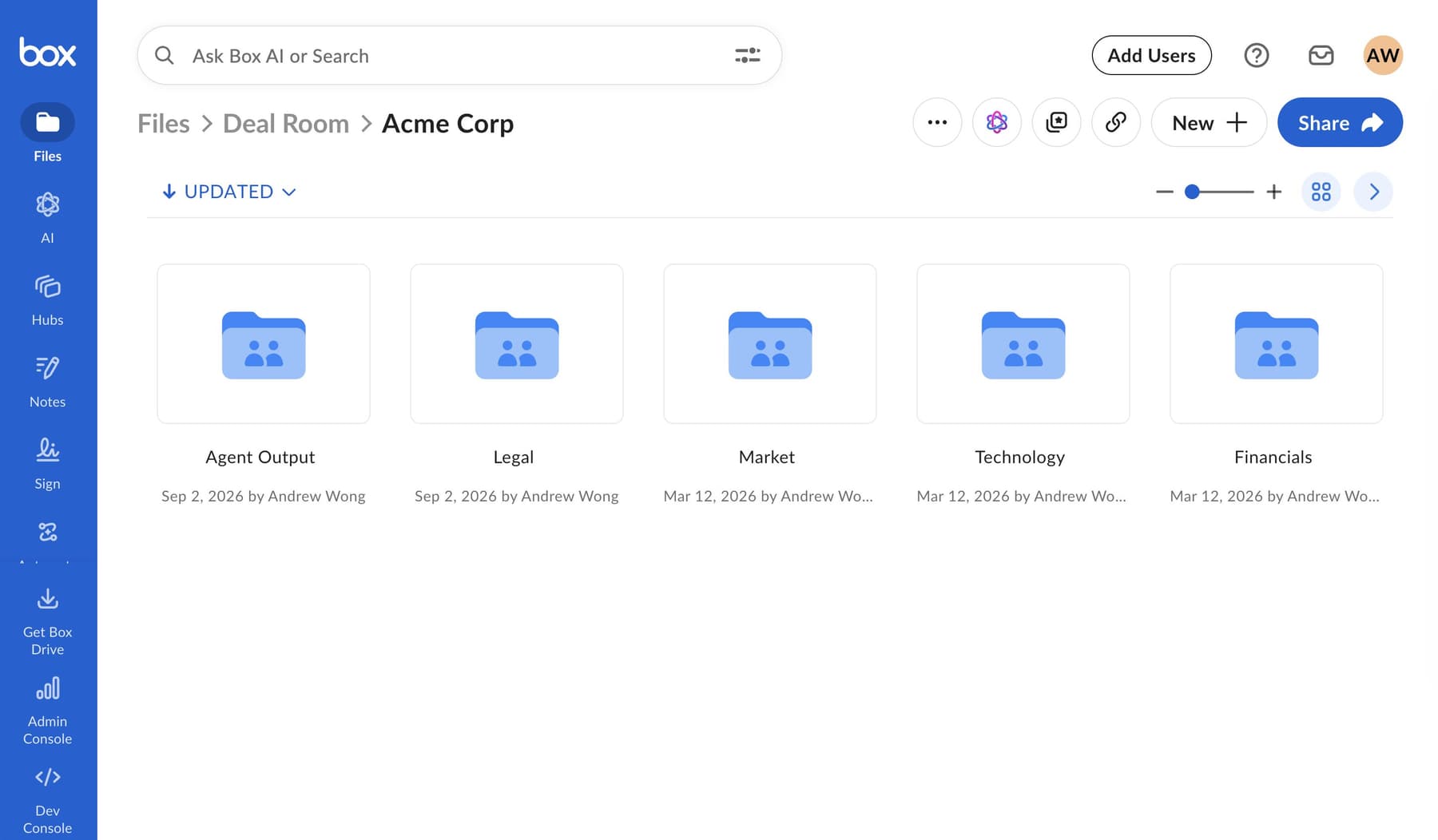
The deal room in Box
Then I give OpenClaw one prompt:
/loop 1m Monitor the deal room in Box for new or updated documents,
ignoring Agent Output. Compare anything new with the existing
due-diligence memo, then update the live risk register as a new
version. Make material changes clear at the top with the impact,
updated risk rating, next step, and source. If nothing changed, do
nothing. On the first check, treat the current contents as the baseline.
One minute is obviously much faster than you’d use for most real work. It just makes the demo watchable. In practice, this could run hourly, daily, or at a pace chosen by the agent.
The first check establishes the baseline. After that, I upload a newly signed three-year renewal and expansion agreement from that major customer into the Legal folder. On the next check, OpenClaw finds it, connects it to the customer concentration issue in the existing memo, and updates the risk register with the improved outlook, an updated risk view, a next step, and a link back to the source.
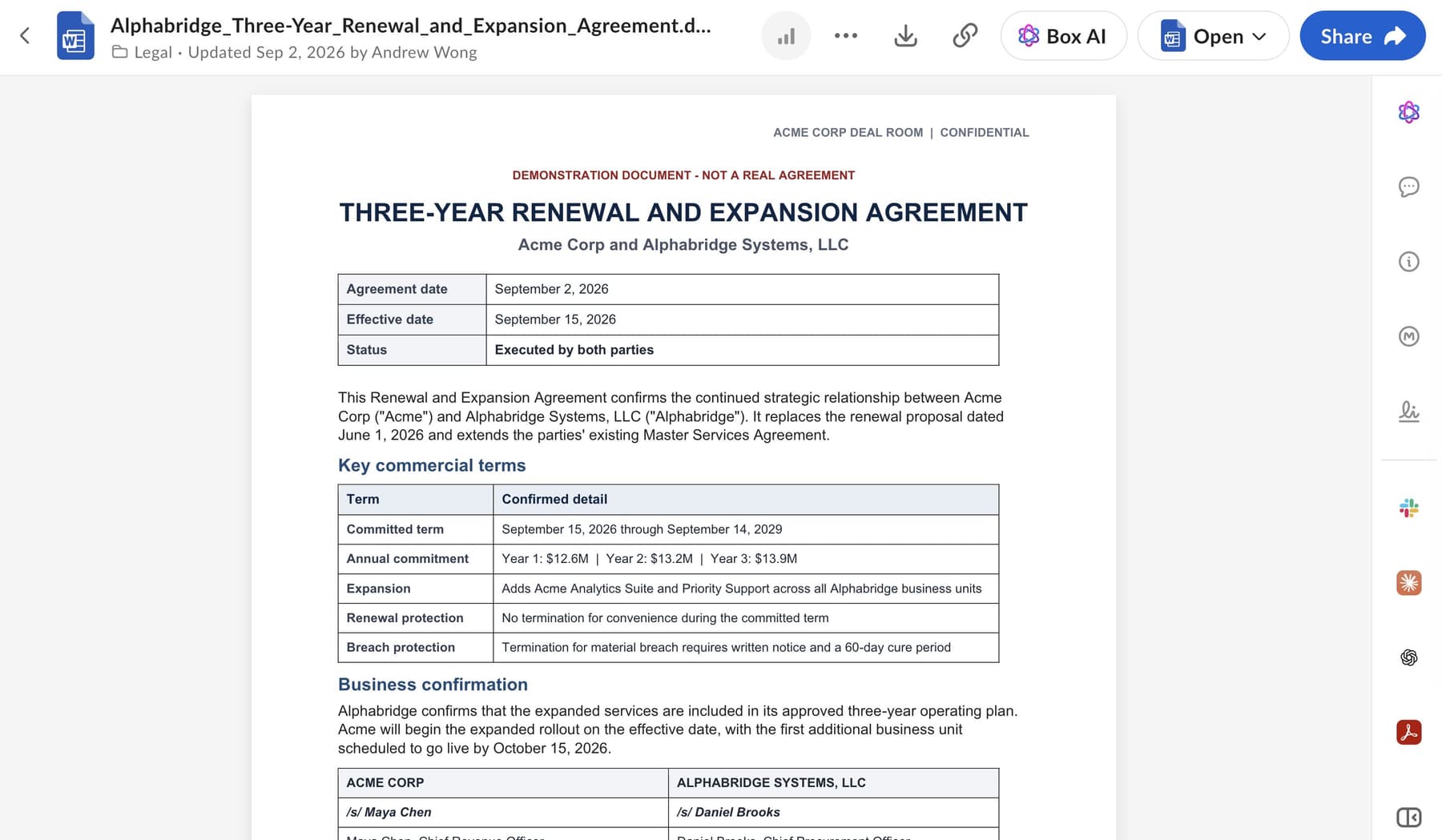
The new three-year renewal and expansion agreement inside the deal room’s Legal folder
More importantly, it doesn’t create another random summary in chat. It updates the same risk register as a new file version in Box, so the team can see the original assessment and what changed.
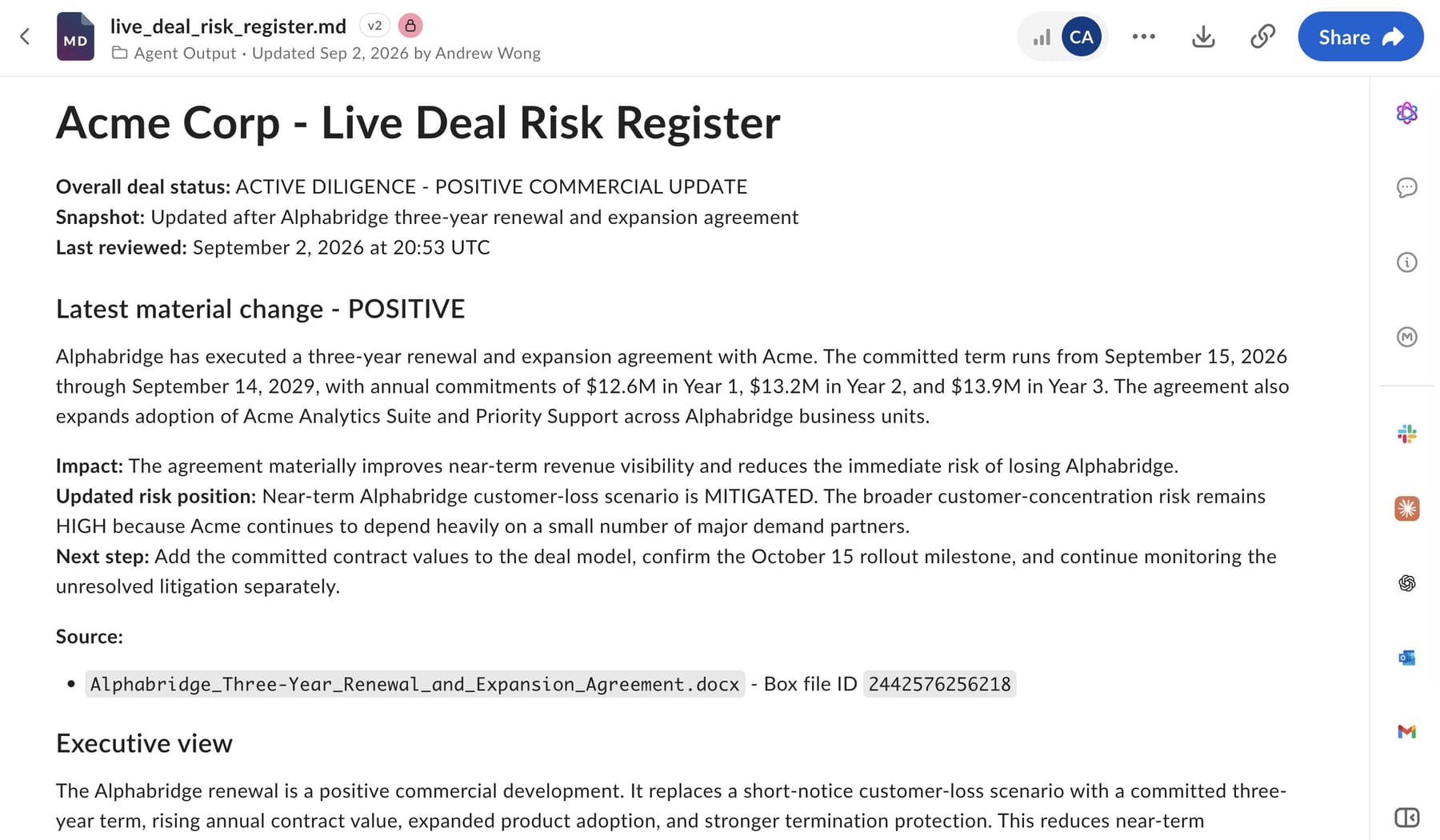
The updated risk register
Why use Box for this?
A recurring agent is only as useful as the information it keeps checking. If the files are scattered across laptops, chat threads, and old downloads, the agent is going to have the same problem as everyone else: it won’t know which copy is current.
Here, Box stays the shared source of truth. OpenClaw uses normal Box CLI commands to find and read the content, then writes its update back to the place where the team is already working. The source documents stay put, the risk register keeps its version history, and Box permissions still control what the agent’s account can access.
That gives the workflow a pretty clean shape:
- The team adds or updates content in Box.
- OpenClaw checks it on a schedule.
- If the new content changes the analysis, the agent updates the shared output.
- If nothing meaningful changed, it does nothing.
That last part is worth calling out. A background agent doesn’t need to produce something every time it wakes up. Most checks should probably be boring.
This isn’t a webhook
/loop is scheduled work, not an event trigger. In the demo, the agent checks Box every minute; the upload itself doesn’t instantly start the run. If a workflow needs to react immediately to a specific Box event, a webhook is still the better fit.
A loop makes sense when periodic checks are good enough, or when the task needs more judgment than “a file was uploaded.” Maybe the agent needs to review several changes together, compare them with an earlier report, decide whether they matter, and only then take action.
And when the recurring task is no longer needed, /loop stop shuts it down.
This pattern goes beyond M&A
The deal room is just an easy way to show the pattern. The same setup could keep a launch-readiness report current, review a vendor folder for new security documents, update an onboarding checklist as forms arrive, or maintain a running decision log for a project.
None of those jobs is especially flashy on its own, but that's kind of the point. They’re recurring bits of work that someone has to remember to do, and they usually depend on content that keeps changing.
Reading and summarizing one document is useful. Keeping a shared piece of analysis current over time is a much more interesting job for an agent.
OpenClaw handles the recurring work. Box supplies the content, access controls, history, and a shared place for the result to live. One prompt gets it started, then the workflow keeps moving in the background.
Links
- Box CLI
- Free developer plan for Box