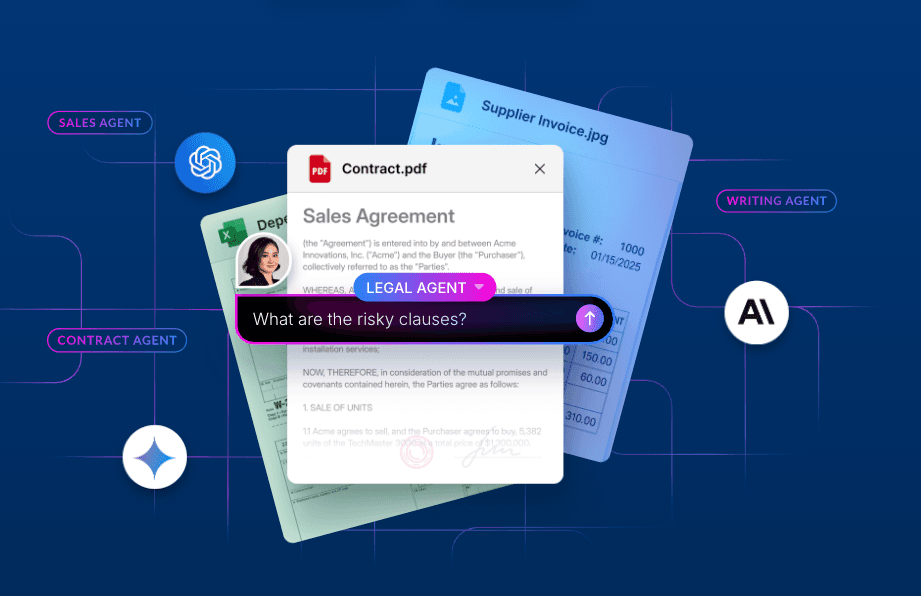
A new embedded Box experience makes it easy to find, preview, and work with your enterprise content in ChatGPT.
AI is only as valuable as the context behind it. For businesses, much of that context lives in unstructured content—from terms buried in contracts to decisions captured in strategy decks. Making the right information readily available in tools like ChatGPT helps teams work faster and produce more relevant, actionable results.
Now, to enable secure and seamless access to enterprise content, OpenAI and Box are expanding their partnership to bring Box directly into the ChatGPT Library and more surfaces across ChatGPT. This gives users instant access to trusted business context where they are already working with AI, without needing to search for files or move content out of Box.
With Box content fully embedded across ChatGPT, users will be able to browse their Box folder hierarchy, select or @mention files for chat context, preview content alongside their conversations, and use the Box MCP server to take supported actions - all without leaving ChatGPT. Teams can spend less time searching for content—or transferring it out of where it is already secured and permissioned—and more time using trusted business information to generate relevant insights and move work forward.
Access your Box content without leaving ChatGPT
When working with enterprise content, the use of AI has often required users to manually find, download, and move files between systems, creating friction around incorporating AI into everyday work. The new Box integration with ChatGPT removes that friction by connecting users directly to the content they already have access to in Box and making files accessible throughout ChatGPT.
The Box MCP server already enables ChatGPT to securely find and work with enterprise content through natural-language prompts. The new embedded experience builds on that foundation by bringing a user’s Box folder hierarchy directly into the ChatGPT Library.
With the embedded Box experience, users can:
- Browse their Box folder hierarchy or search for files directly from the ChatGPT Library
- Select Box files to use as context for conversations and projects
- @mention a Box file directly in any new or existing conversation
- Preview source files alongside ChatGPT while asking questions or performing analysis
- Edit Box Notes within that file preview without leaving ChatGPT or switching sessions
- Use supported Box MCP tools to take action on content
Built on Box’s robust security foundation, the integration does not change what users can access. Existing Box permissions continue to determine which files and folders are available, while Box admins can control which MCP server tools and actions users can invoke. Together, these controls make content easier to discover and put to work without compromising the security and governance already in place.
A headless file system for AI
As the file system for AI, Box provides headless access to that context across models, agents, and applications while remaining the place where content is organized and managed. The new ChatGPT experience brings this vision to life: users can work with their Box content through the ChatGPT interface while Box remains the consistent content foundation beneath the experience.
For customers, this creates a more flexible way to put enterprise content to work. Teams can adopt the AI experiences that best support their workflows without copying content into separate repositories or rebuilding their content foundation for each new application.
Whether a clinical researcher is synthesizing study materials, a financial analyst is examining quarterly performance, or a legal professional is reviewing an agreement, users can bring the relevant Box content directly into ChatGPT and keep the source material visible as they work.
Your content stays organized and managed in Box. Its value extends wherever work happens.
Get started today
The Box integration with ChatGPT is generally available today for all Box customers, with OpenAI rolling out access to users of ChatGPT’s paid tiers over the next few days. From ChatGPT, users can browse their Box folder hierarchy, select or @mention a file to start a new conversation, add Box files to an existing conversation, and preview source content alongside their work.
The Box MCP Server is available via the Box plugin to all Box customers. To get started, go to the ChatGPT Plugin directory to install the Box plugin.