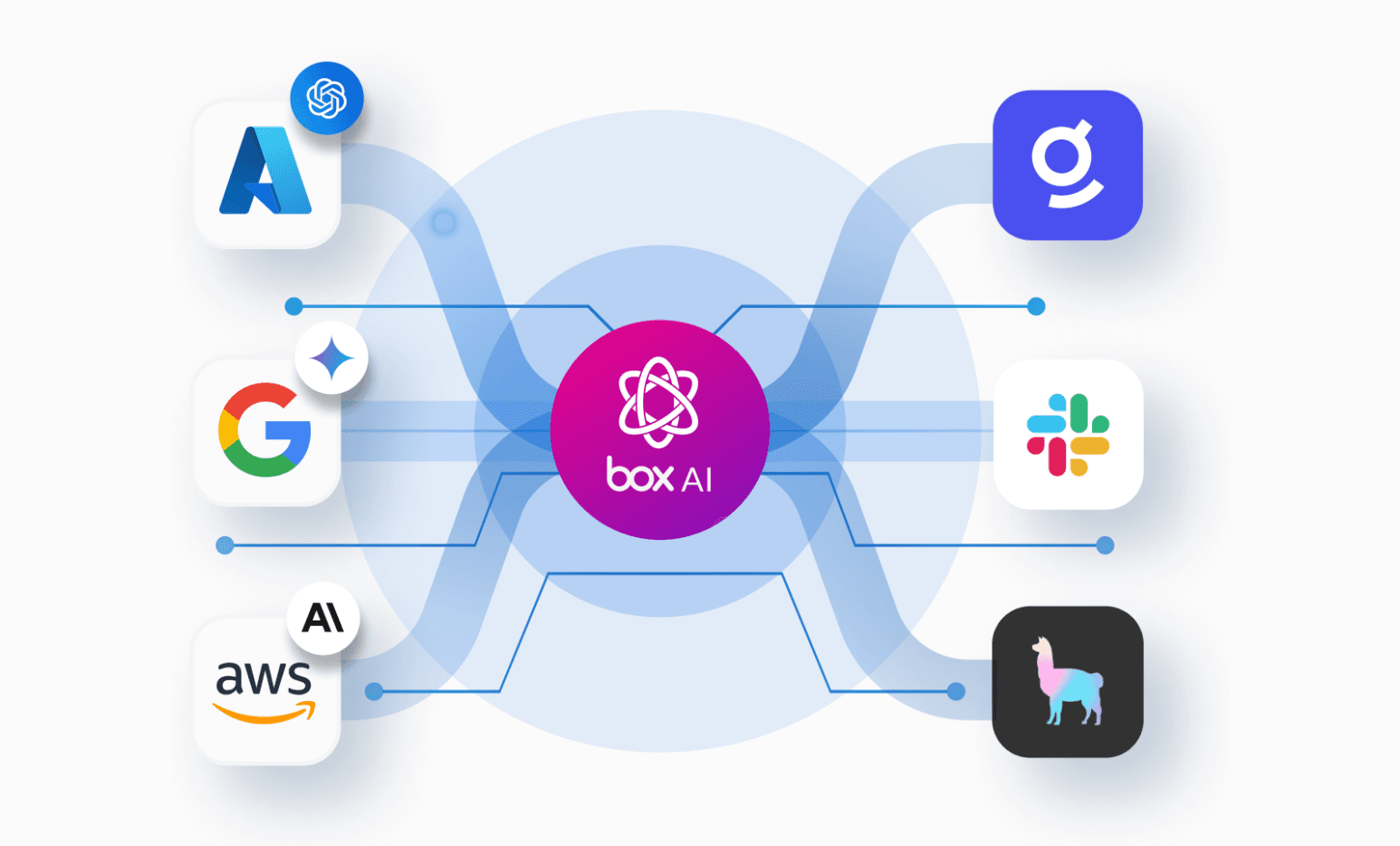
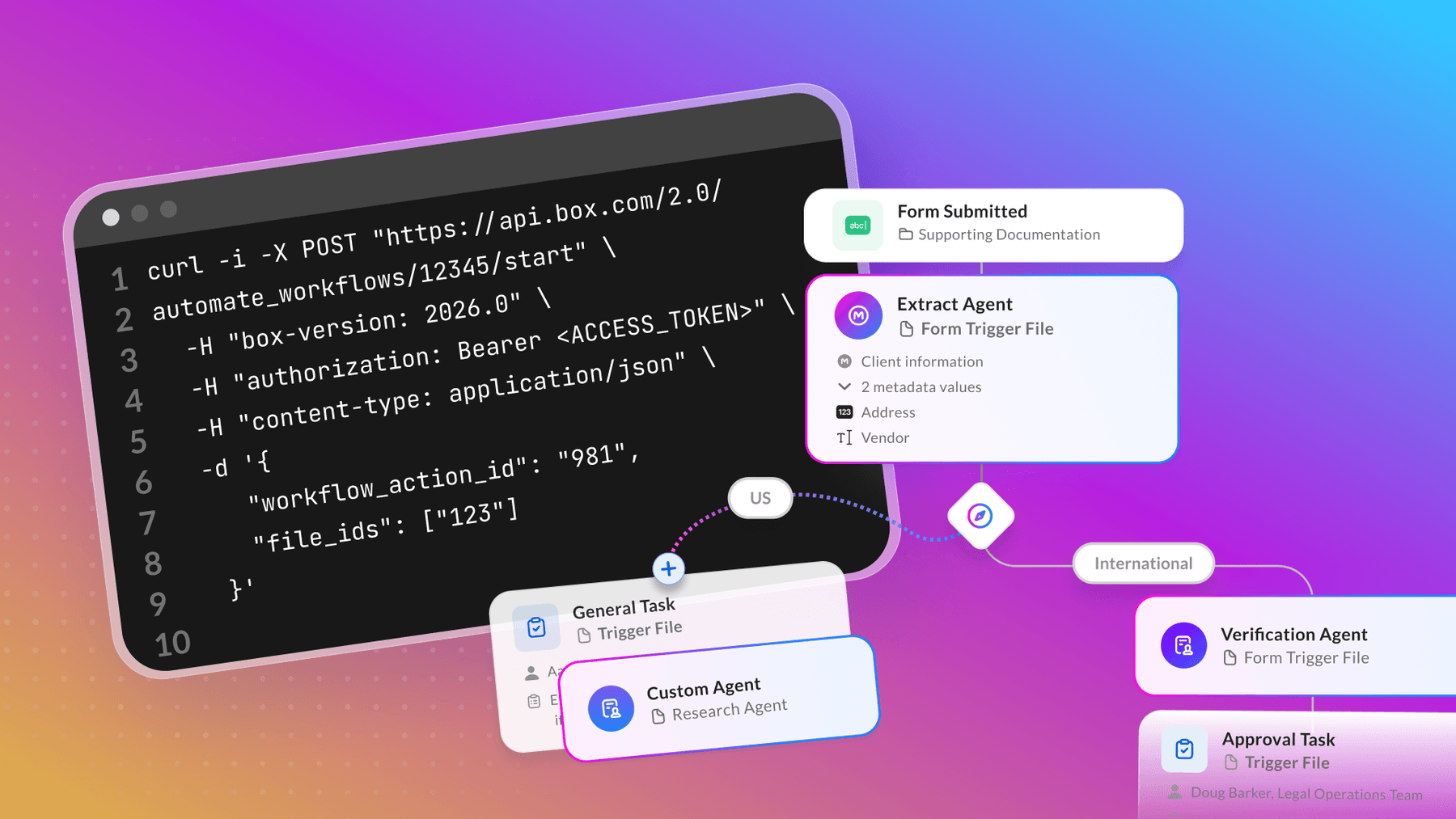
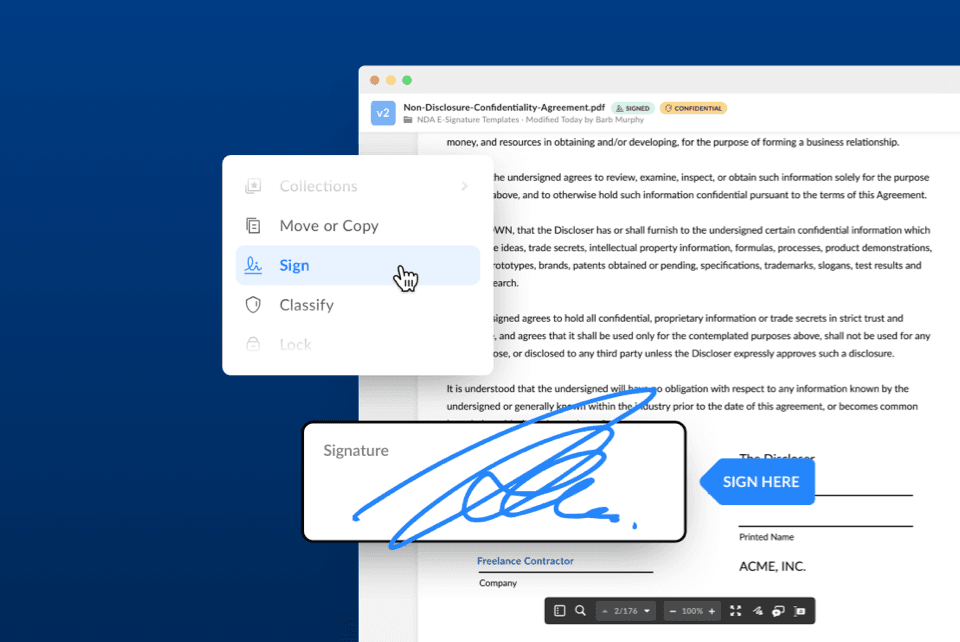
Box Doc Gen and Box Sign cover two of the hardest parts of any document workflow: generating consistently formatted documents and passing them through e-signature workflow at scale. In this walkthrough we’ll connect the Box Doc Gen and Box Sign APIs to automate offer letter generation and delivery as a good example. In this scenario, a recruiter submitting candidate data will get a signed PDF back with no manual steps in between.
The code is minimal by design, as the goal is to show the integration pattern clearly so you can extend it into a larger platform workflow, swap in your own templates, or modify it with additional signers and approval steps.
Overview
This sample app is designed to be triggered by an applicant tracking system (ATS) like Greenhouse, but this pattern also applies to Workday Recruiting, SAP SuccessFactors, or any HR system that can trigger a webhook and expose offer data through an API.
Once we pass the candidate and offer details, our solution calls the Box Doc Gen API to merge that data into an offer letter template. Once the PDF is ready, a Box webhook notifies the app which PDF file has been generated. This initiates a Box Sign request for that generated offer letter.
Setup
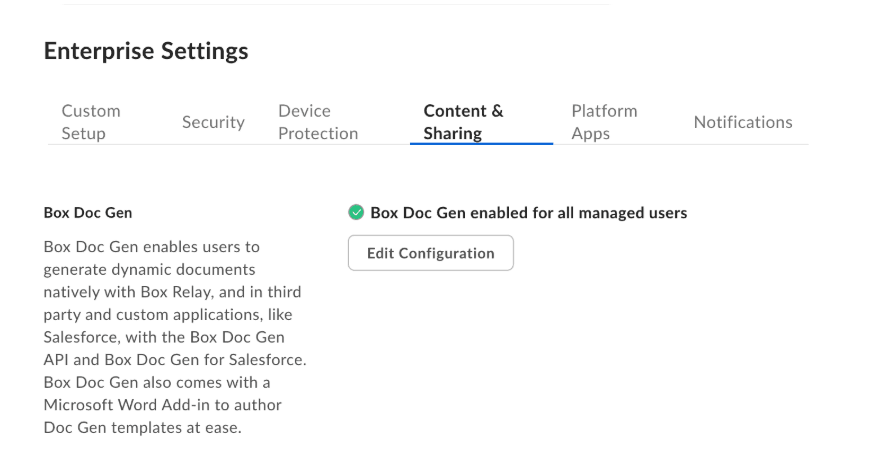
In order to complete this tutorial you need a Box Enterprise Advanced account. Before you start, make sure you have Box Doc Gen and Box Sign enabled in the Box Admin Console. You can enable them for selected or all Box enterprise users.
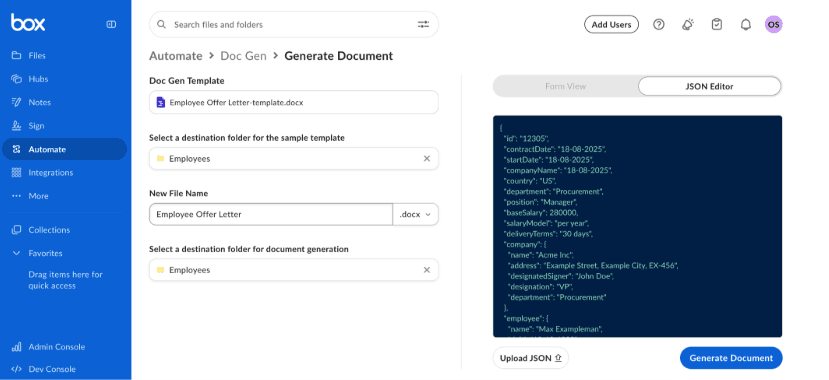
For ease of setup, use a preexisting Box Doc Gen template available in the Box web app under Automate tab. Choose the Employee Offer Letter template, choose a destination for template and document generation. Once you hit the Generate Document button, save the template ID (it’s displayed in the page or within the URL).
Create a Custom App in the Box Developer Console. Choose an authentication method. For this tutorial, the simplest model is an OAuth app with a developer token generated by a user who already has access to the template and folders. For the sake of clarity, let’s assume documents will be stored in three separate folders.
If you switch to Client Credentials Grant or JWT, the app acts as a service account. In that case, collaborate the service account into folders that include offer letter templates, generated offer letters, and signed offer letters.
Next, be sure to:
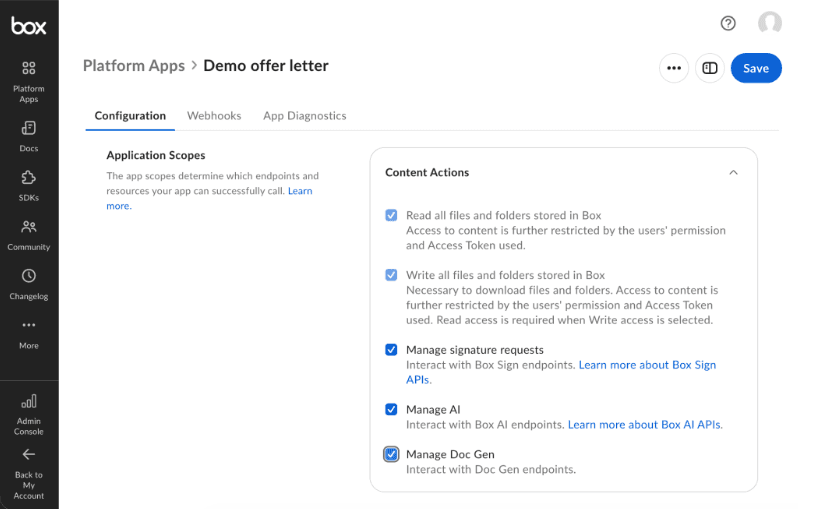
- Enable app scopes including Manage Doc Gen, Manage signature requests within Content Actions, and Manage webhooks within Developer Actions
- Save changes and authorize your app in case of the server-side authentication
- Generate a developer token for testing purposes
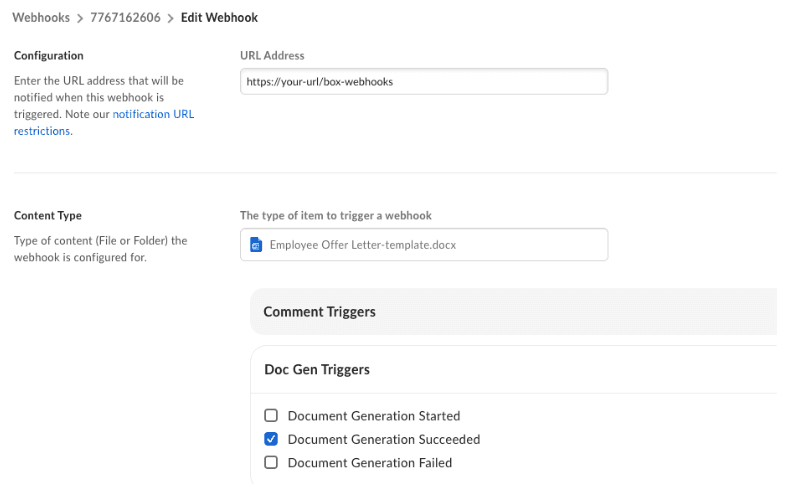
Finally, configure a V2 Box webhook for your app. Define the URL where the payload data will be sent. Pick the Box Doc Gen template document and enable the Document Generation Succeeded webhook.
Create solution
Now let’s get hands on and implement this flow step by step. We’ll leverage Box Node.js SDK, however this can be achieved with all remaining supported programming languages.
If you’d like to jump start with this use case, there’s an open-source repository you can clone and run directly from your local machine. The following sections of this article showcase this demo app core elements step by step.
- Install the following packages:
npm install box-node-sdk dotenv express2. Set up environment variables in your .env file. This example assumes that there is just one approver during the e-signature workflow, to ensure a human review before the document is sent out to the candidate. However, Box Sign workflows can be fully customized and extended with multiple approvers, signers, and final copy readers.
PORT=
APP_SHARED_SECRET=
BOX_DEVELOPER_TOKEN=
BOX_DOCGEN_TEMPLATE_FILE_ID=
BOX_DOCGEN_DESTINATION_FOLDER_ID=
BOX_SIGN_PARENT_FOLDER_ID=
HR_APPROVER_EMAIL=
PUBLIC_BASE_URL=
3. Authenticate the Box client. For simplicity, examples include the developer token. For production solutions, replace it with a long-lived authentication model such as OAuth, Client Credentials Grant, or JWT.
import { BoxClient, BoxDeveloperTokenAuth } from "box-node-sdk";

export function createBoxClient(config) {
  return new BoxClient({
    auth: new BoxDeveloperTokenAuth({
      token: config.boxDeveloperToken,
    }),
  });
}
4. Next, let’s add a function for validating offer data to ensure the whole Doc Gen template is filled:
export function buildOfferLetterData(offer) {
  return offer;
}

export function validateOffer(offer) {
  const required = [
    "id",
    "country",
    "contractDate",
    "deliveryTerms",
    "companyName",
    "baseSalary",
    "salaryDetails",
    "salaryModel",
    "employee.address",
    "employee.dob",
    "employee.email",
    "employee.name",
    "company.address",
    "company.designatedSigner",
    "company.name",
    "company.designation",
    "company.department",
    "position",
    "department",
    "startDate",
  ];

  const missing = required.filter((field) => !readPath(offer, field));
  if (missing.length > 0) {
    throw new Error(`Missing offer fields: ${missing.join(", ")}`);
  }

  if (!Array.isArray(offer.salaryDetails) || offer.salaryDetails.length === 0) {
    throw new Error("salaryDetails must be a non-empty array.");
  }

  if (!offer.employee.email.includes("@")) {
    throw new Error("employee.email must be a valid email address.");
  }
}

function readPath(value, path) {
  return path.split(".").reduce((current, key) => current?.[key], value);
}
5. Once we have the data, we can build the Doc Gen request. Let’s pass the template ID defined as the env variable, the destination folder, and offer letter details.
import { buildOfferLetterData } from "./offer-letter-data.js";

export async function generateOfferLetter(client, config, offer) {
  return client.docgen.createDocgenBatchV2025R0({
    file: {
      id: config.docgenTemplateFileId,
      type: "file",
    },
    inputSource: "api",
    destinationFolder: {
      id: config.docgenDestinationFolderId,
      type: "folder",
    },
    outputType: "pdf",
    documentGenerationData: [
      {
        generatedFileName: `${offer.employee.name} - Offer Letter`,
        userInput: buildOfferLetterData(offer),
      },
    ],
  });
}
And, add webhook handler:
export function readDocgenWebhookInfo(event) {
  const info = [event.additional_info, event.additionalInfo].flat()[0] || {};
  return {
    batchId: info.batch_id || info.batchId,
    generatedFileId: info.generated_file_id || info.generatedFileId,
  };
}
6. As an additional step, you can make sure the approver is collaborated to this newly created file:
function isAlreadyCollaboratedError(error) {
  return error.responseInfo?.statusCode === 409;
}

async function collaborateApproverOnFile(client, fileId, approverEmail) {
  try {
    return await client.userCollaborations.createCollaboration(
      {
        item: {
          id: fileId,
          type: "file",
        },
        accessibleBy: {
          type: "user",
          login: approverEmail,
        },
        role: "viewer",
        isAccessOnly: true,
      },
      {
        queryParams: {
          notify: false,
        },
      },
    );
  } catch (error) {
    if (isAlreadyCollaboratedError(error)) return null;
    throw error;
  }
}
7. Finally, define the Box Sign workflow. In this example, the HR team member acts as an approver and reviews the documents, so they can double-check the offer details. Once this is approved in Box, the candidate receives the offer letter in their mailbox, with a custom email message valid for 14 days. Additionally, Box Sign enables advanced security features, like phone verification, password protection, and more. Be sure to check all available API parameters.
export async function sendOfferLetterForSignature(client, config, offerRecord) {
  const signers = [];

  if (config.hrApproverEmail) {
    await collaborateApproverOnFile(client, offerRecord.generatedFileId, config.hrApproverEmail);

    signers.push({
      email: config.hrApproverEmail,
      role: "approver",
      order: 1,
    });
  }

  signers.push({
    email: offerRecord.offer.employee.email,
    role: "signer",
    order: 2,
  });

  return client.signRequests.createSignRequest({
    sourceFiles: [
      {
        id: offerRecord.generatedFileId,
        type: "file",
      },
    ],
    parentFolder: {
      id: config.signParentFolderId,
      type: "folder",
    },
    signers,
    name: `${offerRecord.offer.employee.name} - Offer Letter`,
    emailSubject: `Offer letter for ${offerRecord.offer.position}`,
    emailMessage: "Please review and sign your offer letter.",
    areRemindersEnabled: true,
    daysValid: 14,
    externalId: offerRecord.id,
  });
}

export async function getSignRequest(client, signRequestId) {
  return client.signRequests.getSignRequestById(signRequestId);
}
As a last step, we need to spin up a server to orchestrate the whole solution. server.js starts a small Express app, loads the Box configuration from environment variables, and creates a Box SDK client.
import express from "express";
import { createBoxClient } from "./box-client.js";
import { generateOfferLetter, readDocgenWebhookInfo } from "./box-docgen.js";
import { getSignRequest, sendOfferLetterForSignature } from "./box-sign.js";
import { readConfig } from "./config.js";
import { validateOffer } from "./offer-letter-data.js";
import {
  createOfferRecord,
  findOffer,
  findOfferByBatchId,
  findOfferByGeneratedFileName,
  listOffers,
  updateOffer,
} from "./store.js";

const config = readConfig();
const client = createBoxClient(config);
const app = express();

app.use(express.json());
Next, in the same file set, add protecting key routes with an optional shared secret that returns JSON errors through a central error handler. Don’t forget to ensure advanced security mechanisms for your production apps.
function requireSharedSecret(request, response, next) {
  if (!config.sharedSecret) return next();
  if (request.headers["x-shared-secret"] === config.sharedSecret) return next();
  return response.status(401).json({ error: "Invalid shared secret." });
}
server.js file includes the following routes:
app.get("/", (_request, response) => {
  response.json({
    name: "Box Offer Letter Demo",
    routes: [
      "POST /offer-letters",
      "GET /offer-letters",
      "POST /box/webhooks",
      "POST /offer-letters/:id/send-for-signature",
      "GET /offer-letters/:id/sign-request",
    ],
  });
});
POST /offer-letters accepts offer data, validates it, calls Box Doc Gen to generate the offer letter PDF, and stores an in-memory record with the Doc Gen batch ID.
app.post("/offer-letters", requireSharedSecret, async (request, response, next) => {
  try {
    const offer = request.body.offer || request.body;
    validateOffer(offer);

    const batch = await generateOfferLetter(client, config, offer);
    const record = createOfferRecord(offer, batch);

    response.status(202).json({
      offerId: record.id,
      docgenBatchId: record.docgenBatchId,
      status: record.status,
    });
  } catch (error) {
    next(error);
  }
});
GET /offer-letters lists the in-memory records.
app.get("/offer-letters", (_request, response) => {
  response.json({ entries: listOffers() });
});
POST /box/webhooks receives the Doc Gen completion event, extracts the generated file ID, finds the matching offer record, and marks it as ready_for_signature.
async function handleDocgenWebhook(request, response, next) {
  try {
    console.log("Received Box webhook:", JSON.stringify(request.body, null, 2));

    const { batchId, generatedFileId, generatedFileName } = readDocgenWebhookInfo(request.body);
    console.log("Parsed Box webhook:", { batchId, generatedFileId, generatedFileName });

    if (!generatedFileId) {
      return response.status(202).json({ handled: false, reason: "No generated file ID found." });
    }

    const record = batchId
      ? findOfferByBatchId(batchId)
      : findOfferByGeneratedFileName(generatedFileName);

    if (!record) {
      return response.status(202).json({ handled: false, reason: "Unknown generated offer letter." });
    }

    const updated = updateOffer(record.id, {
      generatedFileId,
      status: "ready_for_signature",
    });

    return response.json({ handled: true, offer: updated });
  } catch (error) {
    return next(error);
  }
}

app.post("/box/webhooks", handleDocgenWebhook);
POST /offer-letters/:id/send-for-signature then uses that generated PDF to create a Box Sign request, where HR can approve first and the candidate signs afterward.
app.post("/offer-letters/:id/send-for-signature", requireSharedSecret, async (request, response, next) => {
  try {
    const record = findOffer(request.params.id);
    if (!record) return response.status(404).json({ error: "Offer not found." });
    if (!record.generatedFileId) {
      return response.status(409).json({
        error: "Offer letter PDF is not ready yet. Wait for the Doc Gen webhook.",
      });
    }

    const signRequest = await sendOfferLetterForSignature(client, config, record);
    const updated = updateOffer(record.id, {
      signRequestId: signRequest.id,
      status: "signature_sent",
    });

    return response.status(201).json({
      offer: updated,
      signRequest: {
        id: signRequest.id,
        status: signRequest.status,
        prepareUrl: signRequest.prepareUrl,
      },
    });
  } catch (error) {
    return next(error);
  }
});
GET /offer-letters/:id/sign-request checks the latest Box Sign status.
app.get("/offer-letters/:id/sign-request", async (request, response, next) => {
  try {
    const record = findOffer(request.params.id);
    if (!record) return response.status(404).json({ error: "Offer not found." });
    if (!record.signRequestId) {
      return response.status(409).json({ error: "No Box Sign request for this offer yet." });
    }

    const signRequest = await getSignRequest(client, record.signRequestId);
    return response.json({
      id: signRequest.id,
      status: signRequest.status,
      signers: signRequest.signers,
      signFiles: signRequest.signFiles,
    });
  } catch (error) {
    return next(error);
  }
});
Last but not least, initiate our app:
app.use((error, _request, response, _next) => {
  response.status(error.statusCode || 500).json({
    error: error.message,
  });
});

app.listen(config.port, () => {
  console.log(`Box Offer Letter Demo running at http://localhost:${config.port}`);
  if (config.publicBaseUrl) {
    console.log(`Webhook URL: ${config.publicBaseUrl}/box/webhooks`);
  }
});
Testing your solution
You can test your integration by sending the following payload to your app directly in your terminal. Be sure to update the shared secret in the sample below. This should trigger document generation and kick off the whole e-signature process.
curl -X POST http://localhost:8000/offer-letters \
  -H "content-type: application/json" \
  -H "x-shared-secret: replace-me" \
  -d '{
    "country": "US",
    "contractDate": "18-08-2025",
    "deliveryTerms": "30 days",
    "companyName": "18-08-2025",
    "baseSalary": 280000,
    "employee": {
      "address": "Sample Street, Sample City, SA-456",
      "dob": "12-12-1993",
      "email": "[email protected]",
      "name": "Max Exampleman"
    },
    "salaryDetails": [
      {
        "component": "Base Salary",
        "value": 280000
      },
      {
        "component": "Payment terms",
        "value": "monthly"
      },
      {
        "component": "Stock options",
        "value": "1300 options (vesting over 4 years)"
      }
    ],
    "salaryModel": "per year",
    "company": {
      "address": "Example Street, Example City, EX-456",
      "designatedSigner": "John Doe",
      "name": "Acme Inc",
      "designation": "VP",
      "department": "Procurement"
    },
    "id": "12305",
    "position": "Manager",
    "department": "Procurement",
    "startDate": "18-08-2025"
  }'
Other use cases
This is just a scaffold app, but it shows the potential of connecting those two APIs. Box Doc Gen and Box Sign can power multiple document workflows that need both generation and approval or signature, for example:
- Sales: Generate quotes, order forms, or sales contracts, then route them for customer signature
- Legal: Create NDAs, MSAs, or engagement letters, then send them through legal approval and counterparty signature
- HR: Prepare promotion letters, stock agreements, or employee contracts, then collect internal approval and employee signature
- Procurement: Generate vendor agreements, RFP responses, or work orders, then route them for supplier signature
- Marketing: Create speaker agreements, agency contracts, or partner agreements, then send them for stakeholder approval and signature
- Finance: Generate investor reports, QBR packets, or tax documents, then route them for review, approval, and secure distribution