Employee onboarding usually involves several documents that should tell the same story, but names, addresses, and dates don’t always line up.
- A middle name may be missing
- An employee may have recently moved
- An ID may have expired
None of that necessarily means something is wrong, but it may warrant a closer look.
I built a small Node.js app that uses Box AI to extract and compare the details, then sends anything questionable to a person for review. Here’s how it works:
Upload the documents

↓

Extract structured fields

↓

Save the results as metadata

↓

Compare shared values

↓

Generate a report

↓

Send exceptions to a human reviewer
The app is intentionally small, but I like the broader pattern: use AI to organize messy document data, normal application code to check it, and a human to handle the exceptions.
The full sample is available on GitHub: https://github.com/box-community/box-extract-onboarding-verification
The sample workflow
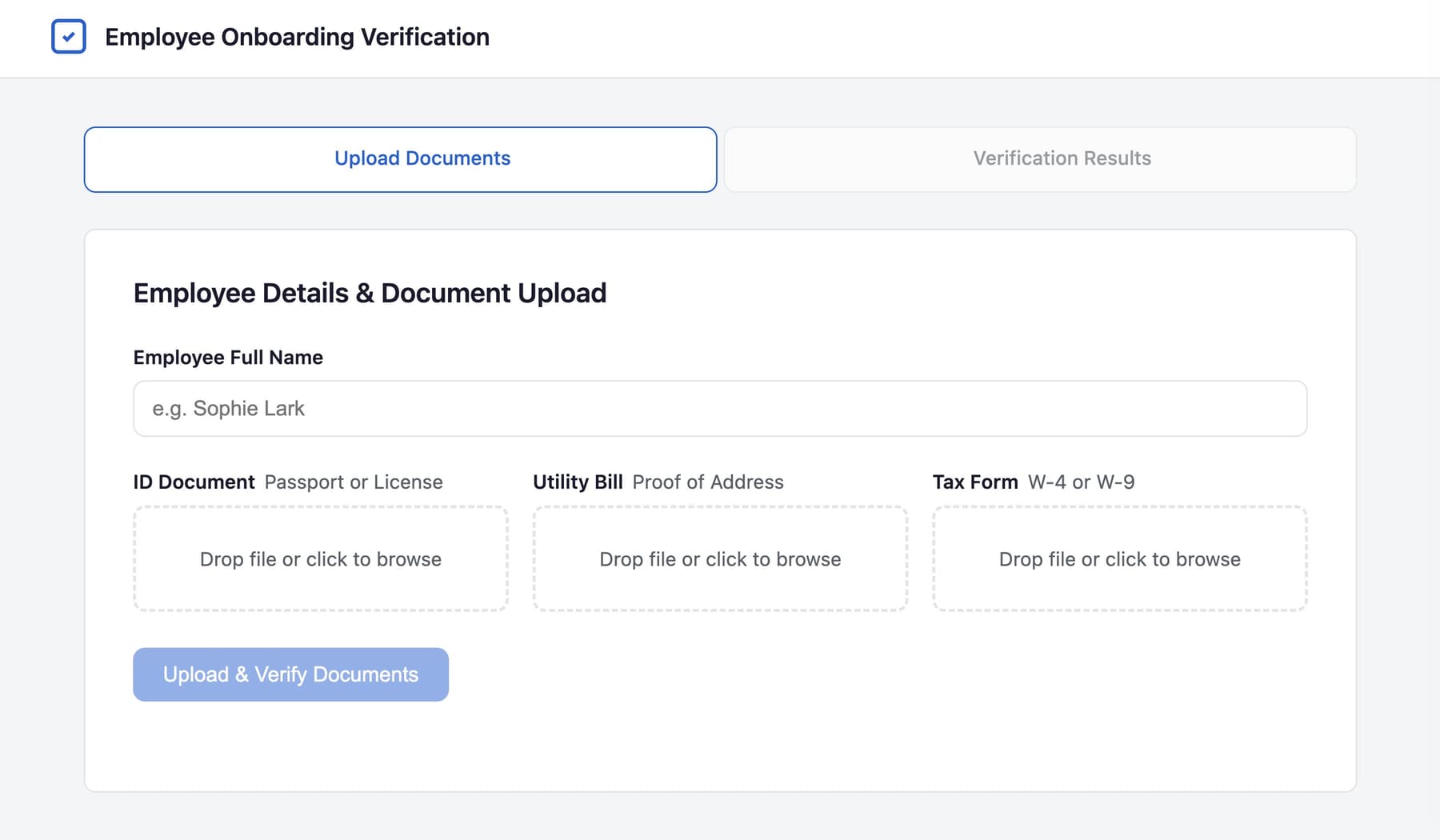
For the demo, I used three fictional documents for an employee named "Connor Sample":
- An identity document
- A utility bill
- A tax form
After selecting the files and clicking Upload & Verify Documents, the app creates a new employee folder in Box and uploads all three files.
Each document then gets its own structured extraction request.
For example, the ID asks for:
- Full legal name
- Date of birth
- Document number
- Residential address
- Expiration date
Likewise, the utility bill asks for the account holder, service address, billing date, and account number. The tax form asks for the employee’s name, address, last four SSN digits, and filing status.
I used separate field lists because the documents don’t contain the same information, even though some of their fields overlap.
Turning documents into values I can use
The first important Box API call is Box AI Extract.
Here’s the basic shape of the extraction request for the ID:
const result = await client.ai.createAiExtractStructured({
  items: [{ id: document.id, type: "file" }],
  fields: [
    {
      key: "full_name",
      type: "string",
      prompt: "What is the full legal name on this document?",
    },
    {
      key: "address",
      type: "string",
      prompt: "What is the residential address listed?",
    },
    {
      key: "expiry_date",
      type: "string",
      prompt: "What is the expiration or expiry date?",
    },
  ],
});
Each field has a key, a type, and a plain-English prompt.
The great part is that I get named values back instead of one large block of generated text. That gives the rest of the app something predictable to work with.
After extraction, the app saves those values back to the corresponding Box file as metadata.
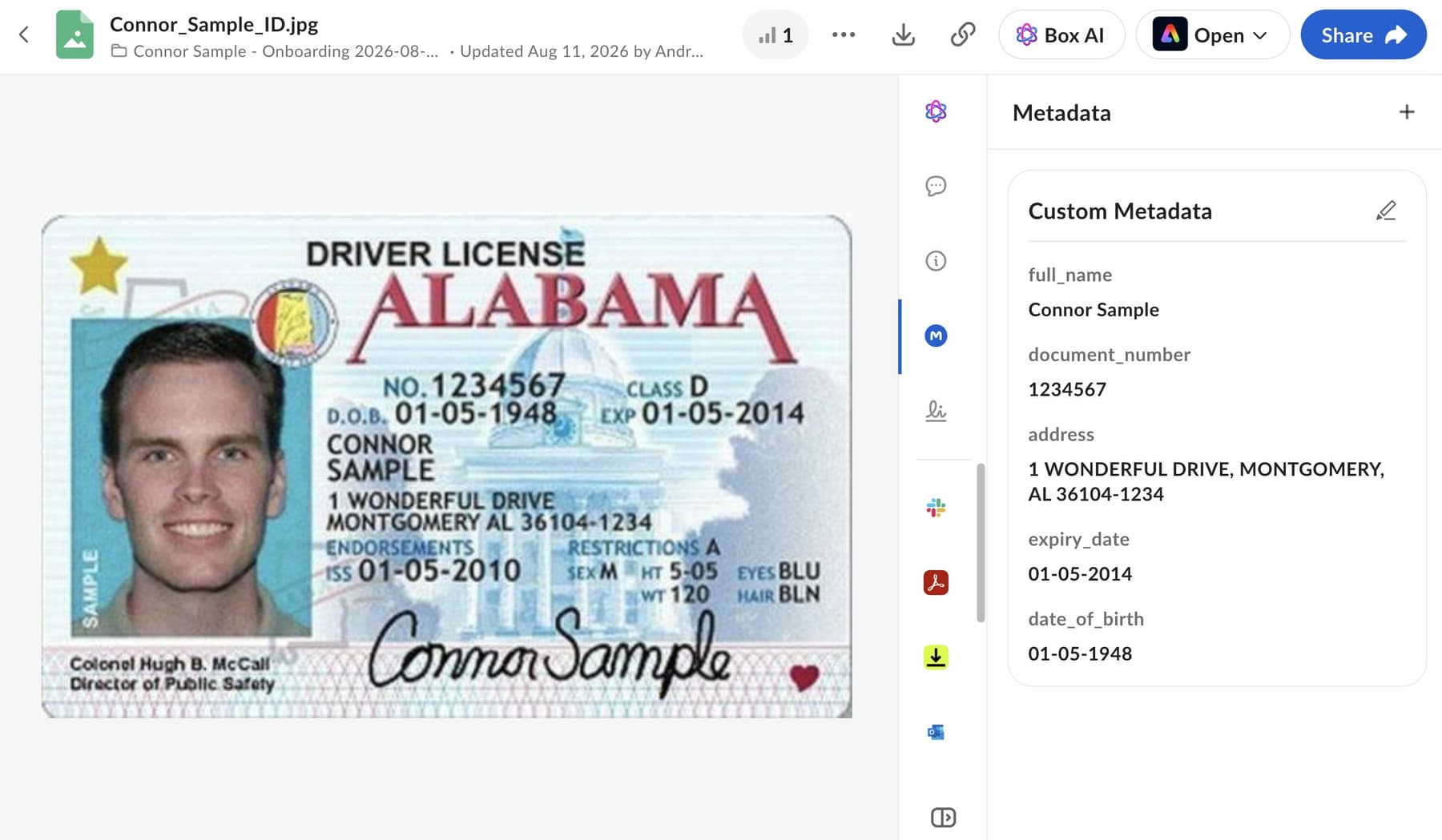
This means the extracted information isn’t only visible in the demo UI. It stays attached to the source file in Box, where it can support search, filtering, integrations, or another workflow later.
Box AI extracts; the application checks
I want to emphasize that AI doesn’t decide whether an employee passes verification. It extracts the fields, then regular application logic normalizes and compares the names and addresses and checks whether the ID has expired. This produces a set of explicit checks:
Name consistency: Pass
Address consistency: Pass
ID expiration: Flag
That separation makes the result easier to understand.
If a check is flagged, I can point to the exact rule and the values involved. I’m not asking a model for a vague judgment about whether the documents “look trustworthy.”
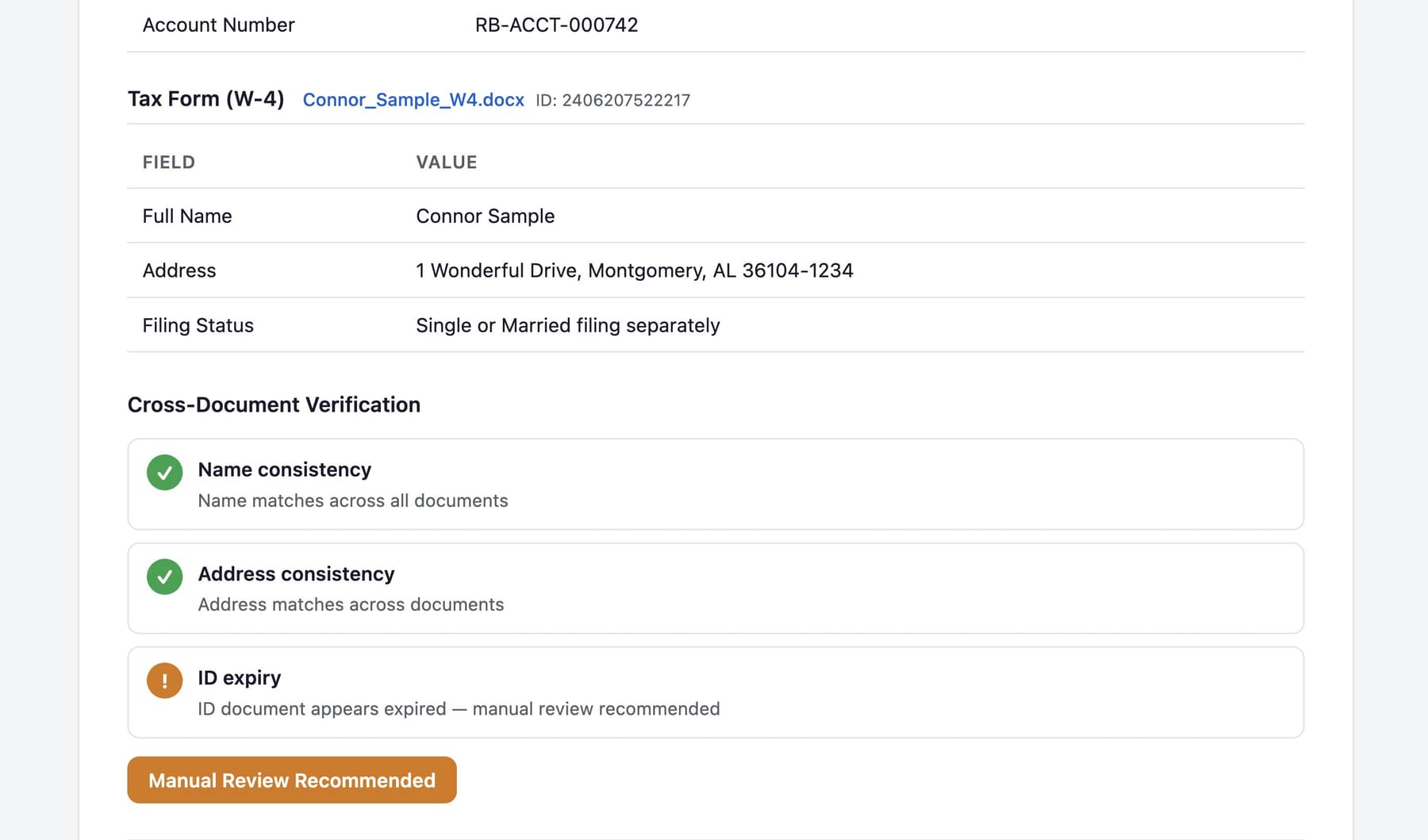
The comparison logic in this demo is intentionally basic. Of course, a production workflow would probably need stronger address normalization, reliable date parsing, document-specific validation, and policies for missing fields.
Adding context without letting it control the result
Once the checks are complete, the app generates a PDF report.
It also uses Box AI Ask to create a short summary of the full document set:
const answer = await client.ai.createAiAsk({
  mode: "multiple_item_qa",
  prompt: `Provide a brief onboarding summary for ${employeeName}.`,
  items: documentItems,
});
With all three file IDs included, Box AI can summarize the complete document set rather than treating each file separately.
The finished PDF contains the employee’s name, reviewed documents, extracted fields, verification results, overall status, and AI-generated summary, and is uploaded to the same Box folder as the source files.
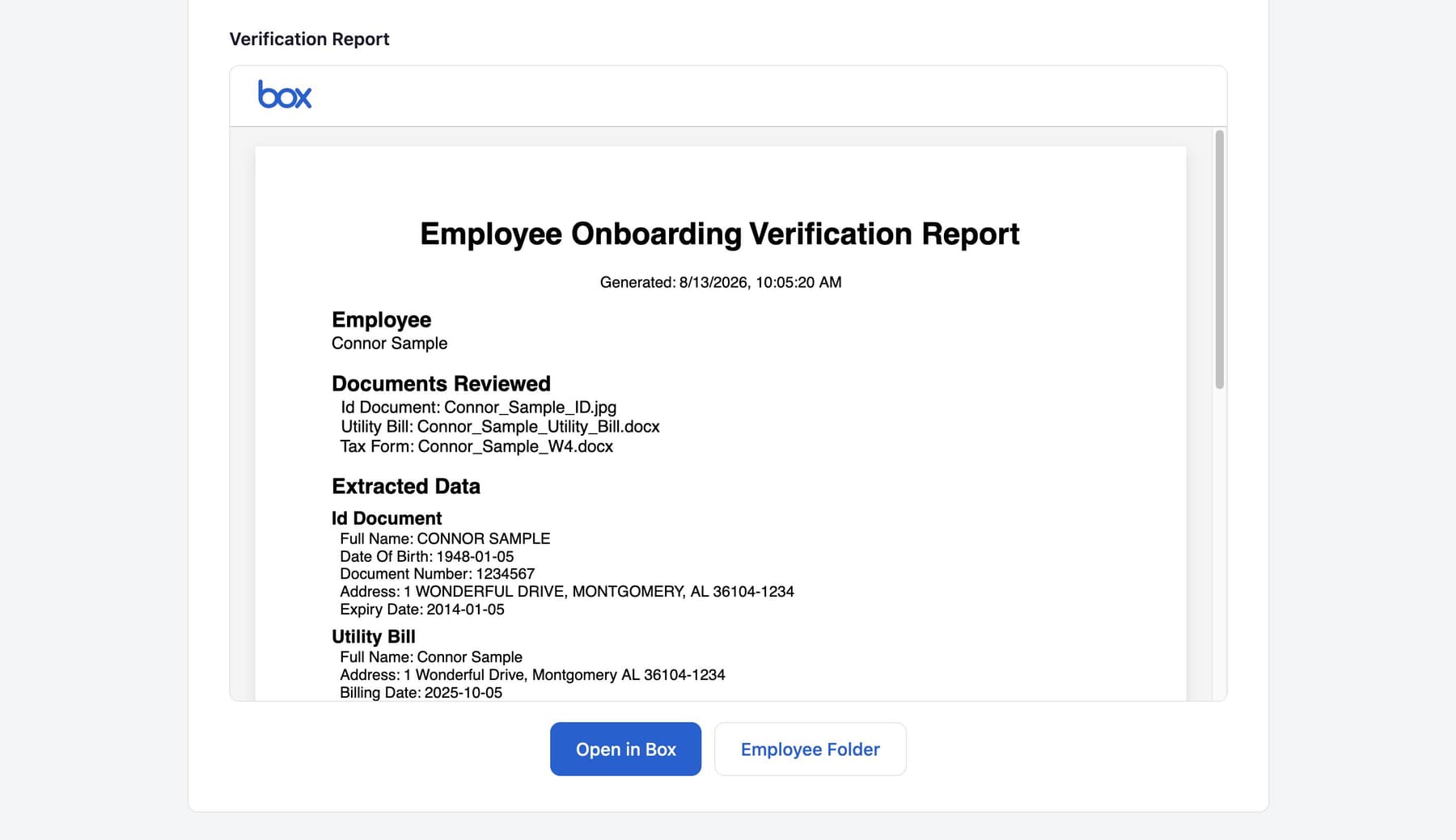
Again, the summary gives the reviewer helpful context, but it doesn’t affect the verification status; that decision still comes from explicit, explainable checks.
Handing the exception to a person
For the sample data, the names and addresses match, but the identity document is intentionally expired. That changes the overall result to needs_review.
After uploading the report, the app creates a Box review task on the PDF:
const task = await client.tasks.createTask({
  item: { type: "file", id: reportFileId },
  action: "review",
  message: `Review onboarding verification for ${employeeName}.`,
  completionRule: "all_assignees",
});

await client.taskAssignments.createTaskAssignment({
  task: { type: "task", id: task.id },
  assignTo: { id: reviewerUserId },
});
The reviewer ID comes from the app’s environment settings. It is separate from the Box user the application runs as. They can be the same person for a demo, but they don’t have to be.
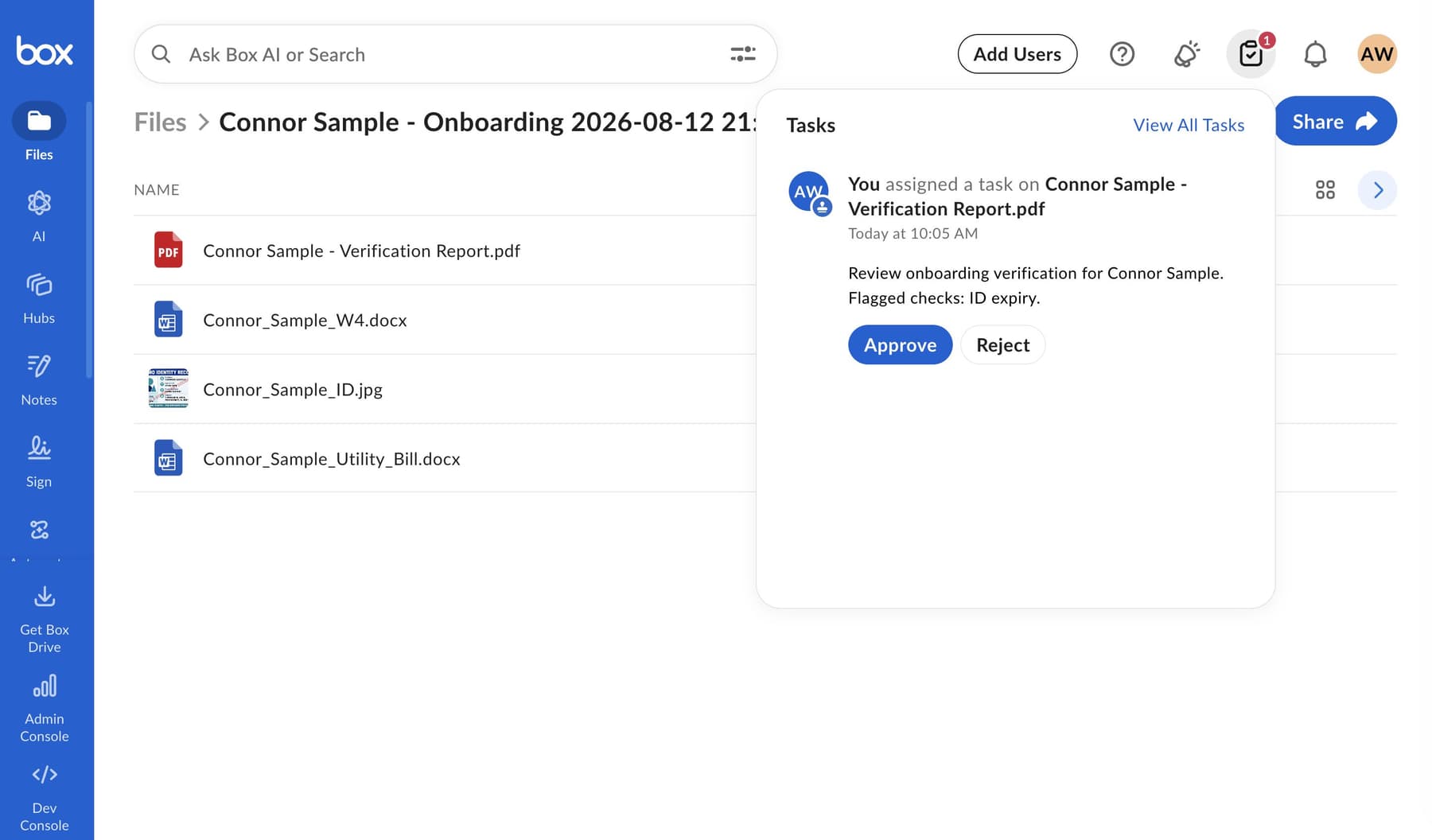
At that point, the automated part of the workflow is done.
The reviewer can open the report, inspect the original files, and approve or reject the task directly in Box. They don’t need to return to the demo app.
I like that handoff because it gives the reviewer more than a warning message. The source documents, extracted metadata, checks, summary, and task all live with the content being reviewed.
The larger pattern
Onboarding's really just one example.
The same approach could work for insurance submissions, vendor verification, loan documents, compliance evidence, claims, account applications, or any other process where several documents are expected to agree.
The documents and rules change, but the workflow remains familiar:
Extract what matters

↓

Compare the shared facts

↓

Explain what passed or failed

↓

Send uncertain cases to a person
Box AI reads the documents, application logic checks the results, and anything questionable goes to a person for review.
The code and fictional sample files are available in the repository if you’d like to try it.
https://github.com/box-community/box-extract-onboarding-verification