Building AI agents that can interact with real-world systems doesn’t have to be complex. In this tutorial, we’ll walk through creating a simple yet powerful agent using Google’s Agent Development Kit (ADK) that connects with Box’s Intelligent Content Management platform.
Through specialized tools, our agent will establish a connection to Box, enabling it to locate and read files, navigate folder structures, and even leverage Box’s built-in AI capabilities to analyze documents. We’ll build a Box agent that can search files, read documents, and answer questions about content using natural language. By the end, you’ll understand the core ADK architecture and how to integrate external APIs into your agents.
Understanding the ADK architecture
Google ADK follows a clean, hierarchical pattern that makes agent development intuitive:
- Tools: Individual functions that perform specific tasks
- Sub-agents: LLM-powered agents that use tools to accomplish goals
- Root agent: The main orchestrator that coordinates everything
This layered approach promotes code reusability and makes complex agents easier to manage.
The complete example
We’ll build a Box agent with these capabilities:
- Connect to and authenticate with Box
- Check user identity and verify connectivity
- Search for files and folders across Box storage
- Read and extract content from documents
- Leverage Box AI to ask questions about documents
- Extract structured data using Box’s AI capabilities
The full working code is available at: https://github.com/box-community/google-adk-box-agent
Building the tools layer
Tools are the foundation of any ADK agent — they’re the bridge that connects your agent to external systems. In our case, these tools establish a connection to Box and provide the essential capabilities to interact with files and leverage Box AI. Here’s how we create Box-specific tools that handle authentication and core operations:
from typing import List, Union
from box_ai_agents_toolkit import (
   File,
   Folder,
   SearchForContentContentTypes,
   box_file_ai_ask,
   box_file_ai_extract,
   box_file_text_extract,
   box_folder_list_content,
   box_locate_folder_by_name,
   box_search,
   get_ccg_client,
)


def box_who_am_i_tool() -> dict:
   """
   Who am I, Retrieves the current user's information in box.
   Checks the connection to Box

   Returns:
       dict: A dictionary containing the current user's information.
   """
   client = get_ccg_client()
   return client.users.get_user_me().to_dict()


def box_read_tool(file_id: str) -> str:
   """Reads the text content of a file in Box.

   Args:
       file_id (str): The ID of the file to read.

   Returns:
       dict: The text content of the file.

 """
   client = get_ccg_client()
   response = box_file_text_extract(client, file_id)
   return response


def box_ask_ai_tool(file_id: str, prompt: str) -> dict:
   """Asks Box AI about a file in Box.

   Args:
       file_id (str): The ID of the file to analyze.
       prompt (str): The prompt or question to ask the AI.

   Returns:
       dict: The AI-generated response based on the file's content.
   """
   client = get_ccg_client()
   response = box_file_ai_ask(client, file_id, prompt=prompt)

   return response
Key principles for tool design:
- Establish connections: Each tool uses get_ccg_client() to authenticate and connect to Box
- Keep functions focused: Each tool handles one specific Box operation
- Leverage platform capabilities: Tools like box_ask_ai_tool tap into Box’s native AI features
- Use clear, descriptive names: Function names clearly indicate their Box-specific purpose
- Return structured data: Consistent data formats make it easier for the LLM to process results
- Handle API authentication: Centralized authentication through the Box toolkit
Creating the sub-agent
Sub-agents combine tools with LLM intelligence. They understand user intent and decide which tools to use:
from google.adk.agents import LlmAgent
from ..tools.box_agent_tools import (
   box_who_am_i_tool,
   box_search_tool,
   box_read_tool,
   box_ask_ai_tool,
   box_ai_extract_data,
)

box_full_agent_llm = LlmAgent(
   model="gemini-2.0-flash",
   name="box_generic_agent",
   description="""
   You are a helpful assistant designed to interact with Box content using
   specialized tools.
   Always be direct and do not ask too many follow-up questions. Make the
   best judge based on the user's request.
   Your primary goal is to answer user questions about documents stored
   in Box.
   You can check who the user is in Box, search for files and folders,
   read files from Box, and list folder contents.
   You can also search for folders by name and list the contents of a
   folder by its ID.
   Your tasks include:
   - Identifying the user in Box
   - Searching for files and folders
   - Reading files from Box
   - Listing folder contents
   - Searching for folders by name
   - Listing the contents of a folder by its ID
   - Answering questions about Box connectivity
   - Providing information about the user's identity in Box
   - Assisting with file and folder management tasks
   - Answering questions using Box AI
   - Asking Box AI about a document
   - Extracting data from documents using Box AI
   Check {box_response} for the context of the conversation and to
   remember previous interactions.
   """,
   tools=[
       box_who_am_i_tool,
       box_search_tool,
       box_read_tool,
       box_search_folder_by_name,
       box_list_folder_content_by_folder_id,
       box_ask_ai_tool,
       box_ai_extract_data,
   ],
   output_key="box_response",
)
Sub-agent best practices:
- Define connection context: Clearly explain how the agent connects to external systems
- Describe platform capabilities: Highlight unique features like Box AI integration
- Write clear workflows: Guide the LLM on when to search, read, or analyze documents
- Set behavioral guidelines: Include directives like “be direct” and “make best judgments”
- Use output keys: Maintain conversation context across tool calls
- Leverage native AI: When platforms offer AI features, incorporate them into agent capabilities
Building the root agent
The root agent orchestrates everything and serves as the main entry point:
from typing import AsyncGenerator
from typing_extensions import override
from google.adk.agents import BaseAgent, LlmAgent
from google.adk.agents.invocation_context import InvocationContext
from google.adk.events import Event
from .sub_agents.box_agent import box_full_agent_llm

class BoxAgent(BaseAgent):
   box_full_agent: LlmAgent

   @override
   async def _run_async_impl(
       self, ctx: InvocationContext
   ) -> AsyncGenerator[Event, None]:
       agent_name = ctx.agent.name
       session_id = ctx.session.id
       print(f"Agent {agent_name} running in session {session_id}")
       async for event in self.box_full_agent.run_async(ctx):
           yield event

root_agent = BoxAgent(
   name="BoxFlowAgent",
   box_full_agent=box_full_agent_llm,
)
Root agent essentials:
- Inherit from BaseAgent
- Implement _run_async_impl method
- Use async generators to yield events
- Export as root_agent for ADK CLI discovery
Running your agent
Once your code is structured correctly, running the agent is simple:
# Install dependencies
uv sync
# Start the agent
uv run adk web
The ADK CLI automatically discovers your root_agent and launches a web interface.
Testing your agent
Try these example queries to test your agent’s Box connectivity and capabilities:
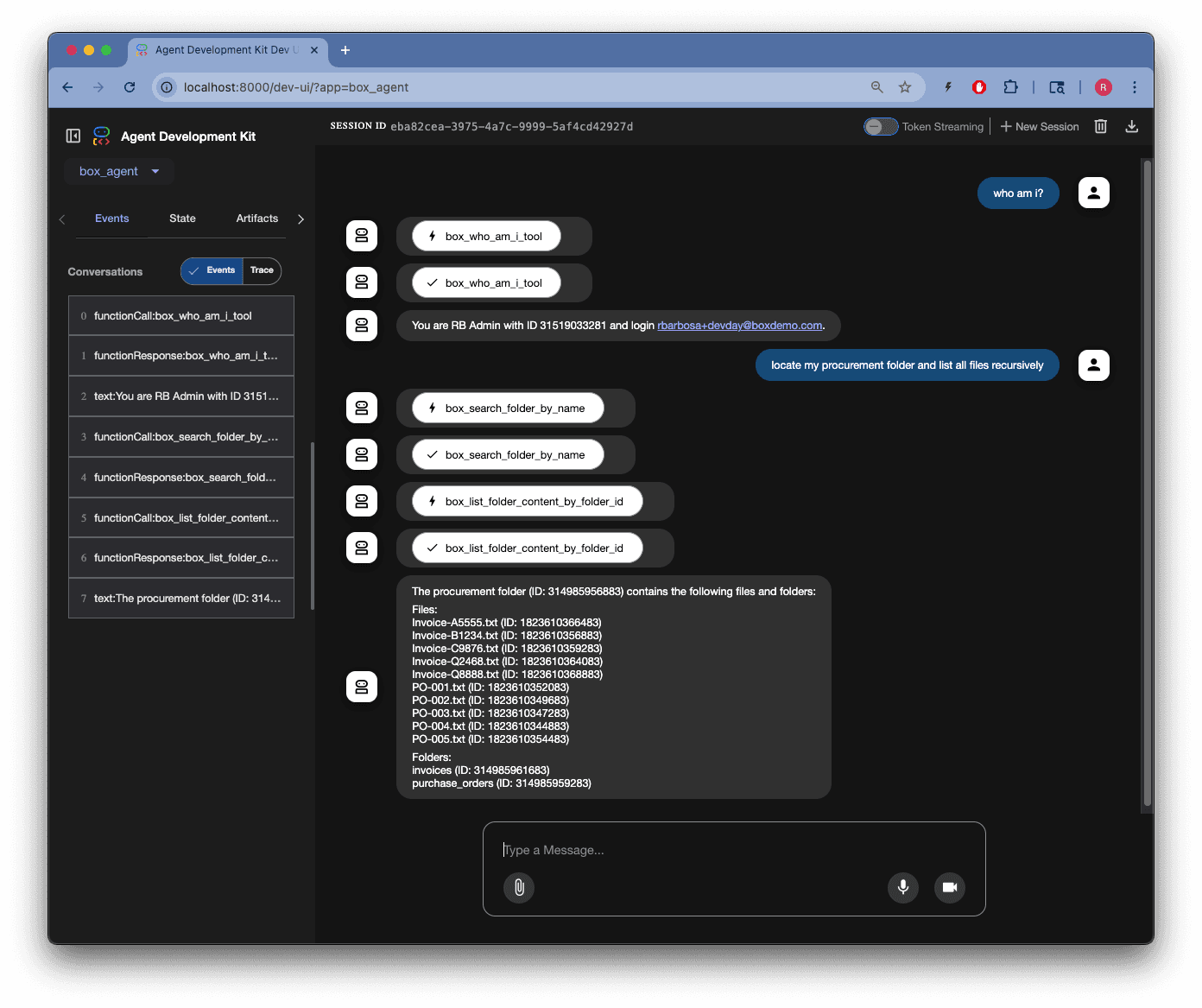
Who am I?
Locate my procurement folder and list all files recursively
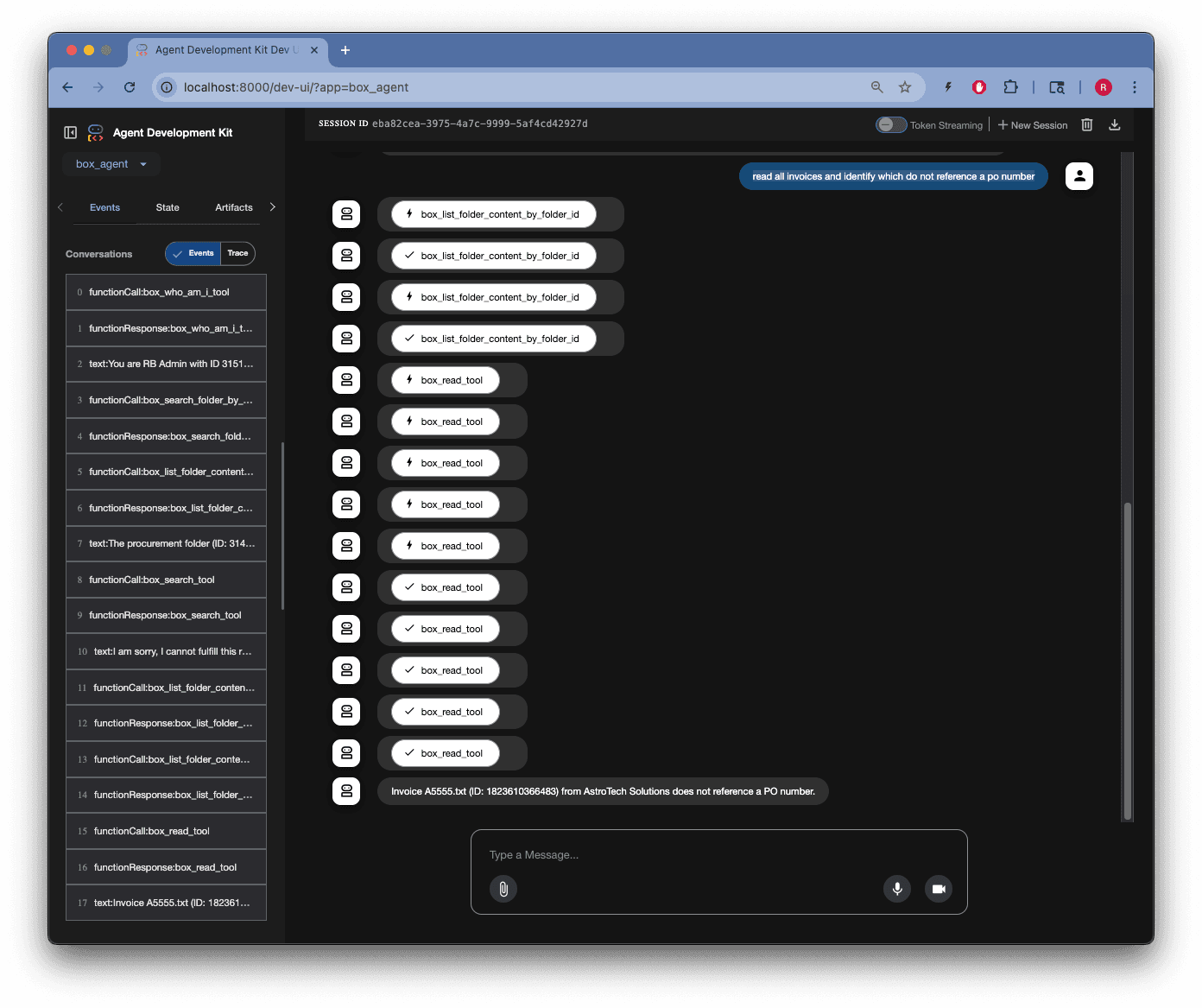
Read all invoices and identify which do not reference a purchase order number
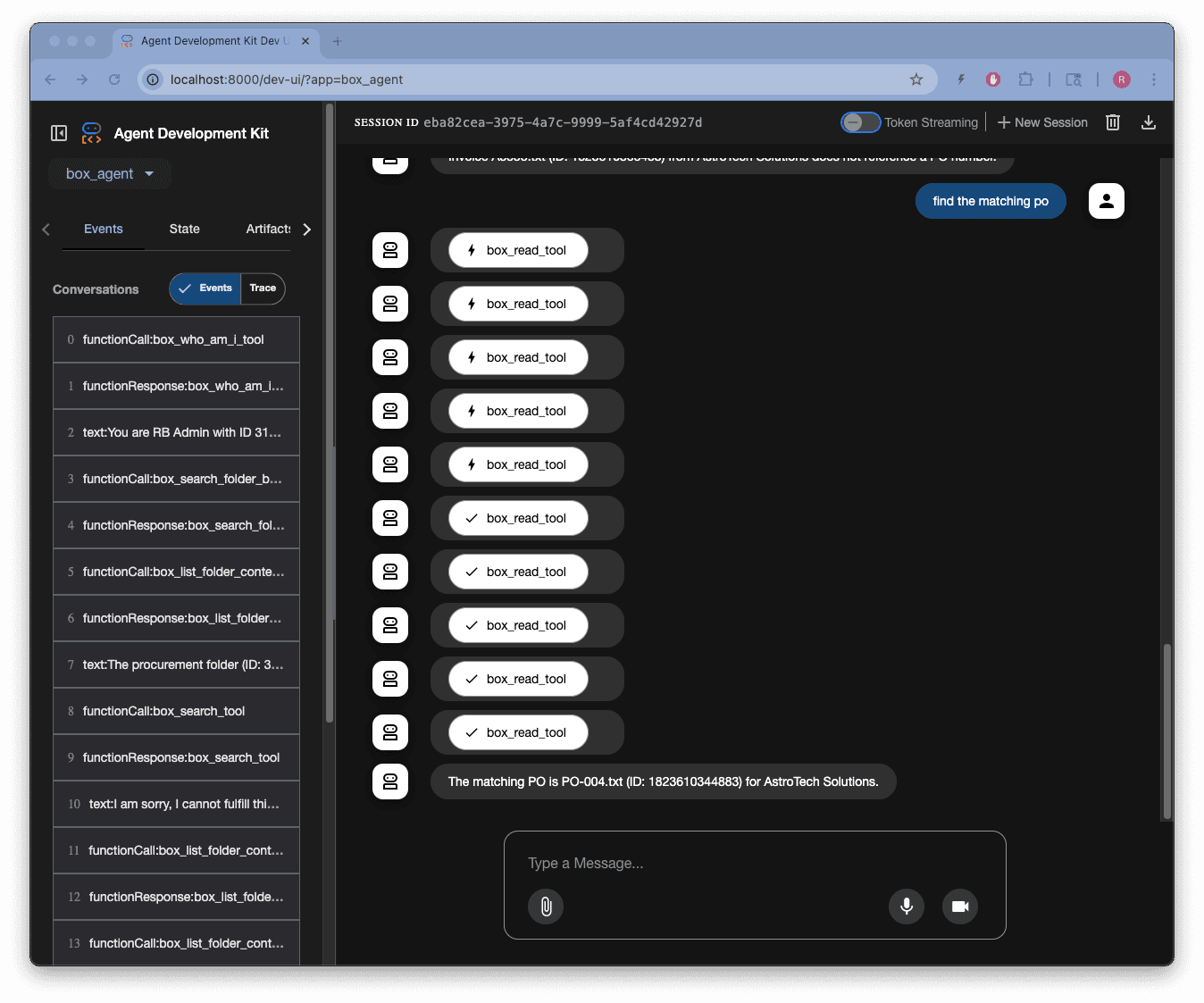
Find the matching purchase order
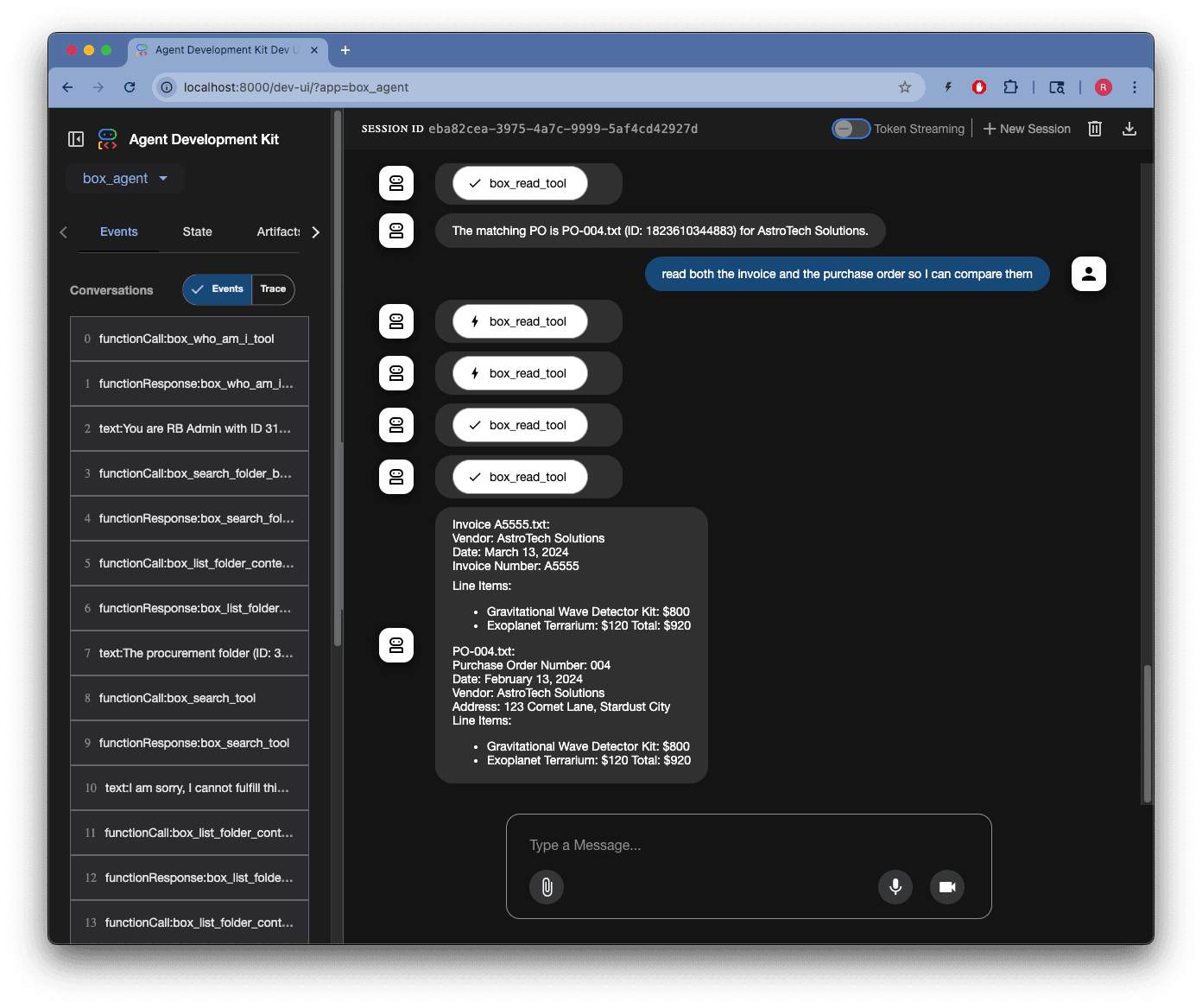
Read both the invoice and the purchase order so I can compare them
Key takeaways
Building ADK agents follows a clear pattern:
- Start with tools : Create focused functions that wrap external APIs
- Build sub-agents : Combine tools with LLM intelligence and clear instructions
- Create root agents : Orchestrate sub-agents and handle the execution flow
- Structure your code : Use clear separation between tools, sub-agents, and root agents
This approach makes your agents:
- Connected: Tools establish reliable connections to external platforms like Box