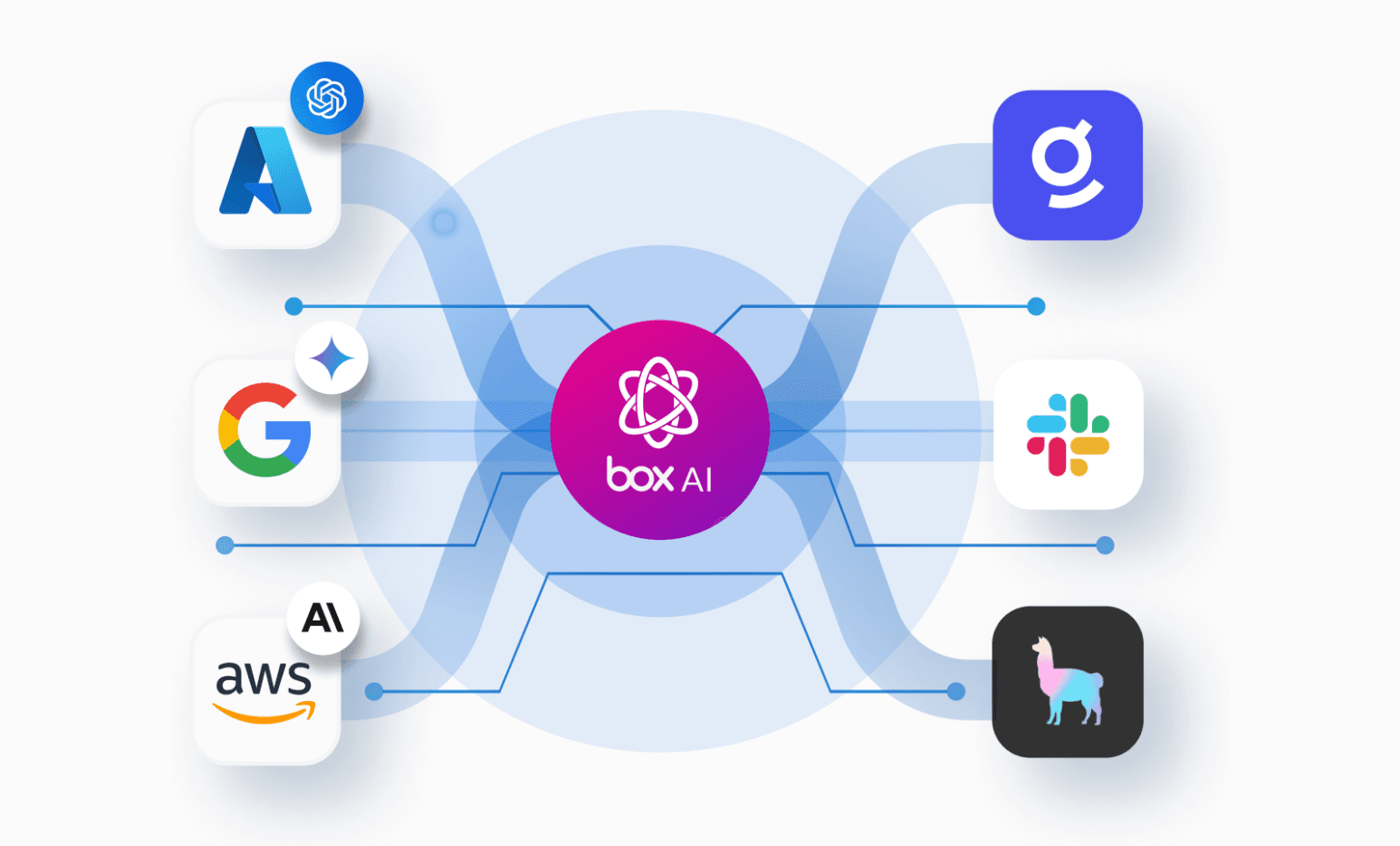
Imagine a certificate of insurance (COI) arriving in Box as a PDF through a File Request, while the project’s insurance requirements sit in a sibling folder. Box AI extracts key fields from both documents, and the application saves them as metadata on the uploaded COI. It then sends the extracted values and filename to the OpenAI Decisions API, which answers a closed-ended question: which of a set of three predefined workflows fits the evidence? The application then uses the selected route and returns a confidence value in its routing rules.
A Box V2 webhook starts the workflow as soon as the upload reaches the intake folder. The application creates a Box task with the evidence and reason, assigns it to the configured reviewer, and adds the insurance specialist as a file collaborator when needed. Box is where the documents arrive and where people review them. Let’s see how this works under the hood.
Route documents based on intelligent review
Every route creates a Box review task with context for the reviewer. The reviewer is configured by a Box user ID in the application setup. For request_endorsement and specialist_review, the insurance specialist is also added as a collaborator on the uploaded file.
Box AI extracts fields such as the project completion date, required liability limits, named insured, policy expiration, and additional-insured evidence. Then, the application passes these fields and the uploaded filename to Decisions as shared context. The fixed choices let the application create a task that explains why the file needs review.
The three routes are:
- Request endorsement. Create a review task explaining that a separate additional-insured endorsement appears to be missing; add the specialist as a file collaborator
- Specialist review. Create a review task for missing, unclear, or conflicting evidence; add the specialist as a file collaborator
- Ready for human review. Create a review task for a human to check the evidence
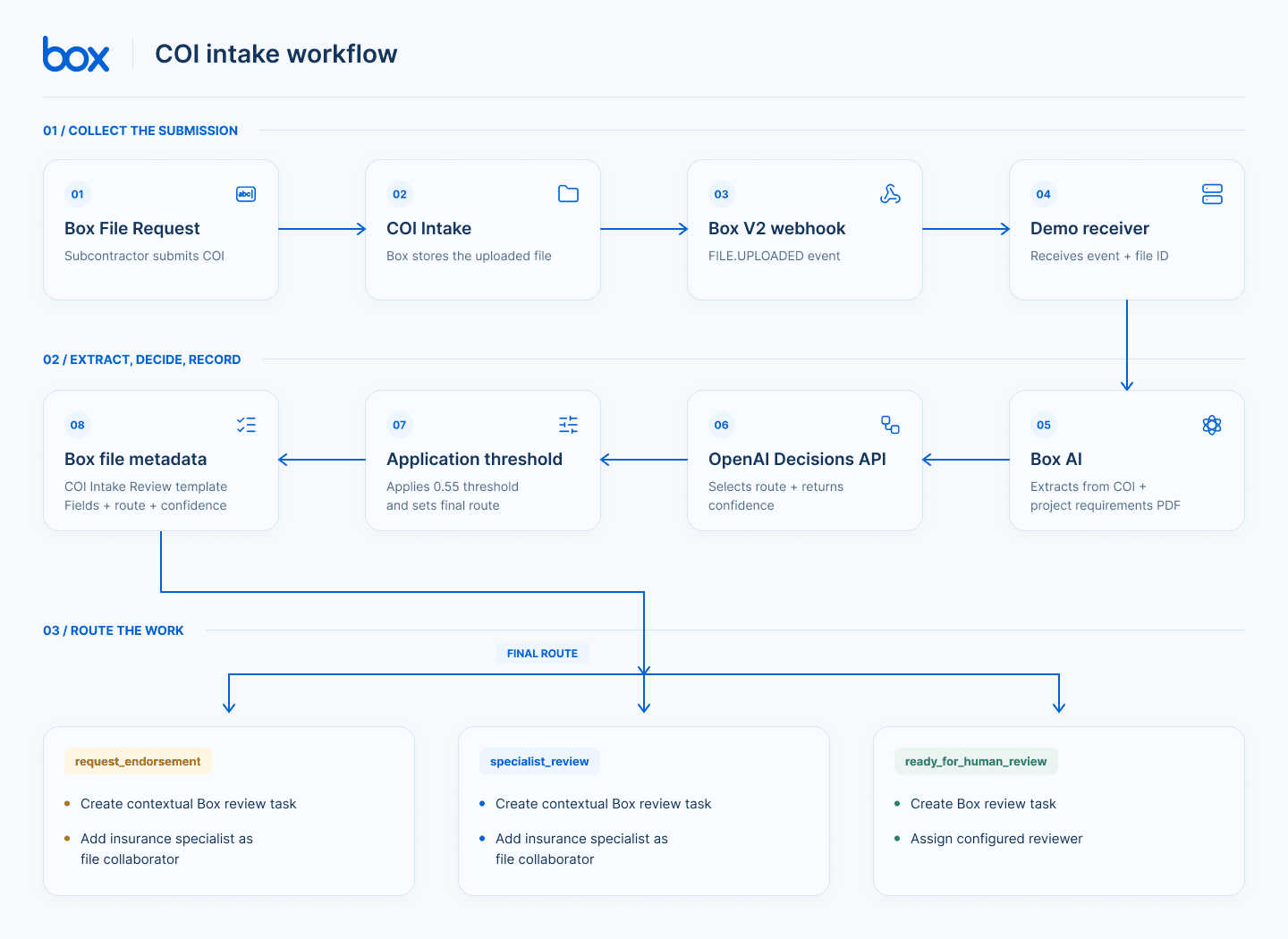
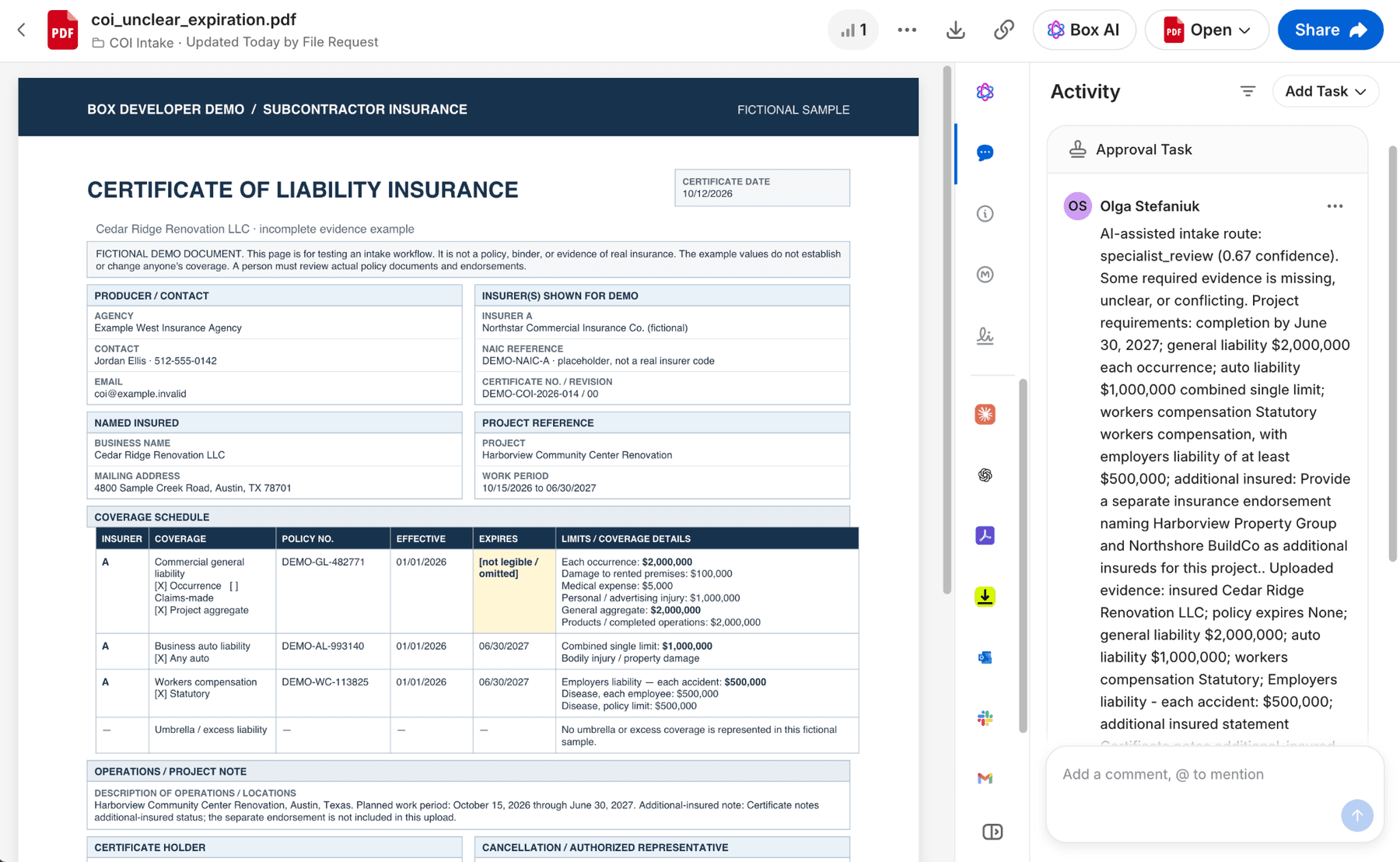
If the route is unclear or unsupported, or its confidence falls below the defined application’s threshold, the code sends the case to specialist_review. The task includes the project requirements and extracted COI values, giving the reviewer a useful starting point.
How Box Extract and Decisions work together
These two APIs have separate jobs. Box AI Extract turns each source document into a small set of requested fields. The Decisions API evaluates this context and selects the next workflow route.
First, the Box SDK calls Box’s structured extraction endpoint. The request identifies a Box file and supplies field definitions with prompts.
def extract(client: BoxClient, file_id: str, fields: list) -> dict:
    response = client.ai.create_ai_extract_structured(
        items=[AiItemBase(id=file_id)],
        fields=fields,
    )
    return plain_dict(getattr(response, "answer", {}))
Data is pulled both from project requirements and an incoming COI document.
coi = extract(client, file_id, COI_FIELDS)
requirements=extract(client,state["requirements_file_id"],REQUIREMENT_FIELDS)
Next, the application builds a compact text input containing the uploaded filename and both keyed extraction results. It sends that evidence to the Decisions API with a choice question and the three routes as allowed values:
decision = OpenAI().decisions.create(
        model=model,
        input=(
            f"{prompt}\n\n"
            f"Uploaded filename: {file_name}\n\n"
            f"Project requirements extracted from the Box reference document:\n"
            f"{json.dumps(requirements, indent=2, default=str)}\n\n"
            f"COI evidence extracted from the Box upload:\n"
            f"{json.dumps(coi, indent=2, default=str)}"
        ),
        questions=[
            {
                "type": "choice",
                "name": "route",
                "instructions": "Choose one administrative workflow route based on the evidence and criteria.",
                "choices": ROUTES,
            }
        ],
    )
The choices include descriptions explaining when each route applies.
ROUTES = [
    {
        "value": "request_endorsement",
        "description": "The COI is readable and the needed coverage details are present, but the separate required additional-insured endorsement is missing. Create a review task so the project team can request the updated document.",
    },
    {
        "value": "specialist_review",
        "description": "A required date, limit, coverage detail, named party, or document is missing, unreadable, contradictory, or otherwise unclear. Assign a specialist to review.",
    },
    {
        "value": "ready_for_human_review",
        "description": "The file appears to contain the requested coverage details and separate endorsement. Create a review task.",
    },
]
The API returns a typed choice instead of a paragraph the application must parse. The app checks that the answer is usable, applies its confidence policy, and only then runs the matching Box actions.
Trigger the right workflow and give context
After the application checks the Decisions API result, it maps the final route to Box actions. Every route creates a review task; request_endorsement and specialist_review paths also add the predefined insurance specialist as a file collaborator. Importantly, the task message gives the reviewer useful context when they open the source document. The application also writes the extracted values and decision confidence to the uploaded file using the enterprise metadata template.
Run the workflow
The demo project includes fictional PDFs for the project requirements, an incomplete COI, an unclear-expiration COI, a separate endorsement example, and a complete submission packet.
To run this sample app you’ll need:
- Box free developer account
- A Server Authenticated app created in the Developer Console
- a Manage webhooks scope enabled in your app
- A generated developer token for Developer Console
- Box user IDs for the reviewer and specialist copied from Box Admin Console. Learn how to find user IDs
- An OpenAI API key. Currently, the Decisions API model defaults to gpt-6-luna; check the current OpenAI API guide for model availability and beta status when setting up the demo
Follow these steps to set up this project:
- Clone this repository
- Copy the .env.example file and fill it with values:
# Box Developer Token from the Box Developer Console (demo token expires periodically).
BOX_DEVELOPER_TOKEN=

# OpenAI API key.
OPENAI_API_KEY=
OPENAI_DECISIONS_MODEL=gpt-6-luna

BOX_REVIEWER_USER_ID=
BOX_SPECIALIST_USER_ID=
3. Webhook handling for this project is optional. The script can be either triggered manually or with the webhook handler. When running the webhook receiver locally, expose your port through a public HTTPS tunnel, for example with ngrok. Set BOX_WEBHOOK_ADDRESS to https://<your-host>/box-webhook. The tunnel forwards that public callback to the local receiver.
# Used by seed.py to create/update the intake upload webhook.
# Set to the public HTTPS tunnel URL ending in /box-webhook
BOX_WEBHOOK_ADDRESS=
4. Create a Box File request template in the Box web application. It gives users a simple upload page and places submitted content directly in the intake folder. This is the only manual configuration step, as Box API requires an existing template to create a new one programmatically. Here you’ll find File Request instructions. Add an email address field if you want the request to collect the submitter’s contact address. Save the project and copy its link from the File Request builder URL. Put that value in the .env file as BOX_FILE_REQUEST_TEMPLATE_ID.
# ID from the File Request builder URL (/filerequest/<id>), not the public upload URL (/f/<token>).

BOX_FILE_REQUEST_TEMPLATE_ID=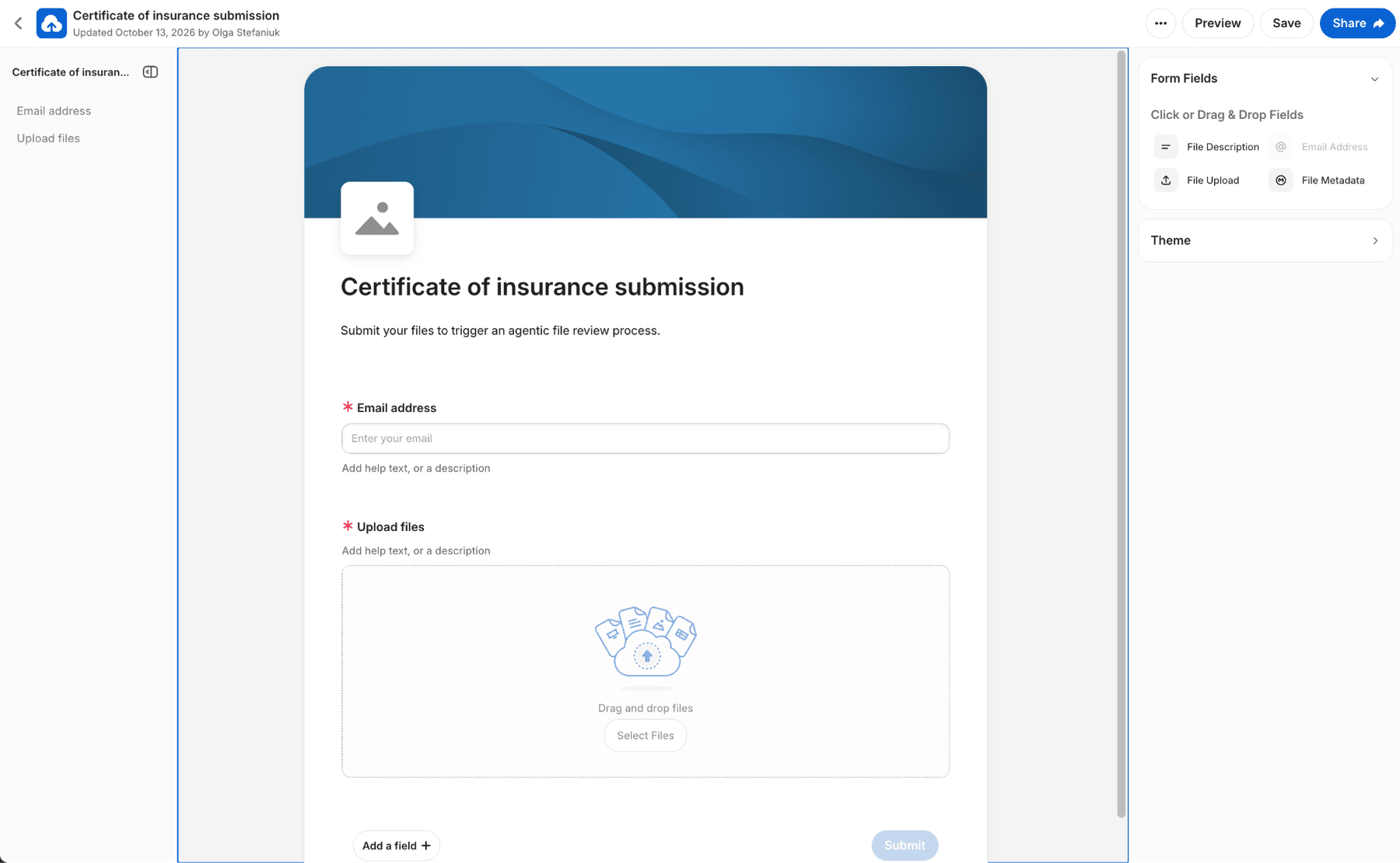
- In your terminal, launch the virtual env and installing required packages
- Run
python seed.py, which:- Creates folders and uploads demo project’s insurance requirements
- Creates a new webhook
- Creates a metadata template
- Creates a new file request and returns a link in the terminal window
- Checks collaboration for defined users in the .env file
Start the HTTPS tunnel in a separate terminal and leave it running:
ngrok http 8000In the project terminal, run the seed after setting `BOX_WEBHOOK_ADDRESS` to the tunnel’s HTTPS URL:
python seed.pyIf you created the File Request after the first seed, set its builder ID and run the seed again. Start the receiver with:
python demo.pyUpload one of the sample COIs through the File Request link. Box sends the upload event; the receiver queues the file and runs extraction, decision, metadata, and review actions.
To exercise the same processing path before webhook delivery is configured, use the manual trigger with an uploaded Box file ID:
python manual_trigger.py <BOX_FILE_ID>Watch the terminal for the extraction fields and decision logs. In Box, open the uploaded file to inspect its COI Intake Review metadata, Activity panel, review task, and specialist collaboration. The sample PDFs are fictional; the COI layout is inspired by familiar certificate fields and the Texas Department of Insurance sample, but these artifacts are not official forms or evidence of actual insurance.
Expand the workflow
This demo focuses on the intake-to-review path, and can serve as a boilerplate for various use cases. It is not production workflow software, before deploying a real workflow, move event and processing state to durable storage, make retries safe, and add monitoring so failed or delayed submissions are visible.
From here, the project could grow in a few practical directions:
- Find existing project evidence. Use the Box Search API to look for current certificates, endorsements, or project documents. Add only relevant matches to the review context and flag possible duplicates before creating another follow-up task.
- Handle a multi-file submission. Associate a COI and its separate endorsement with the same project and submitter, then evaluate them together instead of treating each upload as a separate case.
- Use extraction confidence as another review signal. Box can return optional confidence for extracted fields. Capture it separately from the Decisions API route confidence, and send a submission for review when a critical date or limit was extracted with low confidence.
- Learn from completed reviews. Record whether the reviewer confirmed the route or changed it, then use those labeled outcomes to refine the field prompts, route descriptions, and any confidence threshold.
- Notify the submitter about missing information. Connect request_endorsement to an email service and send a reviewed message to the address collected by the File Request, with instructions for submitting the missing document.
If you have any questions or you’re running into any setup difficulties, please feel free to contact us here.